

EPEAT registration identification is no longer a mandatory line item in most MAS solicitation templates after GSA’s 2025 deviation, but the underlying FAR requirement to buy EPEAT-registered electronics has not gone away. Check the actual solicitation clauses first, then verify your product models on the EPEAT registry before you submit an offer.
That single check, solicitation text over template assumptions, is the difference between an offer that sails through review and one that stalls on a documentation request. Federal agencies still answer to FAR Subpart 23.7, even when GSA’s own paperwork got lighter.
TL;DR:
- Verify your product models directly on the EPEAT registry and document their registration levels before submitting an offer, as system listings may be outdated or incomplete.
- EPEAT ratings are categorized into Bronze, Silver, or Gold, with each tier requiring progressively higher compliance with optional environmental criteria.
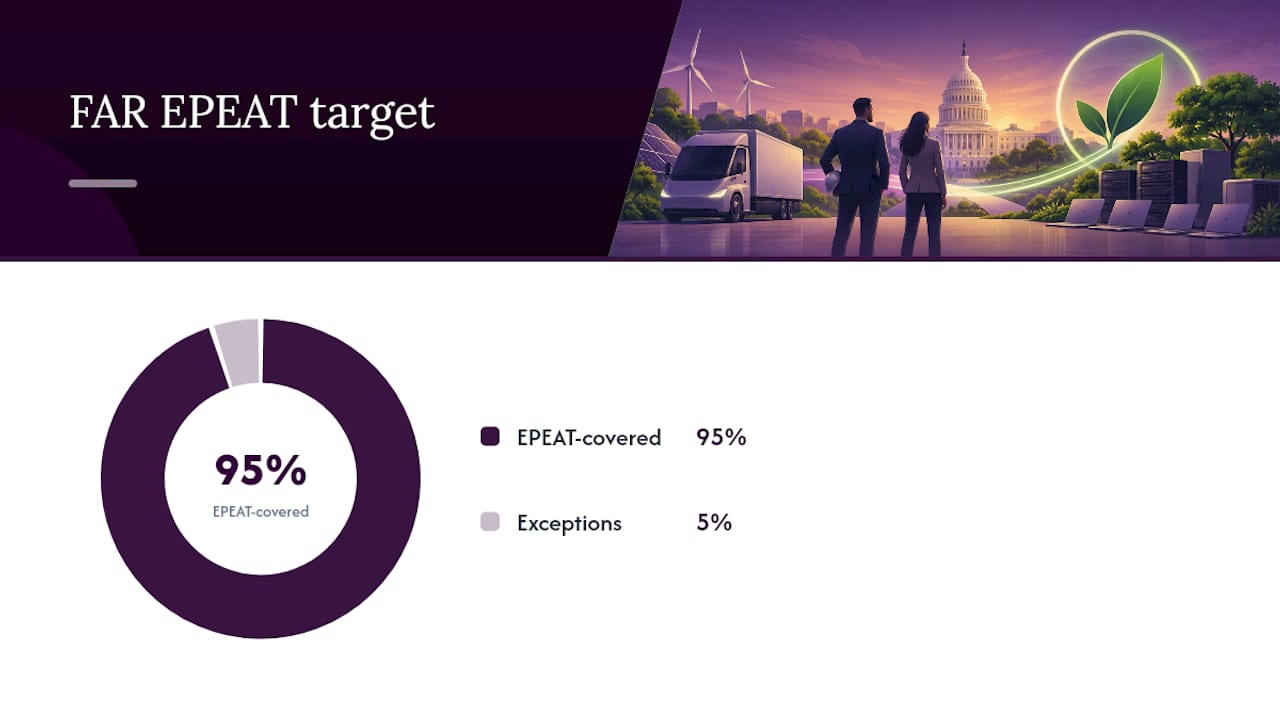
- FAR Subpart 23.7 mandates that agencies acquire at least 95% of electronic products through EPEAT-registered items, with exceptions for categories lacking standards or performance needs.
- Post-2025 GSA policies shifted EPEAT identification from mandatory in MAS templates to a requirement that task orders enforce it, so always review the actual solicitation content.
- Maintaining an organized, current EPEAT compliance folder during offer preparation and post-award is crucial, with ongoing monitoring for product re-registrations and tier changes.
Table of Contents
- Practical checklist for reviewing solicitations and preparing offers
- EPEAT explained: tiers, required criteria, and covered product categories
- FAR and GSA rules: clauses, GSA class deviation, and the MAS Refresh impact
- How to verify EPEAT registration and collect acceptable documentation
- Exceptions, waivers, and the 95% acquisition target
- Practical guidance from a GSA Schedule advisor on offers and maintenance
- The tradeoff between streamlined MAS offers and agency sustainability goals
- How GSA Schedule Services can help with EPEAT and offer preparation
- Authoritative resources to consult
- Sources
- FAQ
Practical checklist for reviewing solicitations and preparing offers
Start every offer by reading the solicitation the way a contracting officer will read your response, clause by clause, not by assuming last year’s template still applies.
- Scan the solicitation for FAR references (23.704, 23.705) and contract clauses (52.223-16, 52.223-13, 52.223-14) or any sustainability language buried in the statement of work.
- Confirm which product category you’re offering and whether EPEAT applies to it at all; office furniture and most services fall outside scope.
- Search the EPEAT registry for your exact model and manufacturer, then save a dated printout or screenshot as proof.
- If the solicitation is silent on EPEAT, note that in your file and consider attaching a short sustainability documentation appendix anyway.
- Keep a dedicated folder tying each sustainability document to the specific offer or contract line item it supports.
Pro Tip: Build your EPEAT documentation folder before you need it. Retrofitting proof after a contracting officer asks for it costs far more time than capturing it during offer prep.
Contractors who skip this step often assume that because GSA Advantage or a MAS template doesn’t flag EPEAT, the agency issuing the task order doesn’t care either. That assumption breaks down the moment an agency’s own sustainability office reviews the award file.
EPEAT explained: tiers, required criteria, and covered product categories
EPEAT is a registry of electronic products evaluated against environmental criteria, verified independently through the Global Electronics Council rather than self-reported by manufacturers. The EPEAT registry sorts every registered product into one of three tiers based on how many optional criteria, on top of the required ones, the product meets.
- Bronze: the product meets all required criteria for its category and nothing more.
- Silver: the product meets all required criteria plus at least 50% of optional criteria.
- Gold: the product meets all required criteria plus at least 75% of optional criteria.
A solicitation that specifies “EPEAT Silver or better” is telling you exactly where on that scale your offered model needs to sit. Manufacturers, not resellers, register the products, and each registry entry lists the registration level and the date it was granted.
The categories that show up most often in federal buys are computers and displays, imaging equipment such as printers and copiers, televisions, and servers. EPEAT’s coverage has expanded over time, so a category that was excluded a few years ago may now be included, which is one more reason to check the registry directly rather than rely on memory from a prior contract cycle.
If your offer includes a laptop model that was Silver last year, don’t assume it still is. Manufacturers sometimes re-register with updated specifications, and registration levels can shift between product refreshes.
FAR and GSA rules: clauses, GSA class deviation, and the MAS Refresh impact
The legal foundation sits in FAR Subpart 23.7, which directs agencies to meet at least 95% of their applicable electronic product acquisitions with EPEAT-registered items unless an exception applies. FAR 23.704 sets an approximate target and FAR 23.705 guides contracting officers on which clauses to consider inserting into a solicitation to support sustainable acquisition goals.
Three clauses do the heavy lifting:
- 52.223-16: covers IT products such as personal computers, requiring EPEAT registration at the specified tier.
- 52.223-13: covers imaging equipment like printers, copiers, and multifunction devices.
- 52.223-14: covers televisions, with the same required and optional tier structure.
Each clause carries an Alternate I option that a contracting officer can invoke to raise the bar from Bronze to Silver or Gold. If you see “Alternate I” referenced anywhere in a solicitation attachment, read it before you finalize your product list.
GSA’s model changed in 2025, and this is where a lot of confusion starts. Supplement 1 to Class Deviation CD-2025-05 and the accompanying MAS Refresh materials removed mandatory EPEAT identification language from standard MAS solicitation templates. That doesn’t repeal FAR 23.7. It shifts the responsibility for invoking EPEAT clauses back to the ordering agency at the task order level, rather than baking it into every MAS solicitation by default.
The practical effect: a MAS solicitation might no longer show boilerplate EPEAT language, but the agency placing a task order under that schedule can still require it, and often will, because FAR 23.1’s sustainable acquisition responsibilities apply to the agency regardless of what the MAS template says.
System templates lag policy. SAM.gov listings and GSA Advantage pages sometimes still display outdated EPEAT references, or omit ones that should be there, because these systems update on their own schedule. Treat the actual solicitation text and the current FAR and GSA deviation documents as controlling, never the portal display.
How to verify EPEAT registration and collect acceptable documentation
Verification is a short process if you do it in order, and it produces exactly what a contracting officer or auditor will ask to see.
- Search the EPEAT registry by manufacturer name and model number, then record the exact registry URL along with a dated screenshot or printout.
- Note the registration level shown (Bronze, Silver, or Gold), the registration date, and any verification statement the entry displays.
- Cross-check the same model against ENERGY STAR listings when the solicitation cites both standards, since imaging equipment and televisions frequently carry dual requirements.
- Assemble your file: the dated registry printout, a vendor attestation letter if the manufacturer provides one, a model number crosswalk matching your price list line items, and invoice evidence if the solicitation asks for proof of purchase history.
Pro Tip: Label every registry printout with the offer or task order number it supports. A folder full of undated, unlabeled screenshots is nearly as unhelpful as having no documentation at all.
Store this material in two places: inside your offer package when the solicitation requests it, and in a separate post-award compliance file you can pull from during any later review. That second copy matters more than most contractors expect, since post-award recordkeeping is where documentation gaps tend to surface.
Exceptions, waivers, and the 95% acquisition target
Agencies aren’t required to hit 100% EPEAT compliance on every electronics purchase. FAR 23.704 sets the 95% threshold and recognizes exceptions that let specific purchases fall outside that count.
- No EPEAT standard exists yet for the product category being purchased.
- No EPEAT-registered product in that category meets the agency’s performance or feature requirements.
- The agency head grants an exemption for a specific acquisition, following agency-level procedures for documenting that decision.
A cost-effectiveness argument can also support an exception, but it has to go through the agency’s own determination process, it isn’t something a contracting officer decides informally on a single task order.
The 95% figure is calculated across an agency’s total applicable electronic product acquisitions over a reporting period, not per individual order, so a single non-EPEAT purchase rarely triggers a compliance problem on its own. If a solicitation states that an exception applies, ask the contracting officer for the written basis and keep that exchange in your contract file. That paper trail protects you if the purchase gets flagged in a later review.
Practical guidance from a GSA Schedule advisor on offers and maintenance
Contractors preparing a GSA Schedule offer today should treat EPEAT documentation as a lean, standing appendix rather than a one-time scramble. A short attachment with model numbers, registry printouts, and a brief capability statement covers most agency requests without adding pages of boilerplate to an already dense offer.
- Include a compact sustainability documentation section listing offered models, their EPEAT tier, and registry dates, even when the solicitation doesn’t explicitly demand it.
- State your EPEAT capability in neutral, factual language rather than promotional claims, contracting officers respond better to a plain model list than to marketing copy.
- Build an internal workflow, even a simple spreadsheet, that flags when a manufacturer re-registers a product at a different tier so your price list stays accurate.
- Review your active line items against the registry roughly once a quarter, since manufacturers update registrations more often than most contractors check.
Pro Tip: Assign one person on your team to own EPEAT tracking. When responsibility is split across sales and compliance staff, registry changes get missed.
Post-award, if a task order under your schedule specifically requires EPEAT registration at a tier your current price list doesn’t reflect, you may need a contract modification to update your offered models or pricing before you can accept that order. Don’t wait for a compliance review to catch the mismatch; check tier requirements against your price list before you bid.
The tradeoff between streamlined MAS offers and agency sustainability goals
GSA’s simplified templates cut real overhead for contractors preparing MAS offers, but that simplicity shifts risk rather than eliminating it. Agencies still carry their own FAR 23.1 sustainability obligations, and a task order can demand EPEAT proof a MAS solicitation never mentioned. Contractors who keep registry documentation current, rather than reactive, tend to clear agency reviews faster and avoid modification delays. Josh writes on GSA Schedule compliance topics for GSA Schedule Services.
— Josh
How GSA Schedule Services can help with EPEAT and offer preparation
Reviewing solicitation clauses, cross-checking the EPEAT registry, and assembling documentation takes time most small business owners don’t have alongside running daily operations. GSA Schedule Services helps contractors interpret solicitation language, prepare compliant offers, and organize the documentation agencies ask for.
- Solicitation and clause review to identify what’s actually required for your product category.
- Full offer preparation, including sustainability documentation appendices, through packages like Startups, Specialty, and Streamline.
- Ongoing post-award support and price list updates through maintenance plans starting with the RETAINER option.
- Contract modification support when a task order’s EPEAT tier requirement doesn’t match your current schedule listing.
If you’re evaluating whether a GSA Schedule fits your business, start with a free eligibility check to see where you stand before committing to a full application.
Authoritative resources to consult
- FAR Subpart 23.1 and 23.7: the regulatory text setting the 95% EPEAT acquisition target and clause insertion rules.
- EPA model contract language: sample clauses contracting officers use to satisfy sustainable purchasing requirements.
- GSA Class Deviation CD-2025-05, Supplement 1: the document explaining what changed in MAS solicitation templates.
- EPA EPEAT primer for federal purchasers: guidance on using the registry and procurement vehicles like GSA Advantage.
- EPEAT registry: the source of truth for checking any product’s registration and tier.
Sources
- FAR Subpart 23.1 / 23.7 and related clauses — acquisition.gov
- Epeat
- Model contract language for federal sustainable purchasing — EPA
- Supplement 1 to FAR Class Deviation CD-2025-05 — GSA
- EPEAT for federal purchasers — EPA (PDF)
FAQ
Which EPEAT tier requires meeting all required criteria plus 75% of optional criteria?
Gold is the tier that requires a product to meet all required criteria for its category plus at least 75% of the optional criteria. Silver requires the same required criteria plus only 50% of optional criteria, and Bronze requires just the required criteria with no optional threshold.
What is EPEAT certification?
EPEAT registration is a system for rating electronic products against environmental criteria, with results verified independently rather than self-reported by manufacturers. Products appear on the EPEAT registry once a manufacturer registers them and meets the applicable criteria for their category.
What does the EPEAT level rating mean?
The level, Bronze, Silver, or Gold, indicates how many optional environmental criteria a product meets on top of the required baseline for its category. A Silver-rated product meets all required criteria plus at least half of the optional ones, while Gold reflects a higher share of optional criteria met.
What is EPEAT Gold with climate+?
Climate+ is an additional designation some EPEAT Gold products carry when they meet added criteria related to climate impact, beyond the standard Gold threshold. Solicitations rarely require Climate+ specifically, so check the exact solicitation language rather than assuming it applies to your category.
Do GSA Schedule offers still need to identify EPEAT registration?
Most current MAS solicitation templates no longer include mandatory EPEAT identification language following GSA’s 2025 class deviation, but individual agency task orders can still require it under FAR 23.7. Always check the specific solicitation or task order text rather than relying on the MAS template alone.
Recommended
- Performance Metrics for GSA Contracts: 2026 Guide
- GSA Schedule Award: Complete Checklist for Success
- GSA Schedule Award: Essential Post-Award Checklist
- Your Checklist for After GSA Schedule Award