

To register in SAM.gov, gather your legal business name, address, EIN and bank details, sign in with Login.gov, create a new entity to get a Unique Entity ID, then complete core data, representations and certifications, and points of contact. Registration is free and must be renewed every year.
TL;DR
- Registering in SAM.gov costs nothing: no fee for a Unique Entity ID, for registering, or for renewing.
- Prepare your legal name, physical address, EIN, bank routing and account numbers, NAICS codes and size figures before you log in.
- The flow runs from Login.gov, to a UEI, to core data, to representations and certifications, to points of contact, to submission.
- Plan for validation time, then renew every 365 days, starting 45 to 60 days before expiration.
- An active SAM registration is the base for a GSA Schedule, the next step if you want steady federal sales.
Table of Contents
- What do you need before you start SAM.gov registration?
- What are the SAM.gov registration steps?
- How long does SAM.gov registration take?
- What is the difference between a UEI and a SAM registration?
- How do you renew your SAM.gov registration?
- Is SAM.gov registration really free?
- What does SAM registration get you, and what comes next?
- What we would tell a business owner about SAM registration
- Ready to move from SAM registration to a GSA Schedule?
- FAQ
- Sources
What do you need before you start SAM.gov registration?
Most registration problems start before the first click. The data you type has to match what the IRS, your state and your bank already have on file, so collect it first.
The SAM.gov entity checklist asks for the following to create a Unique Entity ID: legal business name, physical address (no P.O. boxes), date of incorporation, and state of incorporation. The full “All Awards” registration, the one that lets you bid on contracts, then needs the business start date, fiscal year end date, mailing address, your taxpayer identification number (TIN) with the IRS consent form, ownership details, entity and profit structure, socioeconomic categories, and your EFT bank details: account type, routing number and account number.
A Puerto Rico government checklist turns that into a practical document pile that works for any small business:
- A good standing certificate or incorporation document that shows your exact legal name.
- A utility bill, rental agreement or driver’s license for the physical address.
- Your EIN, with the business name written exactly as it appears on your IRS letter.
- Bank routing and account numbers.
- Your NAICS codes, the industry codes that describe what you sell.
- Documents showing your business start date and your fiscal year end date.
- Size metrics: five-year average annual receipts and the number of payroll employees.
GSA gives the same warning in plain terms: match your business name, address and ownership details exactly across IRS, SAM.gov and SBA records. A missing comma or an abbreviated “LLC” can stall validation.
A CAGE code is a five-character identifier for federal suppliers. You do not need one in hand: SAM.gov assigns it after submission if you do not have one.
What are the SAM.gov registration steps?
The screens change cosmetically from year to year, but the sequence has been stable. This walkthrough follows the Energy Department’s SAM registration guide and the entity walkthrough published by a US embassy, with the places it goes wrong added.
Step 1: Create your Login.gov account and sign in to SAM.gov
SAM.gov uses Login.gov for sign-in. Create the account with an email address you will still control in a year, because renewal reminders go there. Decide now who in your company does this. The first person to register an entity becomes the Entity Administrator and is the only person with access until they assign roles to others. If the owner’s assistant registers and then leaves, you can be locked out of your own record.
Step 2: Start a new entity
In your workspace, select “Get Started” under Entities, then create a new entity. SAM.gov asks for the purpose of your registration. Choose the option that lets you pursue contracts and financial assistance, the All Awards registration. A full registration is required to bid on government contracts as a prime awardee. The lighter UEI-only path is meant for businesses that, for example, only report as a sub-awardee.
Step 3: Confirm your CAGE status and enter your entity details
Answer whether you already have a CAGE code. Then enter your legal business name, any “doing business as” name, and your physical address, exactly as in your documents from the checklist above.
Step 4: Validate the entity and get your UEI
SAM.gov checks the name and address. If it cannot find your business, you can submit documents or open a help ticket with the Federal Service Desk from that page, and you may have to wait for the validation data to update. You also choose whether your entity is visible in public search results. Then you certify the information under penalty of law and SAM.gov issues your UEI.
That UEI is a 12-character code assigned once an entity passes validation. It identifies you in SAM.gov and other federal systems.
Step 5: Complete core data
This is the longest screen set. You enter general information such as start date and fiscal year end, your TIN, ownership and structure, then your financial information, including the bank details for electronic payment. Double-check the routing and account numbers. A typo here delays your first payment later, not only your registration.
Step 6: Select NAICS codes and confirm your size
GSA’s guidance says registration includes selecting NAICS codes and confirming size standard information using SBA guidance. Pick the codes that describe what you actually sell, and mark a primary one. Your size is judged against the SBA’s standard for each code, so the receipts and employee figures from your checklist matter here.
Step 7: Complete representations and certifications
These are your formal statements about eligibility, ownership and compliance. Read each one. You make them under penalty of law, and agencies rely on them when they award work.
Step 8: Enter points of contact
Add the people agencies and the system should reach about the registration, such as the government business point of contact and the electronic business contact. Use monitored mailboxes, not an individual’s inbox that nobody else sees.
Step 9: Review and submit
Submit the registration. At this point validation and checks run. The status in your workspace tells you whether it is submitted, in review or active.
Step 10: Verify that you are active
Use the “Check Entity Status” tool on SAM.gov with your UEI or CAGE code to confirm the entity is registered and active. For a walkthrough of this check, see our guide to verifying your SAM.gov registration.
How long does SAM.gov registration take?
Budget weeks, not hours. Typing the data takes a few hours if your documents are ready. Validation is the part you do not control.
GSA advises starting early because registration can take up to several days to complete and validate. A US embassy briefing is more cautious about the back end: after submission, SAM.gov checks your TIN with the IRS and your CAGE code with the Defense Logistics Agency, which can take 10 to 15 business days, longer if the record is flagged for manual review. The same briefing says it can take another 24 to 48 hours after activation for the registration to show up in other government systems.
What to do if you wait too long:
- If the registration has been submitted for 15 business days or more, check that your workspace and the Check Status button show the same status.
- If they match, contact the CAGE office at the Defense Logistics Agency Customer Interaction Center, 1-877-352-2255.
- If they conflict, contact the Federal Service Desk. The Department of Labor lists it at (866) 606-8220 or at FSD.gov.
If you are chasing a specific opportunity, the Department of Justice advises that validation will not begin until all requirements are submitted and suggests registering at least 30 days before a Grants.gov deadline. The same logic applies to contract bids: register before you need to.
What is the difference between a UEI and a SAM registration?
People use “SAM number” for two different things.
The UEI is your identifier. Once assigned, it never expires. Your registration is the full record of your business data, and it expires every year unless renewed. You can have a UEI and an inactive registration, and an inactive registration means you cannot be awarded.
If you remember the old DUNS number, it is gone. The UEI replaced DUNS as the official federal identifier on April 4, 2022, and DUNS numbers are no longer searchable in SAM.gov. Businesses that were registered before then were given UEIs automatically.
How do you renew your SAM.gov registration?
A registration must be renewed every 365 days to stay active. You can update it at any time or during renewal.
The Energy Department’s guide recommends starting renewal 45 to 60 days before expiration to leave time for validation. USDA’s small-business training says entity administrators get emails when a registration will expire in 60, 30 and 15 days, and that documents are not required at renewal unless your validated business name or address changes.
The practical rules:
- Put the expiration date in two calendars, owned by two different people.
- Keep the Entity Administrator’s email current.
- If your legal name or address changes, expect to submit documents again.
- Renewal is free. No one needs to be paid to do it.
For the maintenance routine in more detail, read maintaining SAM registration for federal contracts.
Is SAM.gov registration really free?
Yes. The SAM.gov checklist states there is no charge to get a UEI, register an entity or maintain the registration. GSA also says businesses do not need to pay a third party to complete registration.
The warning that matters more: OSHA notes that applicants should not rely on third parties to register them, because a grant application is denied if you do not hold an active, genuine registration, even if you relied in good faith on someone else. So register under your own login, keep the credentials, and make sure you are the entity administrator.
What does SAM registration get you, and what comes next?
Registration makes your business visible. The Department of Labor says it makes a business visible and accessible to every civilian and military federal agency that might otherwise not know about it.
But being visible is not the same as being bought from. Registered is the entry ticket. Most small businesses then need a route to repeat buyers, and that is where a GSA Schedule contract comes in. It puts your catalog and pricing in front of agencies that buy from pre-approved vendors. It requires an active SAM registration, so doing registration cleanly is the first step of the application, not a separate chore.
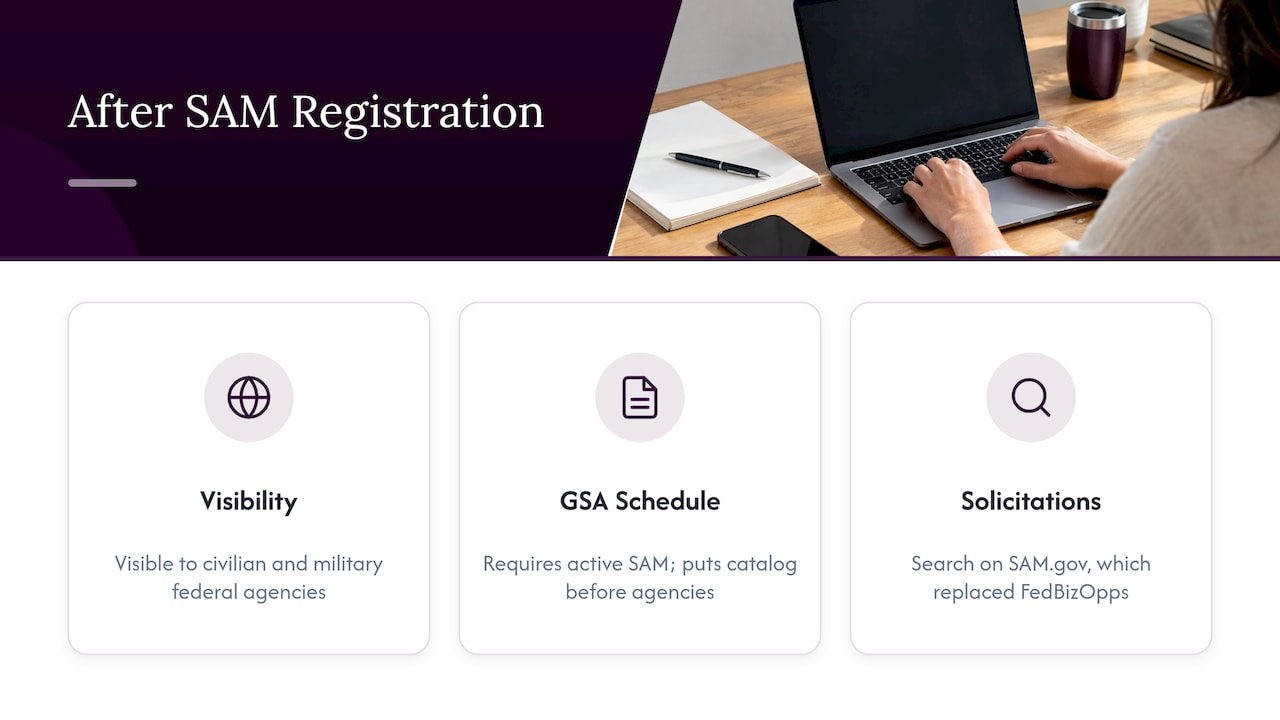
If you are still working out how the whole process fits together, these guides help: registering for government contracts, finding opportunities with a contract opportunity finder, and the complete SAM.gov registration and contract search guide. Search for solicitations on SAM.gov itself, which replaced the retired FedBizOpps.
What we would tell a business owner about SAM registration
SAM.gov is the easy part, and you should do it yourself, under your own login. It is free, the steps are listed above, and the main risks are typos and an expired renewal date.
The hard part starts after you are active. A GSA Schedule application means mapping your offering to the right SIN codes, building a price list, assembling past performance and negotiating terms. Business owners who go through it alone often spend years. We handle the paperwork for our clients so they need only about 3 hours of their own time, and many of our clients are awarded in roughly 90 days.
If your SAM registration is active, or about to be, that is the moment to ask whether you qualify for a schedule. Do it while your records are clean and your name, address and NAICS codes are fresh in your mind.
Josh
Ready to move from SAM registration to a GSA Schedule?
Once your registration is active, we take over the GSA Schedule application: eligibility assessment, documentation, price list development, NAICS and SIN code mapping, and negotiation support. Our approach is “no award, no fee”: you pay only after approval, and we back it with a money-back guarantee. See our GSA Schedule consulting service, or the Startups, Specialty and Streamline options if you want to compare how we package it.
After the award, our maintenance plans cover contract modifications starting at $99 per month for one modification a year.
FAQ
Do I need a UEI before I register in SAM.gov?
You get the UEI as part of registration. When you create a new entity, SAM.gov validates your name and address and then issues the UEI. If you were registered before April 2022, you already have one, because it was assigned automatically.
Can I register in SAM.gov without an EIN?
The full registration asks for a TIN, and for most businesses that is the EIN, with the name identical to your IRS letter. A UEI alone needs only the legal name and address. Because the process for sole proprietors can differ, use the Federal Service Desk at (866) 606-8220 if your situation is unusual.
How do I check whether my registration is active?
Use the Check Entity Status tool on the SAM.gov homepage with your UEI or CAGE code. Also compare it to the status in your workspace. If the two differ, contact the Federal Service Desk.
What happens if my registration expires?
Your entity becomes inactive, and an inactive registration is not accepted for new awards. Renew before the expiration date shown in your record, starting 45 to 60 days early, so validation finishes in time.
Does an active SAM registration mean I can get a GSA Schedule?
It is a requirement, not a guarantee. The schedule also depends on your offering, financials, past performance and pricing. We offer a free eligibility check: tell us about your business and we will tell you whether you are ready to apply.
Sources
- Entity Registration Checklist, SAM.gov (November 2024)
- Entity Registration, SAM.gov
- SAM Registration Checklist, Puerto Rico DDEC
- Register your business, GSA
- Appendix 7: SAM Registration User Guide, Department of Energy
- Entity Registration Walkthrough, All Awards, UEI 2.0, US Embassy
- SAM Presentation for International Registrants, US Embassy
- Is Your Entity Registered and Active in SAM.gov?, Department of Justice
- System for Award Management, Department of Labor
- What is the System for Award Management, OSHA
- UEI transition fact sheet, Institute of Education Sciences
- Federal Register, May 1, 2024
- How to Obtain a Unique Entity ID, Ohio Department of Education
- Assisting Small Businesses thru SAM.gov Training, USDA
Recommended
- Verify SAM.gov Registration: Step-by-Step Guide
- The Role of SAM Registration in Federal Contracting
- SAM.gov Registration & Contract Search: The Complete Guide
- Maintaining SAM Registration for Federal Contracts