Short answer: To log in to GSA eOffer, go to eoffer.gsa.gov, choose Prepare, Submit, or Update an eOffer (or the modification option for an existing contract), sign in with your FAS ID email and password, enter the one-time code from your multi-factor authentication (MFA) method, and then enter your company’s UEI. Since March 8, 2021, FAS ID with MFA is the only way in; digital certificates are no longer used.
- First time? Click Register new Account on the eOffer home page. Your name and email must already be listed as a point of contact in your company’s SAM.gov registration (new offerors) or as an Authorized Negotiator on the GSA contract (current contractors).
- Already use FAS ID for another GSA system (Sales Reporting Portal, GSA Advantage Purchase Order Portal, Vendor Portal, Mass Mod Portal or eBuy)? You don’t need to register again.
- Before you start an offer: GSA’s eOffer checklist asks you to review the MAS solicitation and MAS Roadmap, complete the Pathways to Success training, and have an active SAM.gov registration with a UEI.
- Locked out? Use “Need help signing in?” on the login screen, or contact the eOffer/eMod Help Desk at 1-866-472-9114 or eOffer@gsa.gov.
How To Get A GSA Schedule Contract? – CountyOffice.org
How to Log In to GSA eOffer (Step by Step)
These are the login steps from GSA’s eOffer/eMod FAS ID user guide:
- Go to the eOffer/eMod home page at eoffer.gsa.gov.
- Click Prepare, Submit, or Update an eOffer for a new offer, or Prepare, Submit, and Correct a Modification Request if you already hold a contract.
- Enter your FAS ID email and password, then click Next.
- Enter the code from your MFA method: email, text message (SMS), voice call or the Google Authenticator app.
- Enter your company’s UEI to continue working in the system.
The same FAS ID also signs you in to other GSA vendor systems, so once you’re logged in your dashboard can show more than one application. Click the eOffer/eMod box to open the portal.
First Time? Register for a FAS ID
Registration is a one-time process:
- On eoffer.gsa.gov, click Register new Account.
- Enter your email address, first name, last name and your company’s UEI, then click Submit.
- Open the activation email, click Activate Account, create a password, choose a security question and a security image.
- Set up your MFA method (email, SMS, voice or Google Authenticator) and enter the first one-time code.
Who can register: for a new offeror, the person must be listed in SAM.gov as one of these points of contact: Government Business POC, Electronic Business POC, their alternates, Past Performance POC or Past Performance Alternate POC. For a current contractor, the person must be listed as an Authorized Negotiator on the GSA contract (with or without signing authority).
GSA eOffer Login Problems and How to Fix Them
GSA’s user guide lists the errors you’ll see during registration and what causes them:
- Your name and email aren’t in SAM.gov as a point of contact. Ask your SAM.gov administrator to add you to one of the POC fields listed above.
- You aren’t an Authorized Negotiator on the contract. Ask a current Authorized Negotiator to add you to the contract (this is done through a modification in eMod).
- The UEI is wrong or not valid. Look up your UEI on SAM.gov and check that the registration is active.
- “Your account is already registered.” Go back to the eOffer home page and log in instead of registering.
- Forgot your password? On the login screen click Need help signing in?, then Forgot/Reset Password, and follow the email from MFA-No-Reply+noreply@gsa.gov (check spam). If you can’t answer your security question, contact the help desk.
- Need to change your MFA method (for example, from email to text)? GSA asks you to call the help desk at 1-866-472-9114.
The portal also goes down for scheduled maintenance; GSA posts the schedule under “Notifications” on the eOffer home page.
Getting Ready to Access the GSA eOffer Portal
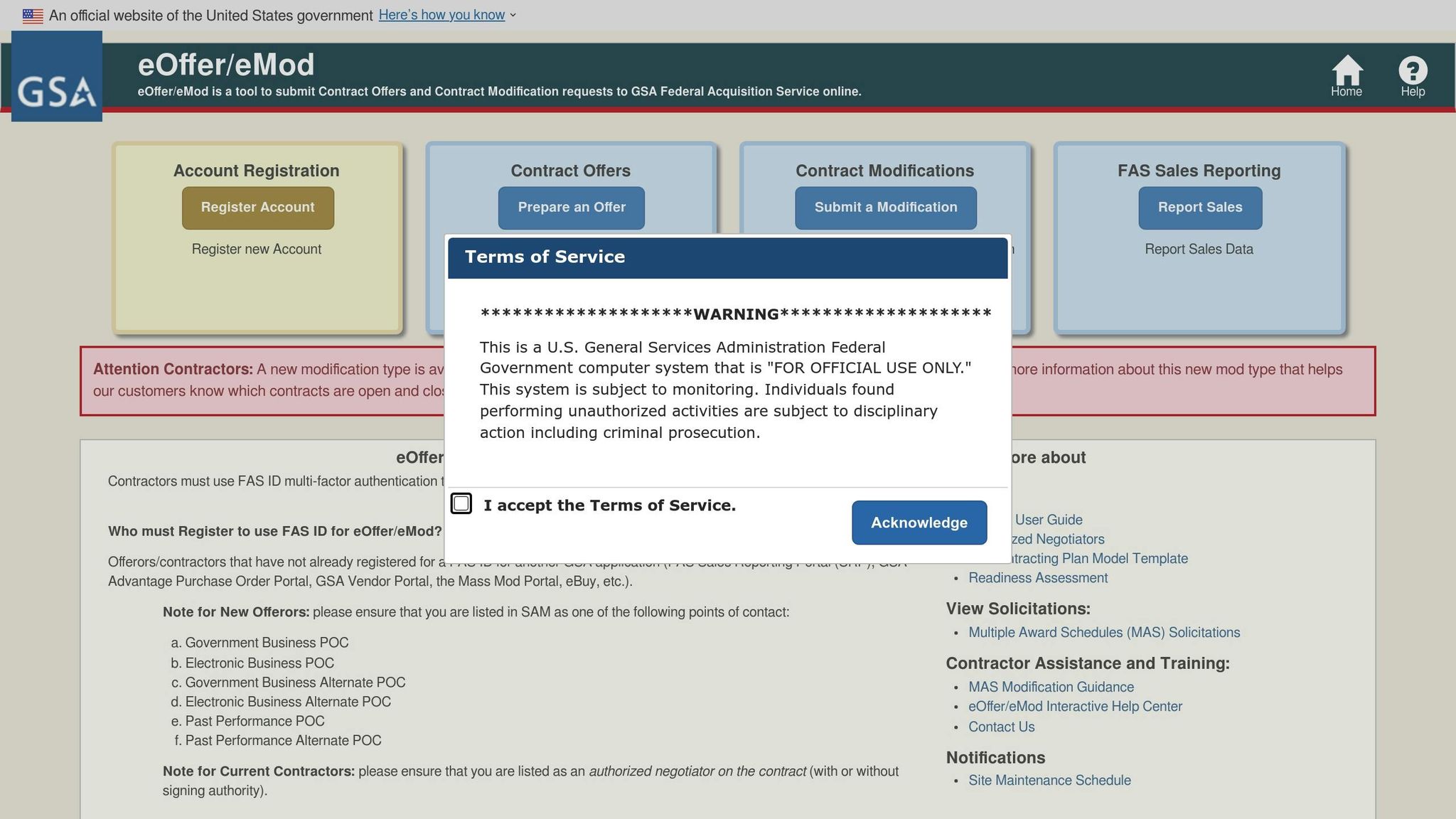
Before diving into your GSA Schedule application, it’s essential to have your documents in order and meet a few key prerequisites. Here’s what you need to know to ensure a seamless process.
Create Your FAS ID to Access eOffer
Digital certificates are no longer used. Since March 8, 2021, you sign in to eOffer with FAS ID credentials and multi-factor authentication. If you don’t have a FAS ID yet, follow the registration steps above. Make sure the person registering is listed as a point of contact in your SAM.gov registration first, or registration will fail.
Gather the Necessary Documents
The specific documents you’ll need depend on the MAS solicitation you’re applying for, but some are universally required:
- Financial Records: Prepare recent financial statements. GSA reviews financial responsibility as part of the offer, and the current MAS solicitation lists exactly what to submit.
- Past Performance Evidence: Prepare references, performance reviews, and details from previous contracts to demonstrate your reliability and experience.
- "Pathways to Success" Training Certificate: Complete this mandatory training through the Vendor Support Center (VSC) and keep the certificate handy. GSA says the certificate is valid for one year, and the employee who completed it must still work for your company when you submit. The eOffer home page also links to GSA’s Readiness Assessment.
Once you’ve assembled these documents, double-check everything to avoid delays.
Verify Your SAM Registration
Your SAM.gov registration is a critical step in this process. Without it, you won’t be able to access the eOffer or eMod systems. Ensure your Unique Entity ID (UEI) is active and all details in your SAM profile are accurate before moving forward. A quick review now can save you time later.
How to Use the GSA eOffer Portal
Once you’ve secured your FAS ID credentials and gathered all necessary documents, it’s time to dive into the GSA eOffer Portal. The process is straightforward but requires attention to detail at every step to ensure your application progresses smoothly.
Log In and Navigate the Dashboard
Start by logging into the GSA eOffer Portal using your FAS ID credentials. Once inside, you’ll land on the main dashboard – your central hub for managing your application. This dashboard shows all your active applications, their statuses, and any actions you need to take.
To begin a new GSA Schedule application, click the "Create New Offer" button. Be sure to select the correct MAS solicitation to avoid unnecessary delays. The dashboard is also where you’ll find important deadlines and updates from GSA, so make it a habit to check regularly for any new communications or required actions.
Once you’ve familiarized yourself with the dashboard, move on to selecting your NAICS codes and SINs.
Add NAICS Codes and SINs
Your NAICS codes (North American Industry Classification System) and SINs (Special Item Numbers) are critical for defining the scope of what you can offer under your GSA Schedule contract. Choosing the right ones sets the foundation for your business opportunities.
Start with your primary NAICS code, which should align with your main business activity as listed in your SAM registration. If your business spans multiple industries, you can add secondary NAICS codes, but only if you can demonstrate expertise and capability in those areas.
Next, use the portal’s searchable database to find the SINs that best match your products or services. Each SIN comes with detailed requirements and descriptions, so take the time to review them carefully. Focus on selecting SINs that align with your proven capabilities rather than chasing categories that seem more lucrative. GSA will require evidence that you can deliver on the SINs you choose.
The system allows you to save your selections as drafts, giving you time to research and refine your choices before finalizing them. Once you’re confident in your selections, you’ll be ready to upload your documents and complete the required forms.
Upload Documents and Complete Forms
Now it’s time to upload your documents. The portal organizes these into categories, and PDF format is preferred to maintain formatting and avoid compatibility issues.
Start with your financial documentation and pricing forms, as these are the most detail-intensive. Be prepared to provide financial metrics and have your accountant’s contact information handy if needed. Double-check your commercial pricing, proposed GSA pricing, and discount calculations to ensure they’re accurate. Your GSA pricing should reflect your best value to the government.
For compliance certifications, read each requirement thoroughly before responding. These certifications carry legal significance, so any inaccuracies could lead to contract termination or legal repercussions.
To avoid losing your work due to connectivity issues, make it a habit to save drafts frequently.
Sign and Submit Your Application
Before submitting, take advantage of the "Application Summary" feature to review your entire proposal. This feature allows you to spot any inconsistencies or missing information that might have been overlooked while working on individual sections.
Pay close attention to the pricing summary during this review. Ensure that your pricing across all SINs is consistent and that any discount percentages are calculated correctly. Mistakes in pricing are a common cause of application delays.
When you’re confident everything is accurate, the portal will prompt you to sign your application using your FAS ID. This step legally binds you to the terms and representations in your submission, so double-check everything one last time.
Finally, click "Submit Application" to send your proposal to GSA for review. The system will generate a confirmation number – save this number and the confirmation email for future reference. You’ll need these for tracking your application or addressing any follow-up requests from GSA.
Keep in mind that once your application is submitted, you won’t be able to make changes unless GSA specifically requests revisions. The portal locks your submission to preserve the integrity of the review process.
After You Submit Your Application
Submitting your application is just the beginning. Knowing what comes next and staying proactive can make all the difference in ensuring a smooth review process.
Confirmation and Tracking
Once you’ve submitted your application, you’ll receive a confirmation number. Use this number along with the "Update an eOffer" feature to monitor your application’s progress or make updates. Make it a habit to log into the portal regularly and double-check that your contact information is up to date. This way, you’ll never miss important notifications from GSA.
Responding to GSA Questions
As GSA reviews your application, they’ll evaluate key aspects like your capabilities, financials, past performance, and pricing. Be ready to provide additional documentation or clarify details if requested. Most of these communications will come through the eOffer/eMod system, so it’s crucial to ensure that your company’s authorized negotiators and delegated agents are correctly listed in the system. Quick and accurate responses to GSA inquiries can help you avoid unnecessary delays.
Final Proposal Revision and Award
In the final stages, you’ll enter the negotiation phase. This is your opportunity to fine-tune your pricing and terms to strike the right balance between competitiveness and profitability. GSA may ask for revisions or additional justification for certain elements of your proposal. Be thorough in your documentation and responsive to their requests to keep the process moving forward efficiently.
Main Points for Using the GSA eOffer Portal
The GSA eOffer portal brings federal contracting into the digital age, offering businesses a streamlined way to manage their submissions. By replacing outdated paper-based processes, this platform simplifies document preparation, submission, and communication with contracting offices, reducing errors and saving time. Here’s a closer look at what makes this portal an essential tool and how GSA Focus can help you make the most of it.
Benefits of Using the Portal
The eOffer portal eliminates the need for printing, mailing, and manual document handling. Instead, it provides a fully electronic system where contracts are legally bound with electronic signatures, cutting out delays caused by physical signatures. Plus, all data is securely transmitted to Federal Acquisition Service (FAS) contracting offices, reducing the risk of errors or unnecessary delays.
A major improvement is the FAS ID multi-factor authentication, which replaces the older digital certificate system. This update not only saves time but also reduces costs, making the process more efficient for businesses. This new system integrates smoothly with the application steps, ensuring a more user-friendly experience.
How GSA Focus Can Help
While the eOffer portal simplifies submissions, navigating the complexities of GSA requirements still requires expertise. That’s where GSA Focus steps in. They specialize in helping small businesses secure and manage GSA Schedule Contracts with a hands-on, done-for-you service. Their team ensures your application meets all GSA requirements, reducing the chances of rejection or delays.
GSA Focus also provides valuable support during the negotiation phase, particularly when it comes to final proposal revisions. Their advisory services ensure your pricing stays competitive while meeting compliance standards. For businesses worried about the time commitment, GSA Focus offers a secure online platform for uploading documents and even backs their services with a refund guarantee. This allows you to focus on running your business while their experts handle the intricacies of federal contracting.
FAQs
What challenges do businesses face with the GSA eOffer Portal, and how can they address them?
Navigating the GSA eOffer Portal can be tricky for businesses. Common issues include technical hiccups during submissions and applications being rejected for not meeting compliance standards or lacking necessary documents. These setbacks can cause delays and lead to frustration.
To sidestep these problems, double-check that all required documents are complete and align with GSA’s compliance guidelines. It’s also a good idea to get familiar with the portal’s technical specifications to avoid submission errors. If you’re looking for extra help, experts like GSA Focus can guide you through the process, reduce errors, and boost your chances of approval.
How does the GSA eOffer Portal make the GSA Schedule application process faster and easier?
The GSA eOffer Portal streamlines the GSA Schedule application process by offering a secure, online platform for businesses to prepare, submit, and sign their proposals electronically. Gone are the days of dealing with piles of paperwork or manual submissions – this digital approach saves both time and effort while cutting down on errors.
Key features like digital authentication with FAS ID, real-time submission, and electronic reviews make the process much smoother. The portal also improves communication between businesses and GSA contracting officials, helping to minimize delays and speed up contract awards. By shifting to this digital system, businesses can spend more time pursuing federal opportunities and less time navigating administrative red tape.
What should I do if there are errors or issues with my application on the GSA eOffer Portal?
If you spot mistakes or problems with your application on the GSA eOffer Portal, you have the option to reject the contract package during the review phase by clicking the Reject button. This gives you the opportunity to fix any errors and resubmit your application.
Taking this step helps ensure all discrepancies are resolved, keeping your submission compliant and improving its likelihood of approval. Pay close attention to the feedback provided during the review to address every issue before submitting again.
What is the GSA eOffer login website?
The official site is eoffer.gsa.gov. From the home page, choose the eOffer option for a new offer or the modification option for an existing contract, then sign in with your FAS ID.
Do I need a FAS ID to use eOffer?
Yes. Since March 8, 2021, contractors must use FAS ID with multi-factor authentication to access eOffer and eMod. If you already use FAS ID for another GSA vendor system, such as the Sales Reporting Portal or eBuy, you can use the same login.
Why can’t I register for eOffer?
The most common reason is that your name and email aren’t listed as a point of contact in your company’s SAM.gov registration (for new offerors) or as an Authorized Negotiator on the GSA contract (for current contractors). An invalid UEI also blocks registration.
What is the difference between eOffer and eMod?
eOffer is for submitting a new contract offer to GSA. eMod is for requesting changes to a contract you already have, such as adding products or services, updating prices or adding an Authorized Negotiator. Both use the same FAS ID login.
Who do I contact for eOffer login help?
The eOffer/eMod Help Desk: 1-866-472-9114 or eOffer@gsa.gov.
Already have a GSA contract?
Modifications, mass mods, option renewals, sales reporting and compliance are where contractors lose time and money. See how GSA Focus manages your contract after award.
Related Blog Posts
- How to Access GSA Small Business Support Programs
- 5 Steps to Meet GSA Prequalification Standards
- Understanding the Basics of a GSA Schedule Contract
- How to Apply for a GSA Schedule