
GSA Interact is defined as an open, collaborative platform where federal contractors connect with GSA program managers, track policy updates, and prepare for contracting opportunities across programs like MAS and OASIS+. For small and medium-sized businesses, it is one of the most underused tools in federal sales. Most contractors treat it as a bulletin board. The ones winning contracts treat it as a direct line to the people who write the rules.
What is GSA Interact and how does it work?
GSA Interact is the central hub for policy updates and program announcements across GSA’s contracting vehicles. GSA’s Integrated Award Environment (IAE) administers the platform as part of a government-wide federal acquisition initiative. That official status matters. When a policy change is coming, Interact is where GSA posts it first.
The platform organizes content into communities. Each community covers a specific contract vehicle or program area, such as MAS Information Technology, OASIS+, or Professional Services. Contractors join the communities relevant to their work and receive updates directly from GSA program owners and category managers.

Think of it less like a job board and more like a professional forum with direct access to federal decision-makers. The information posted there shapes contracts before they are finalized.
What are the core features of GSA Interact?
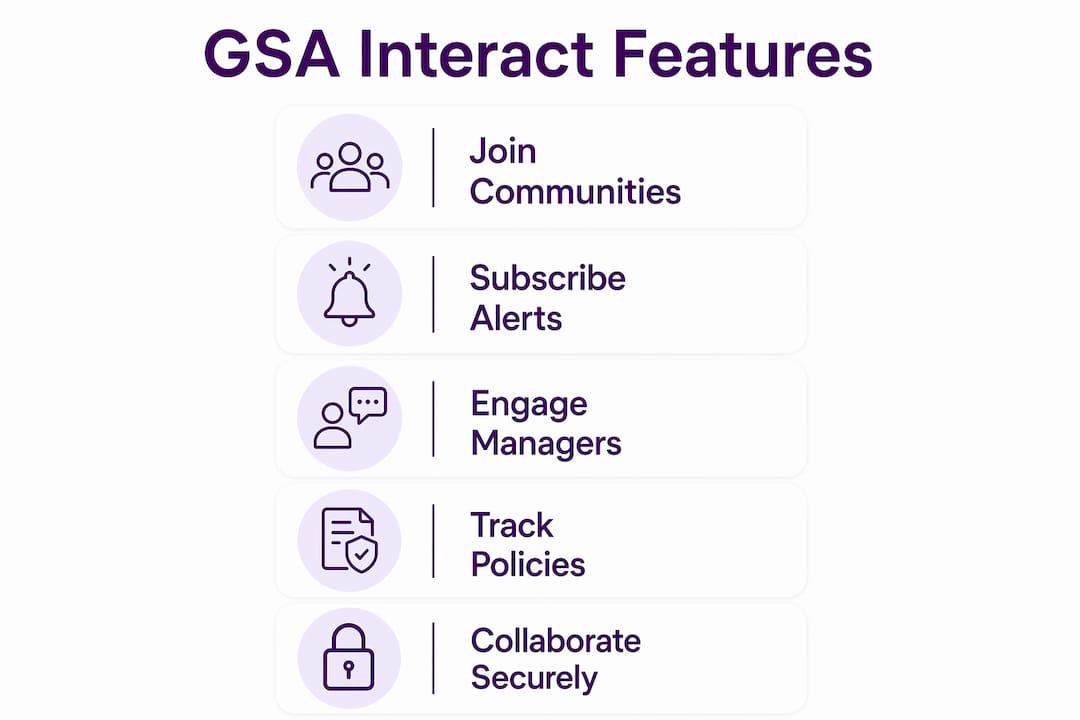
The platform’s most useful features fall into three categories: activity feeds, subscription notifications, and threaded discussion forums.
- Activity Feed: Each community has a live feed showing the latest posts, announcements, and documents from GSA staff. The MAS IT Activity Feed, for example, surfaces pricing updates, evaluation criteria changes, and on-ramp notices as they are posted.
- Subscription and notifications: Contractors can follow specific communities like MAS IT or OASIS+ and receive email alerts when new content is posted. This keeps you informed without requiring daily manual checks.
- Threaded discussions: Program managers and category managers post questions, solicit feedback, and respond to contractor inquiries directly in these threads. This is where the real intelligence lives.
- Document library: GSA posts draft solicitations, policy memos, and pricing guidance documents here before they appear anywhere else.
- On-ramp announcements: GSA posts advance notices for new vendor on-ramps months before the formal solicitation opens on SAM.gov.
Pro Tip: Subscribe to every community that matches your GSA contract categories on day one. You can always unsubscribe from low-traffic communities later, but missing an on-ramp announcement in the first week costs you months.
How do small businesses use GSA Interact effectively?
The most effective approach treats GSA Interact as a daily intelligence source, not a weekly check-in. Active monitoring of Interact clarifies evaluation criteria and gives contractors a competitive edge that passive readers simply do not get.
Here is a practical four-step routine for small and medium-sized businesses:
- Check your community feeds each morning. Spend five minutes scanning the activity feeds for your top two or three communities. Look for posts from GSA staff specifically, not just other contractors.
- Cross-reference with SAM.gov. GSA Interact and SAM.gov serve different purposes. Interact carries early policy signals and pre-solicitation discussions. SAM.gov carries the official solicitation. Treat them as two halves of the same picture.
- Engage in discussions with substance. Post questions and responses that demonstrate real expertise. Professional, value-add engagement builds credibility with category managers who influence future contract requirements. A thoughtful question about evaluation criteria is worth more than ten generic comments.
- Track on-ramp windows for OASIS+ and MAS refreshes. Smart contractors monitor specific communities daily when on-ramps open, because pre-solicitation clarifications appear on Interact before SAM.gov notices. Missing this window means starting from scratch on the next cycle.
GSA contracts function as a hunting license. Interact is how you understand the terrain before the hunt begins. Contractors who use it to track evolving pricing categories and “fair and reasonable” standards consistently write stronger proposals.
Pro Tip: When an on-ramp opens for a vehicle like OASIS+, set a daily calendar reminder to check the relevant Interact community. Pre-solicitation Q&A threads often contain evaluation details that never make it into the formal solicitation document.
What are the common misconceptions about GSA Interact?
The biggest mistake contractors make is treating GSA Interact as a source of active task orders. Interact is built for engagement and compliance, not for finding direct sales leads. Task orders and contract opportunities live on SAM.gov and agency procurement portals, not here.
Three other misconceptions cost contractors real money:
- “Interact is optional.” Contractors who skip it miss policy changes weeks before they appear in formal contract modifications. That gap creates compliance failures.
- “Posting once is enough.” Visibility with category managers builds over time. A single post does not register. Consistent, substantive participation does.
- “Any engagement is good engagement.” Low-quality posts, complaints, or off-topic comments damage your credibility with the exact people you want to impress.
Treating Interact as a passive resource limits its value. Active participation in communities, especially during on-ramp windows, is critical for maximizing federal contracting opportunities. The contractors who show up consistently and contribute meaningfully are the ones category managers recognize when requirements are being shaped.
The distinction between Interact and SAM.gov is worth internalizing. SAM.gov is where you respond to opportunities. Interact is where you learn about the GSA process before those opportunities are written.
How does GSA Interact support compliance and policy preparation?
GSA Interact functions as an early warning system for policy changes that arrive weeks or months before official contract modifications. Missing these signals creates compliance gaps that are expensive to fix after the fact.
The table below shows the types of announcements GSA posts on Interact and what each one means for contractors:
| Announcement type | What it signals | Contractor action required |
|---|---|---|
| Pricing 2.0 update | Algorithm change for MAS product pricing | Review and update catalog pricing before modification |
| MAS Refresh notice | New categories or evaluation criteria added | Assess whether current offerings still qualify |
| On-ramp advance notice | New vendor window opening for OASIS+ or similar | Prepare proposal materials and teaming agreements |
| Mass modification alert | Contract terms changing across all holders | Read modification, confirm acceptance deadline |
| Category manager Q&A post | Clarification on evaluation or compliance rules | Respond or monitor thread for binding guidance |
The Pricing 2.0 update, expected in mid-2026, is a concrete example. GSA posted the pricing algorithm changes on Interact months before the formal modification. Contractors who monitored the community had time to adjust their catalog pricing. Those who did not faced compliance issues when the modification hit.
Experienced contractors engage directly with category managers through targeted Interact communities for granular insight. This direct access produces more specific answers than generic help desk tickets, and it builds a record of good-faith compliance effort.
Connecting your Interact monitoring to your GSA registration steps creates a complete compliance workflow. Registration gets you on the schedule. Interact keeps you there.
Key Takeaways
GSA Interact is the most direct channel contractors have to GSA program managers, and active participation separates compliant, competitive contractors from those who are always catching up.
| Point | Details |
|---|---|
| Interact is not a lead source | Use SAM.gov for task orders; use Interact for policy intelligence and engagement. |
| Subscribe to relevant communities | Follow MAS IT, OASIS+, or your specific categories to receive email alerts automatically. |
| Engage with substance | Thoughtful posts in threaded discussions build credibility with category managers over time. |
| Monitor for compliance signals | Pricing 2.0 and MAS refresh notices appear on Interact months before formal contract modifications. |
| Daily use beats weekly check-ins | Contractors who check Interact daily during on-ramp windows gain a measurable proposal advantage. |
Why visibility on Interact matters more than most contractors realize
I have worked with dozens of small businesses that had solid GSA schedules and almost no federal revenue to show for it. The common thread was not a bad product or weak pricing. It was invisibility. They were not showing up where the conversations were happening.
GSA Interact is not glamorous. It does not generate leads. But it is where category managers see who is paying attention. When a new requirement is being shaped and a program manager remembers a contractor who asked a sharp question three months ago, that is not luck. That is the result of consistent, professional engagement.
The contractors I have seen get the most from Interact treat it like a trade publication they contribute to, not just read. They post clarifying questions during on-ramp windows. They respond to draft policy posts with specific, experience-based feedback. They show up in the federal services contracting discussions where their expertise is visible.
The practical advice is simple: block 10 minutes each morning, check your two or three most relevant communities, and post something substantive at least once a week. That cadence, maintained over six months, builds more recognition with GSA program staff than most paid marketing ever will.
— Josh
Federal contracting support from Gsascheduleservices
Understanding GSA Interact is one piece of a larger federal contracting picture. Getting on a GSA Schedule, maintaining compliance, and positioning your business for task orders all require a clear process. Gsascheduleservices works with small and medium-sized businesses to handle the paperwork, negotiations, and compliance requirements that come with securing a GSA Schedule contract. If you are ready to move from monitoring Interact to actively winning federal business, a discovery conversation with the Gsascheduleservices team is the right next step. The platform also offers guidance on growing through a GSA schedule once you are on contract.
FAQ
What is GSA Interact used for?
GSA Interact is an open platform where federal contractors engage with GSA program managers, track policy updates, and monitor on-ramp opportunities for contract vehicles like MAS and OASIS+. It is a compliance and engagement tool, not a source of active task orders.
How is GSA Interact different from SAM.gov?
SAM.gov is where contractors find and respond to official solicitations and contract opportunities. GSA Interact is where GSA posts policy changes, draft guidance, and program announcements before they appear on SAM.gov.
How do I start using GSA Interact?
Create a free account at buy.gsa.gov, then join the communities that match your GSA contract categories. Enable email notifications so you receive alerts when new content is posted in those communities.
What is the Pricing 2.0 update on GSA Interact?
Pricing 2.0 is a GSA initiative to refine the pricing algorithm for MAS contracts with products. GSA posted the details on Interact ahead of the formal mid-2026 modification, giving contractors time to review and adjust their catalog pricing before the change took effect.
Can small businesses benefit from GSA Interact?
Small businesses benefit directly from GSA Interact by tracking on-ramp windows for vehicles like OASIS+, engaging with category managers, and staying ahead of compliance changes. Consistent participation builds credibility that larger contractors with dedicated government relations teams work hard to maintain.
Recommended
- Government Contract Opportunities 2026: SME Guide
- Federal Contracts Onboarding Workflow: A 2026 Guide
- GSA Contract Eligibility Criteria – Quick Guide
- GSA Contract Eligibility Criteria – Quick Guide