

If the same item or service appears under more than one SIN on your MAS contract, it must carry the same government price. No exceptions. Start by pulling your current price list and I-FSS-600 entries, flag any item duplicated across SINs, then confirm pricing matches before you touch a modification or contact your contracting officer.
That single rule drives almost every pricing dispute on a Multiple Award Schedule contract, and it only gets more complicated once you add SINs, update price lists after consolidation, or report sales under Transactional Data Reporting. The sections below walk through the mechanics, the paperwork, and the checklist you need before submitting a modification.
TL;DR:
- Contractors must ensure the same product or service offered under multiple SINs has identical government prices, regardless of the SIN.
- Price lists must reflect the lowest unit price for items listed more than once across SINs, with supporting documentation to justify the pricing.
- Transactional Data Reporting now requires reporting all individual sales data, shifting enforcement from static price comparisons to ongoing sales analysis.
- Each SIN has its own Maximum Order Threshold, and choosing the correct SIN based on work preponderance and relevant NAICS codes is critical for compliance.
- Adding multiple SINs or updating price lists should involve thorough review, proper supporting documentation, and possibly consultation with a contract specialist to prevent common errors.
Table of Contents
- How SIN-level pricing works under the MAS program
- Identical items across multiple SINs: rules, examples, and compliance checklist
- Price Reductions Clause and Transactional Data Reporting: what changed and what you must do
- Maximum Order Threshold, order-level materials, and SIN selection at the order level
- Adding multiple SINs and updating your price list: step-by-step
- Practical pricing checklist: templates and files to prepare
- Common pitfalls in multi-SIN pricing and how reviewers catch them
- What I tell contractors before they touch a SIN modification
- How GSA Schedule Services can help with multiple-SIN pricing
- FAQ
- Sources
How SIN-level pricing works under the MAS program
A Special Item Number, or SIN, groups related products or services under the Multiple Award Schedule, GSA’s consolidated contract vehicle that replaced the old separate schedules. SINs are organized around NAICS-based categories, so a single MAS contract can now carry SINs that used to live on entirely different schedules, think IT services next to professional services next to office products.
Your approved price list, submitted and maintained in the I-FSS-600 text file format, is the document that defines what you’re authorized to sell and at what price under each awarded SIN. Every SIN you hold has its own entry in that file, including labor categories or product lines, unit prices, and the Maximum Order Threshold (MOT) that applies to that SIN.
Here’s where it gets tricky: contractors frequently want to list the same labor category or the same product model under two or more SINs because the work genuinely fits both categories. That’s allowed, but the price has to be identical in both places. GSA doesn’t treat a SIN as a separate pricing universe. It treats your contract as one pricing structure that happens to be organized into SIN buckets.
A few things to check before you assume your price list is clean:
- Every SIN you hold has a corresponding MOT, and that threshold can differ from one SIN to the next.
- Order-Level Materials (OLMs) can only be used to support an already-awarded SIN, never as a substitute for SIN coverage you don’t have.
- Your I-FSS-600 file should reflect the lowest unit price for any item listed more than once across SINs.
Get this structure right before you start adding SINs, because every modification you file afterward inherits whatever pricing logic is already baked into your price list.
Identical items across multiple SINs: rules, examples, and compliance checklist
“Identical items” means the same product, labor category, or service, offered under the same terms and conditions, regardless of which SIN it’s filed under. If the terms and conditions are genuinely identical, the government price has to be identical too. GSA doesn’t accept a higher price on one SIN and a lower price on another for what amounts to the same offering.
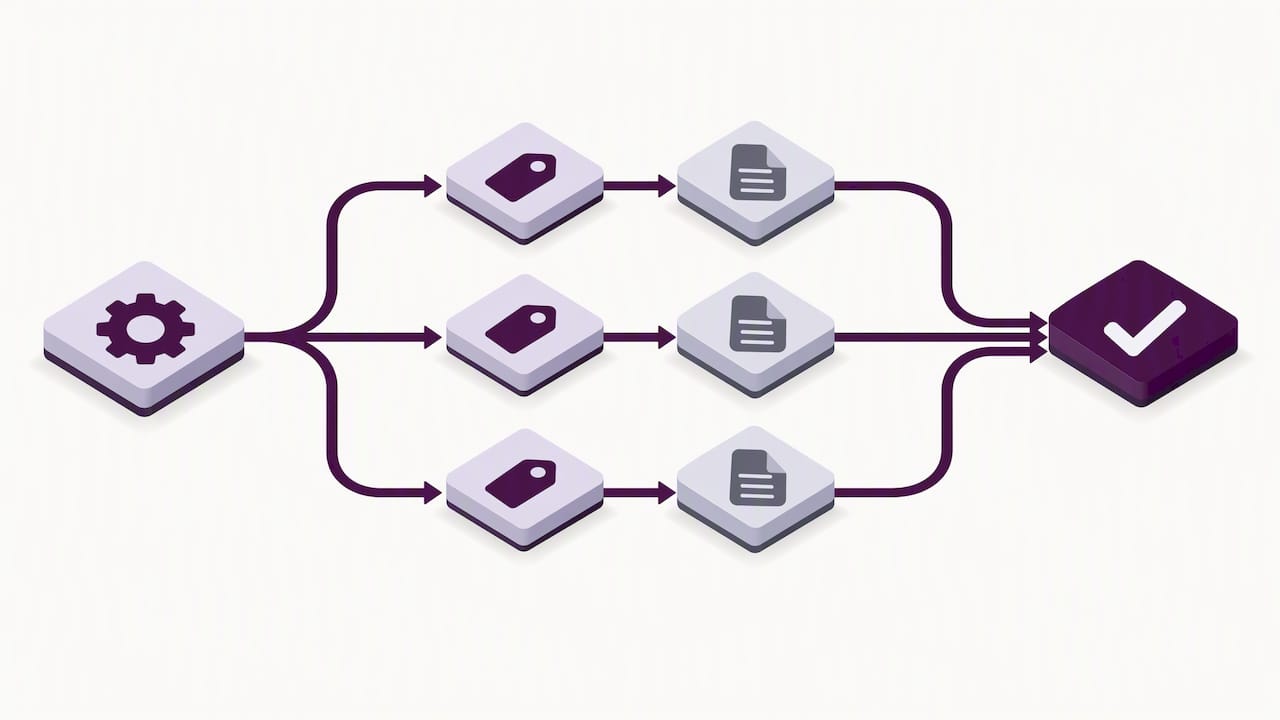
A common example: a management consulting labor category that legitimately qualifies under both a professional services SIN and an IT services SIN because the work overlaps. Another is a hardware model listed under a core product SIN and again under a bundled solutions SIN. In both cases, the unit price, discount structure, and any volume terms need to match across every SIN where that item appears.
Here’s a practical sequence for proving compliance:
- Pull every SIN entry from your current price list and flag items or labor categories that repeat across SINs.
- Compare unit prices, discounts, and terms line by line for each repeated item.
- Document the lowest price offered for each item, since that’s the price GSA expects to see everywhere it’s listed.
- Gather supporting evidence, invoices, commercial price lists, or catalog pages, that justifies the price where required.
- If a correction is needed, prepare a modification request rather than waiting for a Contracting Officer to flag it.
Pro Tip: Build one master spreadsheet mapping every SKU or labor category to its awarded SINs before you file anything. It catches mismatches your price list alone won’t surface.
Notify your Contracting Officer whenever you discover a pricing inconsistency, when you’re submitting an Add SIN modification that introduces a repeated item, or when a price reduction on one SIN needs to be mirrored on another. Waiting for GSA to find the discrepancy during a contract review rarely ends well.
Price Reductions Clause and Transactional Data Reporting: what changed and what you must do
The Price Reductions clause, GSAR 552.238-81, requires you to maintain the pricing relationship you established with your basis of award customer and to report any price reduction to that customer class to your Contracting Officer within the timeframe the clause specifies. Historically, that meant tracking a single commercial customer or customer category and making sure the government never paid more than that customer did.
Transactional Data Reporting changed the mechanics. As of MAS Solicitation Refresh 31, TDR is mandatory across all MAS SINs, which shifts enforcement away from monitoring a single Basis of Award relationship toward reporting actual transactional sales data for every order.
Under TDR, GSA relies on the sales data you report rather than solely on your original Basis of Award disclosure to judge whether your pricing stays fair and reasonable.
That shift carries real consequences for how you manage multi-SIN pricing. A few things to put in place:
- Report accurate, order-level transactional data for every SIN, since GSA now cross-checks pricing trends against that data rather than a static BOA comparison.
- Keep your Commercial Sales Practices (CSP) or BOA disclosures current, even though TDR reduced some reporting burdens, because gaps still raise questions during contract reviews.
- Flag any voluntary price reduction immediately rather than waiting for a scheduled modification cycle, since the Price Reductions clause still requires prompt notification.
Our in-depth comparison of TDR and Price Reductions obligations breaks down exactly where these two sets of duties overlap and where they diverge.
Maximum Order Threshold, order-level materials, and SIN selection at the order level
The Maximum Order Threshold is the dollar amount above which an ordering agency should seek additional price reductions before placing an order, and it’s set per SIN, not per contract. That means a contract holding five SINs can have five different MOTs, each tied to the pricing and discount structure negotiated for that specific SIN.
Order-Level Materials, or OLMs, are only authorized to support an already-awarded SIN at the order level, priced within that order and capped by a not-to-exceed ceiling. OLMs exist to cover incidental materials tied to a specific task, not to let you deliver something you never got awarded as a SIN. Leaning on OLMs to cover a gap in SIN coverage is one of the faster ways to draw a compliance finding.
Choosing the right SIN for a given order matters just as much as pricing it correctly:
- Select the SIN that represents the preponderance of work on the order, meaning the SIN covering most of the effort, not the one that’s administratively convenient.
- Make sure the NAICS code tied to that SIN matches the nature of the work, since ordering contracting officers are expected to assign NAICS consistent with that preponderance standard.
- Mis-mapping a SIN to dodge a lower MOT or a stricter discount schedule increases protest risk and can trigger a Price Reductions inquiry.
Our guide on connecting NAICS codes to GSA SINs walks through the mapping logic in more detail, and it’s worth reviewing before you bid on an order that straddles two SINs.
Adding multiple SINs and updating your price list: step-by-step
Adding a SIN means filing an Add SIN modification through eMod, and if you’re adding several SINs at once, prioritize the ones tied to active opportunities first so you’re not waiting on paperwork while a bid deadline approaches. GSA’s modification and mass modification guidance lays out the templates and submission steps you’ll need.
- Complete the applicable Price Proposal Template, Services PPT or Products PPT, for each new SIN, documenting pricing, discounts, and any quantity or prompt-payment terms.
- Update your I-FSS-600 text file to add the new SIN, its MOT, and any items that repeat across existing SINs, making sure prices match.
- Attach supporting pricing documentation, commercial invoices or catalog excerpts, unless you’re a TDR participant exempt from that requirement under current solicitation terms.
- Confirm the Industrial Funding Fee (IFF) is built into every new price entry, since GSA requires it reflected in the price list itself.
- Submit through eMod, then follow up with your Contract Specialist if you haven’t heard back within the normal review window.
Pro Tip: Ask your Contract Specialist for a pre-submission checklist call before you file. A five-minute conversation often catches formatting issues that would otherwise bounce your modification back.
If your contract went through MAS consolidation, cross-check your awarded SINs against the MAS Consolidation Price List Guide for Mass Mod A812, which spells out exactly how legacy SINs map to new SINs and what fields your price list needs after that mapping. Our walkthrough of the GSA MAS consolidation covers the practical side of that transition.
Practical pricing checklist: templates and files to prepare
Before you submit anything, run through a short checklist that catches the errors GSA reviewers flag most often.
- Identify the lowest unit price for every item that appears under more than one SIN, and make sure that’s the price listed everywhere.
- Confirm the Industrial Funding Fee is included in your price list math, not added separately at order time.
- Label any geographic price variation clearly, since a single flat price with no regional notes can raise questions if your commercial pricing varies by region.
- Attach CSP or BOA disclosures if your contract still requires them, and keep invoices or catalog pages ready as backup.
- Upload your updated price list through the correct portal, SIP, eMod, or eLibrary depending on what GSA requests for that modification type.
The MAS consolidation guide specifies exact fields your I-FSS-600 file must include, covering the lowest priced model identification, MOT, and IFF entries required after a SIN mapping update. Skipping one of those fields is a common reason mods get kicked back for correction.
Run a quick parity check across your spreadsheet before submission: any line where the government price differs across SINs needs to be resolved first, either by consolidating the price or documenting why the item isn’t truly identical. When the numbers don’t line up and you’re not sure why, ask your Administrative Contracting Officer for a pre-submission review rather than guessing.
Common pitfalls in multi-SIN pricing and how reviewers catch them
Most pricing findings trace back to a handful of recurring mistakes. Inconsistent unit pricing across SINs tops the list, usually because a price update on one SIN didn’t get mirrored on the others. Missing supporting documentation is a close second, especially for contractors who aren’t TDR participants and still owe commercial pricing backup.
Mis-mapped NAICS codes or SIN selections show up often too, particularly when a contractor picks a SIN for order-level convenience rather than for the actual preponderance of work. Improper OLM use, treating order-level materials as a stand-in for SIN coverage you don’t hold, draws scrutiny fast.
A few corrective habits help:
- Re-run your price parity spreadsheet every time you file a modification, not just at renewal.
- Keep dated copies of every PPT, invoice, and catalog page you submit, since GSA may ask for them again during a later review.
- Correct pricing errors through a formal modification rather than an informal email, so the fix is documented on the contract record.
- Retain supporting pricing files for the life of the contract plus a reasonable buffer, since price reduction inquiries can reach back further than you’d expect.
What I tell contractors before they touch a SIN modification
Most small and midsize contractors can handle a single, straightforward SIN add on their own, especially if the price list is already clean and the new SIN doesn’t duplicate an existing item. Where it gets risky is multiple SIN adds at once, or any situation where the same labor category or product needs to show up correctly across several SINs with matching prices.
That’s the point where a second set of eyes earns its keep. An experienced reviewer checks a handful of redline items every time: whether identical items actually carry identical prices, whether the IFF is baked into every entry, whether the MOT and PSC values match what’s in eLibrary, and whether supporting documentation actually backs the price being proposed. Those four checks catch the majority of rejections before they happen.
If your price list is already a mess from a previous consolidation or a missed update, don’t try to untangle it mid-modification — consider funding with fair credit to prepare your finances before contract changes. Fix the underlying file first, then add the SIN.
— Josh
How GSA Schedule Services can help with multiple-SIN pricing
Getting your price list, PPTs, and I-FSS-600 entries aligned across several SINs takes real time, time most small business owners would rather spend selling. Specialized firms can handle price-list preparation, PPT completion, Add SIN modification support, and compliance review, including TDR and CSP documentation, to help maintain consistent pricing across SINs.
If you’re planning to add SINs or clean up a price list before your next modification, a free eligibility check is the fastest way to find out what’s actually needed for your contract. Bring your current price list, a list of the SINs you’re considering, and any items you believe repeat across SINs, and we’ll tell you exactly what documentation closes the gap. Start with our GSA proposal support services to see where your contract stands.
FAQ
What are the GSA labor rates for 2026?
GSA labor rates vary by contract, SIN, and labor category, and they’re published on each contractor’s own price list rather than as a single government-wide rate. The most reliable source for current rates is GSA Advantage or the contractor’s posted I-FSS-600 price list.
What is the Multiple Award Schedule (MAS)?
The Multiple Award Schedule is GSA’s consolidated contract vehicle that lets approved vendors sell products and services to federal agencies under pre-negotiated terms. It replaced the older separate schedules and organizes offerings by Special Item Number across categories like IT, professional services, and products.
What is a GSA Schedule 70?
GSA had a dedicated IT schedule before MAS consolidation folded it into the single Multiple Award Schedule. IT-related SINs now live within MAS alongside other service and product categories rather than on a standalone schedule.
What is the pricing for GSA Advantage?
GSA Advantage itself doesn’t set pricing. It displays the prices contractors have negotiated and listed on their individual price lists, so pricing varies by contractor, SIN, and item. Buyers compare listed prices directly on the GSA Advantage platform before placing an order.
Do identical items need the same price across every SIN?
Yes. If the same item or service, under the same terms and conditions, appears under more than one SIN on your contract, GSA requires the government price to be identical across all of them. Pricing it differently by SIN is one of the more common findings during contract reviews.
Sources
Recommended
- (Infographic) 25 Reasons GSA Contracts are Rejected
- The GSA MAS Consolidation
- Boost Your Federal Sales ASAP with GSA MAS: 17 Strategies