

Adding a SIN to an existing GSA Schedule means submitting an Add SIN modification through eMod, attaching a signed cover letter, updated commercial pricelist, and any SIN-specific documentation, then coordinating with your contracting officer through review. Once approved, you must update your catalog and publish the new offering on GSA Advantage within 30 days.
TL;DR:
- Adding a SIN requires submitting a detailed package in eMod, including a signed cover letter, commercial pricelist, and SIN-specific documentation, with exact file naming.
- Confirm eligibility by reviewing the current MAS solicitation, checking how similar vendors classify the product, and verifying Trade Agreements Act compliance for that SIN.
- Technical SINs like 54151HACS often need separate modifications and may involve evaluation attachments, which can significantly extend approval time.
- Approving a new SIN must be followed by updating your catalog on GSA Advantage within 30 days and ensuring accurate display of the new offering.
- Contractors handling complex or multiple SIN requests benefit from expert support to reduce approval time, clarify requirements, and ensure full documentation compliance.
Table of Contents
- How Do You Know You Need to Add a SIN to Your GSA Schedule?
- What Documents Do You Need to Add a SIN?
- How Do You Submit an Add SIN Modification in eMod?
- Should You Submit Multiple SINs Together or Separately?
- What Happens After Your Add SIN Modification Is Approved?
- Why Do Add SIN Modifications Get Rejected?
- What Changes Under MAS Consolidation Phase 3?
- Consultant Perspective: Realistic Timelines and When to Get Help
- Get Expert Help Adding a SIN to Your GSA Schedule
- Official GSA Resources for Add SIN Modifications
- Sources
- FAQ
How Do You Know You Need to Add a SIN to Your GSA Schedule?
You need an Add SIN modification when you want to sell a product or service under your GSA Schedule that isn’t covered by any Special Item Number already on your contract. This comes up constantly as businesses expand their federal offerings after award, and it’s one of the most common modification types contractors file.
Confirming eligibility takes three checks. First, pull up the current MAS solicitation and read the SIN description carefully against what you actually sell. Second, browse GSA’s offerings-by-SIN pages or search eMod’s SIN lookup tool to see how similar vendors classify comparable products or services. Third, verify Trade Agreements Act compliance for the specific SIN, since TAA rules vary by category and country of origin.
A few practical examples clarify the mapping:
- A software reseller adding cloud hosting needs an IT SIN distinct from the hardware SIN already on file.
- A staffing firm expanding into IT consulting needs a professional services SIN, not a duplicate of an existing labor category.
- Before submitting, check whether the SIN is already active on another one of your contracts, to avoid overlapping coverage across your own schedules.
What Documents Do You Need to Add a SIN?
A rejected Add SIN request almost always traces back to a missing or incomplete document. The MAS Modification Guide lays out the exact checklist, and building your package against it before you touch eMod saves you a round of clarification requests.
Here’s what a complete Add SIN package includes:
- Signed cover letter from your Authorized Negotiator stating the current solicitation refresh number, the number of SINs requested, your Economic Price Adjustment (EPA) method, a TAA compliance statement, and place of performance.
- Commercial pricelist and discount matrix showing pricing for the new SIN, or a CSP-1 disclosure if you’re not participating in Transactional Data Reporting (TDR participants skip this).
- Services & Training Price Proposal Template, required when the SIN involves labor categories or training rather than fixed products.
- Project experience narratives, typically two to three recent, relevant examples, unless your request qualifies for a Phase 3 streamlined waiver.
- Joint venture evidence, when a JV partner supplies the experience or capability you lack directly.
- SIN-specific attachments, such as technical evaluation materials for certain IT SINs like 54151HACS, plus a Letter of Supply and an updated Terms & Conditions file.
Name your files clearly (cover letter, pricelist, project experience, by SIN number) so the contracting officer isn’t guessing what each attachment covers.
Pro Tip: Before you submit, map every required item from the MAS Add SIN checklist to an actual uploaded file, line by line. This single habit is why some packages sail through review while others bounce back three times for missing pieces.
How Do You Submit an Add SIN Modification in eMod?
The eMod system runs the entire modification through a structured field workflow, and the eOffer/eMod training PDF shows exactly where each entry belongs. Here’s the sequence:
- Log into eMod and select Modification Type: Add SINs from the dropdown on your active contract.
- On the Add SIN Details screen, select the SIN number from the current solicitation list and enter a description of the items or services you’re adding.
- Map your specific products or labor categories to that SIN, then enter proposed pricing consistent with your commercial pricelist.
- Choose your EPA method for the new SIN, matching what’s already on your contract unless you have reason to change it.
- Upload your cover letter, commercial pricelist, price proposal template, Letter of Supply, and any technical attachments in the Attachments section. eMod accepts standard formats like PDF and Excel; avoid scanned images where a text-based file works better.
- Repeat the SIN Details entry for each additional SIN in the same modification, or start a separate modification if a SIN needs its own technical review track.
- Preview the complete modification package before submission. eMod shows a summary screen. Read it against your checklist one more time.
- Submit. Your contracting officer or contract specialist will typically respond with either an approval or a clarification request within the review window.
Expect at least one round of questions if you’re adding a technical SIN with evaluation requirements. That’s normal, not a red flag. For a closer look at the interface itself, GSA Schedule Services’ eMod walkthrough covers the screens in more detail.
Should You Submit Multiple SINs Together or Separately?
Coordinating with your CO or contract specialist before you hit submit changes outcomes more than most contractors realize. A quick email describing what you want to add and why often surfaces issues, like an outdated refresh number or a scope mismatch, before they become a formal rejection.
Sequencing matters too. Group straightforward SIN additions into a single modification to reduce processing overhead, but pull out any SIN with heavy technical attachment requirements, like those needing 54151HACS evaluation materials, and file it on its own. Mixing a simple pricing addition with a technical review adds delay to both.
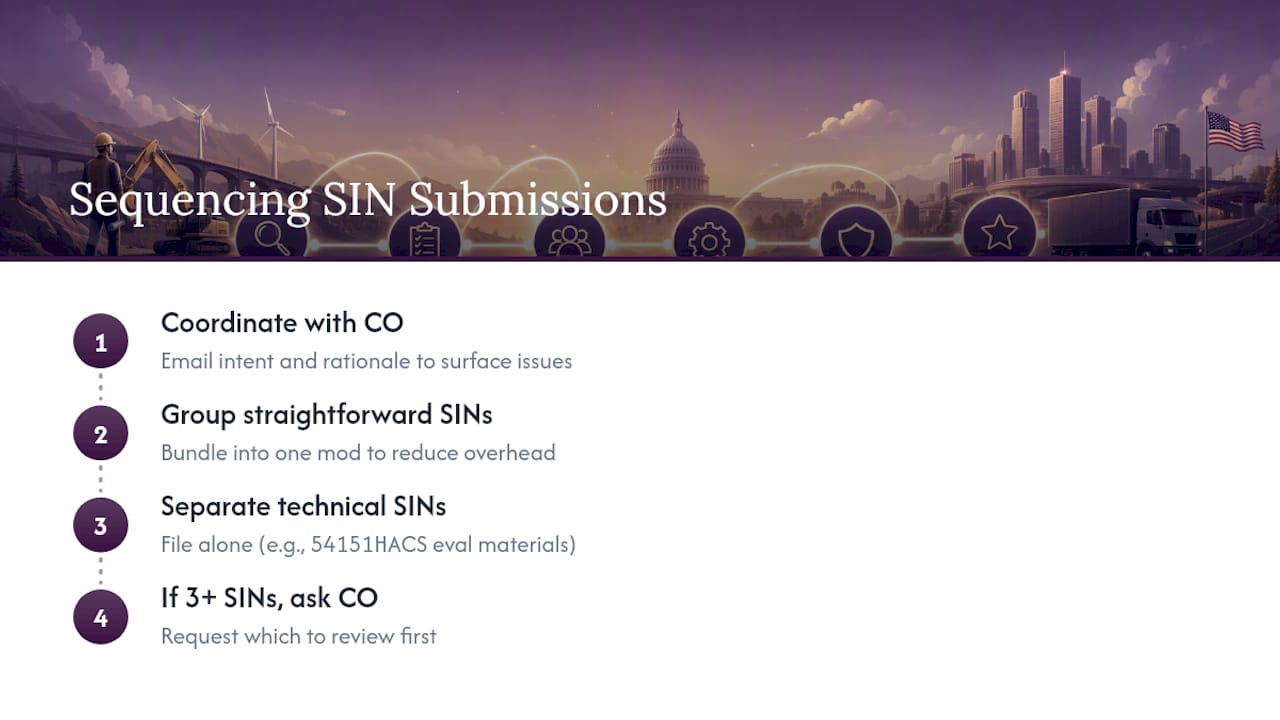
Pro Tip: If you’re requesting three or more SINs, ask your CO which ones they’d prioritize reviewing first. Some contracting officers process simpler requests faster when they’re not bundled with complex technical ones.
MAS Consolidation Phase 3 also changes the calculus for contractors moving SINs from a non-surviving schedule onto their remaining one, which affects both required documentation and how you sequence the request.
What Happens After Your Add SIN Modification Is Approved?
Approval isn’t the finish line. It’s the start of a 30-day clock. GSA’s post-award guidance requires you to publish your updated catalog data through the FAS Catalog Platform or SIP and get your new SIN live on GSA Advantage, eBuy, and eLibrary within that window.
Here’s the post-approval checklist:
- Upload your updated Terms & Conditions and pricelist to FCP or SIP within 30 calendar days of the modification’s award date, since the Vendor Support Center confirms any modification touching your T&C file triggers this step.
- Confirm your new products or services actually display correctly under the right SIN on GSA Advantage.
- If you’re a TDR participant, confirm the new SIN falls under your existing reporting category. TDR contractors generally skip the CSP-1 disclosure but still owe monthly transactional sales reports.
- Track sales by SIN separately going forward, since your Industrial Funding Fee obligation (0.75% of reported sales) applies to every SIN on your schedule.
Skipping this step is common and costly. A contractor with an approved SIN that never shows up on GSA Advantage looks, to a federal buyer, exactly like a contractor who doesn’t offer it at all.
Why Do Add SIN Modifications Get Rejected?
Most rejections trace back to the same handful of preventable mistakes, and the MAS Modification Guide points to incomplete documentation as the leading cause of clarification requests and delays.
- Missing or thin pricing support. Your discount matrix has to justify the pricing you’re proposing, not just list it. Attach the reasoning, not just the numbers.
- Citing an outdated solicitation refresh number. Always pull the current refresh before drafting your cover letter. This single detail is a frequent, easily avoidable error.
- Vague project experience narratives. Tie each narrative directly to the SIN you’re requesting, with dates, scope, and dollar value, instead of a general description of your company’s capabilities.
- Forgetting the post-award catalog update. An approved modification that never gets reflected in FCP or on GSA Advantage isn’t doing you any good.
Run your package against the checklist of common rejection causes before submission, and you’ll cut your clarification requests substantially.
What Changes Under MAS Consolidation Phase 3?
Phase 3 of MAS Consolidation gives some contractors a streamlined path to add SINs without the full documentation burden, but the exceptions are narrow.
- Project experience requirements may be waived for SINs moving from a non-surviving contract onto your remaining schedule, per the MAS Modification Guide’s April 2026 update.
- The streamlined offer must be limited to the same SINs, or a subset, that existed on the non-surviving contract. You cannot use Phase 3 to add entirely new SINs you never held.
- Your cover letter needs to explicitly state you’re requesting a Phase 3 streamlined consolidation and cite the non-surviving contract number.
- Outside consolidation scenarios, full documentation, including project experience, still applies. Don’t assume Phase 3 language covers a SIN you’re adding for the first time.
Consultant Perspective: Realistic Timelines and When to Get Help
Contractors who handle Add SIN modifications with expert support typically see approval in about six months and spend just 3 to 5 hours of their own time on the process. Going it alone, especially with technical SINs or thin project experience, routinely stretches past two years of back-and-forth resubmissions.
Complexity is the tell. If you’re requesting a SIN with technical evaluation attachments, juggling several SINs at once, or your past performance narratives feel thin, that’s the point where outsourcing pays for itself. What it actually reduces isn’t just paperwork. It’s the CO clarification cycles and the missed post-award steps that quietly cost contractors visibility for months.
— Josh
Get Expert Help Adding a SIN to Your GSA Schedule
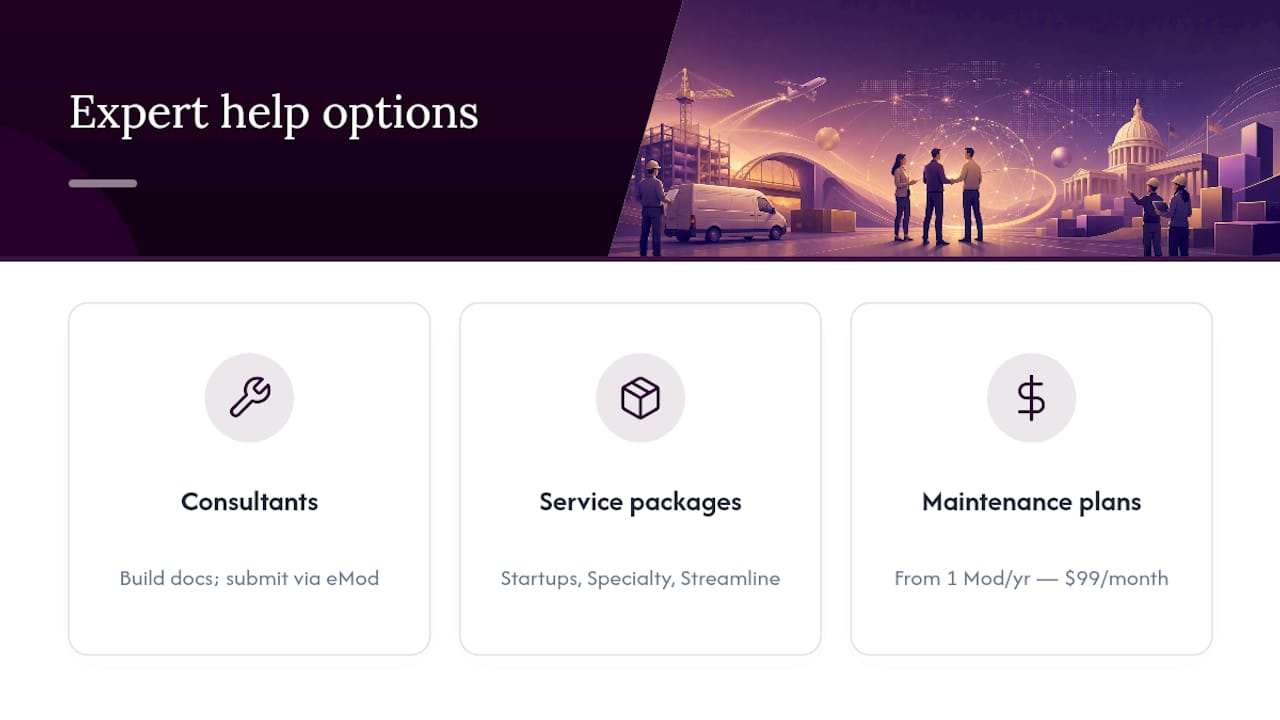
Handling an Add SIN modification correctly the first time means fewer clarification emails and no gap between approval and actually appearing on GSA Advantage. Some specialized consultants can build your documentation package, submit through eMod, coordinate with your contracting officer, and confirm your catalog updates post-approval, so you are not the one chasing down missed fields or expired refresh numbers.
For businesses adding SINs as part of a broader federal sales push, the Startups, Specialty, and Streamline service packages cover full documentation prep and negotiation support. If you already hold a schedule and expect ongoing modifications, the maintenance plans starting with 1 Mod per year at $99 per month give you a standing resource instead of scrambling every time you need to add coverage. Check your eligibility and get a straight answer on what your Add SIN request needs before you submit anything.
Official GSA Resources for Add SIN Modifications
Start with the MAS Modification Guide for the checklist, the eMod training PDF for field-level screens, and sample cover letters for exact wording.
Sources
FAQ
How Do You Add a SIN to a GSA Schedule?
Submit an Add SIN modification through eMod with a signed cover letter, updated commercial pricelist, and any SIN-specific attachments, then coordinate with your contracting officer. Once approved, update your catalog on GSA Advantage within 30 days per GSA’s post-award requirements.
What Is a SIN Number on a GSA Schedule?
A Special Item Number (SIN) is the specific category code under the MAS solicitation that classifies exactly what product or service you’re authorized to sell to federal buyers. Each SIN carries its own eligibility requirements, pricing structure, and sometimes technical documentation demands.
How Do You Get Added to the GSA Schedule in the First Place?
You need an active SAM.gov registration, then you submit a full GSA Schedule offer through eOffer, including your commercial pricelist, past performance, and financial documentation. Contractors working with expert support typically see award in about six months and invest just 3 to 5 hours of their own time, while going it alone often takes two years or longer with repeated resubmissions.
What Is GSA SIN 54151HACS?
SIN 54151HACS covers Highly Adaptive Cybersecurity Services, an IT SIN requiring technical evaluation attachments beyond the standard Add SIN documentation. Contractors adding this SIN should file it in its own modification rather than bundling it with simpler SIN additions, since the technical review track moves separately from standard pricing reviews.
Recommended
- 90 Day GSA Schedule Marketing Checklist for U.S. Schedule Holders
- How to Obtain a GSA Schedule Number: Step-by-step
- An Essential Checklist to Maintain Your GSA Schedule Contract
- GSA Schedule: The Next 5 Important Steps After Getting It.