
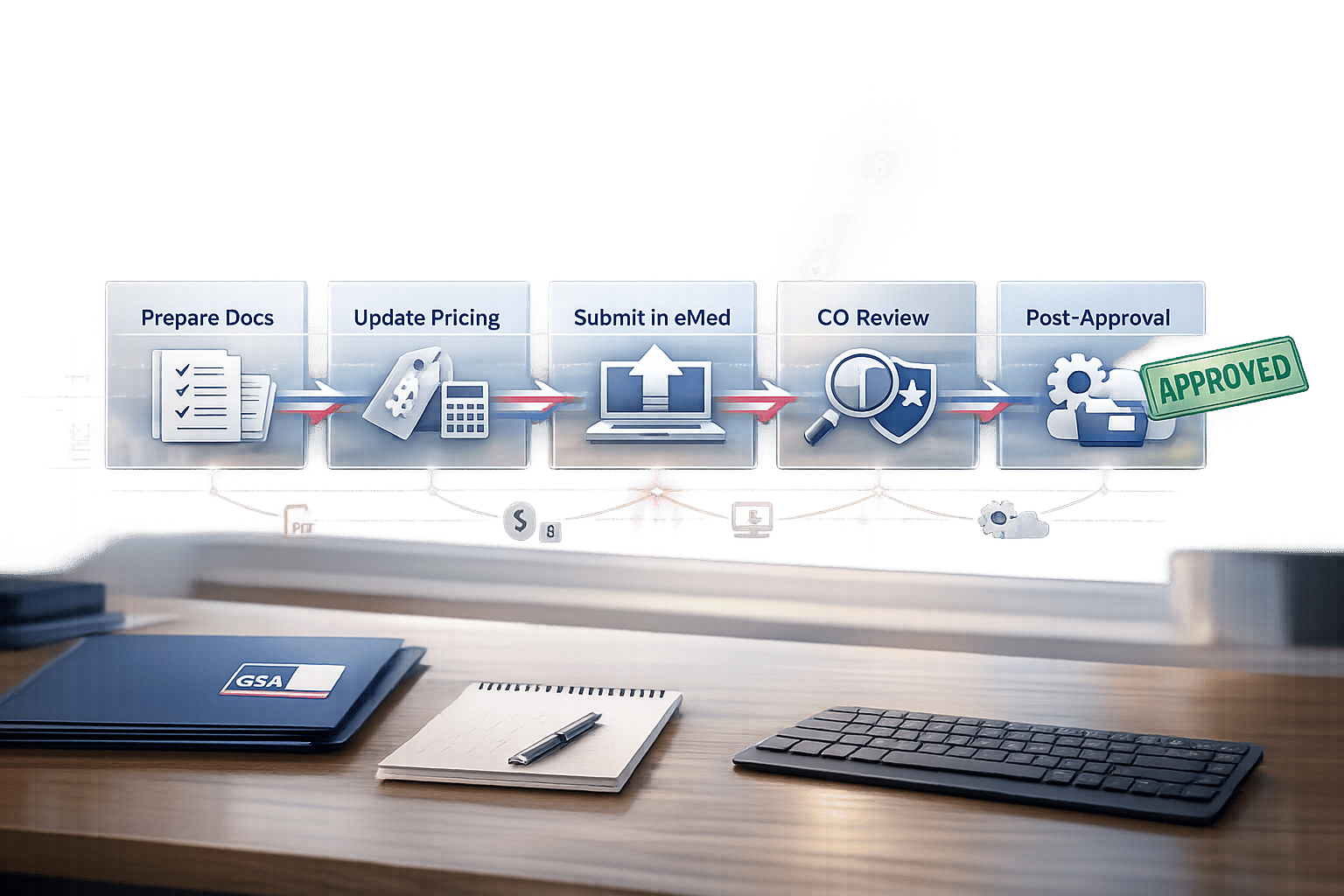
Need to update your GSA Schedule? Whether you’re adding products, adjusting prices, or updating contact details, this guide breaks down the process into manageable steps.
Here’s what you’ll learn:
- What GSA Product Modifications Are: Changes contractors make to their Multiple Award Schedule (MAS) contracts via eMod.
- Why Modifications Matter: Stay compliant by keeping your products, pricing, and details current.
- Types of Modifications: Add products, remove discontinued items, update pricing, and more.
- Required Documents: The paperwork varies by modification type – know what you need.
- How to Submit via eMod: Step-by-step instructions for a smooth process.
- Post-Approval Steps: Update GSA Advantage! and eLibrary to reflect changes.
Key takeaway: Submitting accurate documents and responding promptly to GSA requests ensures a faster approval process.
Let’s dive into the details.
MAS Modification Guidance Training Webinar
Types of GSA Product Modifications
Understanding the type of modification you need is crucial for streamlining the process and avoiding mistakes. The General Services Administration (GSA) has several categories of product modifications, each tailored to a specific purpose and requiring distinct documentation. Here’s a breakdown of the main types and their key requirements.
Adding new products or services
Expanding your offerings can open up new revenue streams, but it’s essential to ensure that any additions comply with your assigned Special Item Numbers (SINs) and Trade Agreements Act (TAA) requirements. If you’re adding products from a manufacturer not part of the Verified Products Portal (VPP) or selling commercial-off-the-shelf (COTS) products, you’ll need to provide a Letter of Supply. For detailed instructions, check the Multiple Award Schedule (MAS) offerings page by SIN.
Removing discontinued items
Keeping your contract accurate is non-negotiable. If certain products are no longer available or you’ve stopped working with specific manufacturers, submit a deletion modification through eMod. Similarly, if a consultant or authorized negotiator is no longer associated with your company, request their removal to remain compliant.
Updating product details or pricing
Market conditions change, and your contract should reflect that. Whether you’re updating product details or adjusting prices, you’ll likely need to use the Economic Price Adjustment (EPA) clause. Recent updates under MAS Refresh 29 have standardized this process with GSAR 552.238-120. Depending on your contract type, you’ll use either the Price Proposal Template (PPT) for non-FCP contracts or the Product File and Services Plus File for those transitioned to the FAS Catalog Platform. Note that most COTS products moved to the FCP as of fiscal year 2024, with service catalogs still in the process of transitioning.
Here’s a quick reference table to summarize the requirements for each modification type:
| Modification Type | Purpose | Key Documentation |
|---|---|---|
| Additions | Add new products or services to your contract | Letter of Supply (if applicable), Price Proposal Template |
| Deletions | Remove discontinued or unavailable items | eMod submission with item details |
| Pricing Updates | Update prices to align with market trends | Price Proposal Template, EPA clause documentation |
| Technical Updates | Modify product descriptions or specifications | Updated product details via eMod |
| Administrative | Update contact details or authorized negotiators | eMod submission with updated information |
Source:
Required Documentation for Product Modifications
Documents Needed by Modification Type
When submitting product modifications, having the right documentation is essential. The type of modification determines the specific documents you’ll need. Here’s a breakdown:
- Adding products: You’ll need a Price Proposal Template (PPT), technical descriptions, and supporting invoices. If you’re a reseller rather than a manufacturer, include a Letter of Supply – unless the manufacturer is part of the Verified Products Portal (VPP).
- Deleting products: This is more straightforward. Submit a list of the products to be removed, an updated price list, and a cover letter explaining the deletion.
- Pricing updates: Provide the PPT, Economic Price Adjustment (EPA) justification, and relevant pricing data.
- Service additions: Submit a labor categories document, the Services and Training PPT, and 3–5 recent project documents for each labor category.
- Administrative changes: Verify your SAM.gov update and include a cover letter on company letterhead.
If you’re an FCP contractor, you’ll need to use the "Product File" or "Services Plus File" available at catalog.gsa.gov. Keep in mind that most COTS products transitioned to the FCP in fiscal year 2024, while service catalogs are still in the process of moving.
Now, let’s look at how to prepare these documents correctly.
How to Prepare Accurate Documentation
Submitting accurate and well-prepared documentation is critical to avoid delays or rejections. Start by downloading the latest templates from the GSA "Available Offering and Requirements" webpage. These templates are updated frequently, and using an outdated version is one of the most common reasons for rejection. If you’re using GSA’s sample cover letters, make sure to tailor them to your company.
"You must customize these samples according to your specific needs. Add or delete information depending on your modification type".
It’s also important to review the Large Category attachments in the MAS Solicitation for your Special Item Number (SIN). Some SINs have additional requirements that go beyond the general guidelines. Even if not explicitly required, keep extra supporting documents on hand. Contracting Officers might request these to confirm fair and reasonable pricing, especially for contractors not participating in Transactional Data Reporting (TDR).
Finally, double-check that all authorized negotiators listed in eMod are up to date. If a consultant or third-party agent was only involved in pre-award activities, make sure they’re removed from the system. Only official, authorized negotiators with a valid FAS ID can submit modifications. Tyler Kittle, a consultant at Winvale, highlights this as a key detail:
"If any mandatory information is missing and/or incomplete, the reviewing CO will reject your modification request".
How to Submit Modifications via eMod
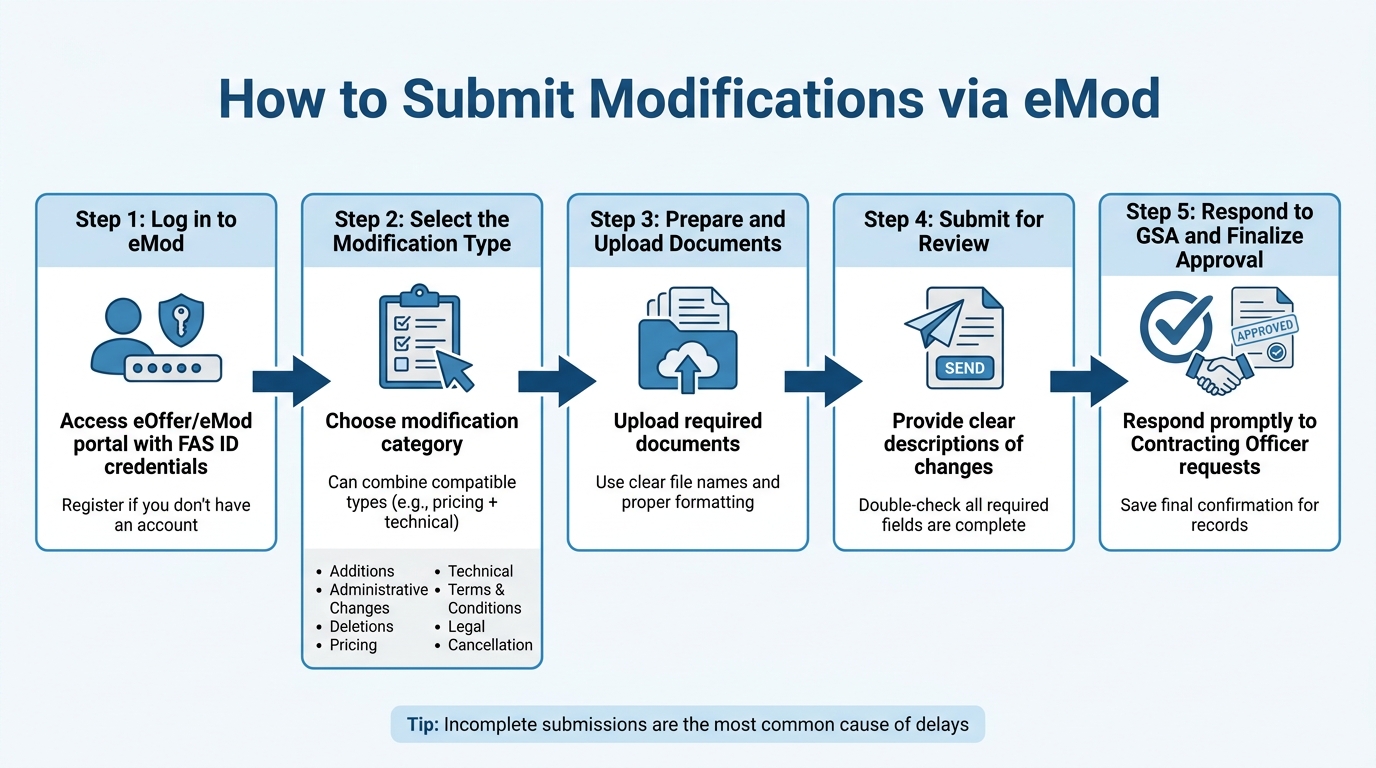
5-Step GSA eMod Submission Process
Step 1: Log in to eMod
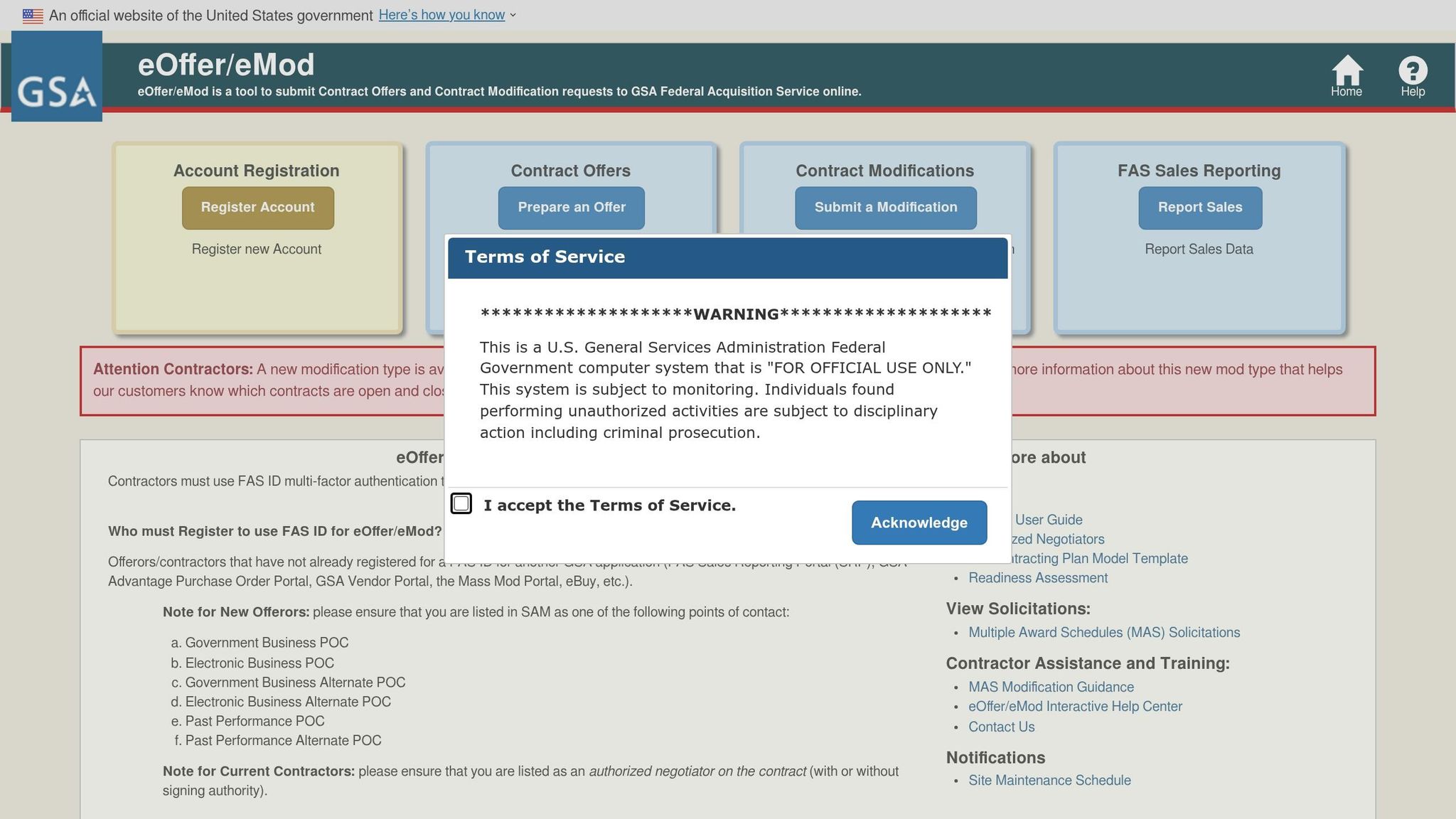
Start by accessing the eMod system through the eOffer/eMod portal using your FAS ID credentials. If you don’t already have an account, you’ll need to register by following the instructions on the eOffer homepage. The FAS ID system simplifies access by letting you use a single email and password for multiple GSA applications. As the GSA eOffer/eMod Portal explains:
"FAS ID is a secure, centralized identity management system that allows contractors to access many GSA applications with one email and password."
Once logged in, navigate to the section where you can select the type of modification you want to submit.
Step 2: Select the Modification Type
Next, choose the category that fits your modification request. The system allows you to combine multiple compatible types in a single submission. For instance, you can update both pricing and technical descriptions in one go. However, incompatible changes, like legal modifications, need to be submitted separately.
Here are the main modification categories:
- Additions: Introducing new products, services, or SINs.
- Administrative Changes: Updating contact details or authorized negotiators.
- Deletions: Removing products or services that are no longer offered.
- Pricing: Adjustments like Economic Price Adjustments (EPA) or price reductions.
- Technical: Modifying descriptions of products or services.
- Terms and Conditions
- Legal: Changes such as novations or legal name updates.
- Cancellation: Ending the contract entirely.
After selecting the relevant categories, the system generates a draft proposal summarizing your selections for the Contracting Officer’s review.
Step 3: Prepare and Upload Documents
Now it’s time to upload the required documents based on the modification type you’ve chosen. Clear file names and proper formatting are crucial. The system will guide you by prompting for any additional documents specific to your selections.
Once everything is uploaded, you’ll be ready to move on to the next step.
Step 4: Submit for Review
Provide clear and concise descriptions of the changes you’re requesting. Double-check that all required fields and documents are complete. After reviewing your submission, send it through the eMod system. The system will compile your entire proposal for the Contracting Officer’s evaluation.
It’s worth noting that incomplete submissions are one of the most common causes of delays, so take your time to ensure everything is in order.
Step 5: Respond to GSA and Finalize Approval
Once your modification request is submitted, the Contracting Officer will review it. If they need more information or additional documents, they’ll reach out through the eMod system. Responding promptly to these requests is essential to keep the process moving.
When your modification is approved, make sure to save the final confirmation for your records. This step marks the completion of your modification process.
After Approval: Next Steps and Best Practices
Update GSA Advantage! and eLibrary
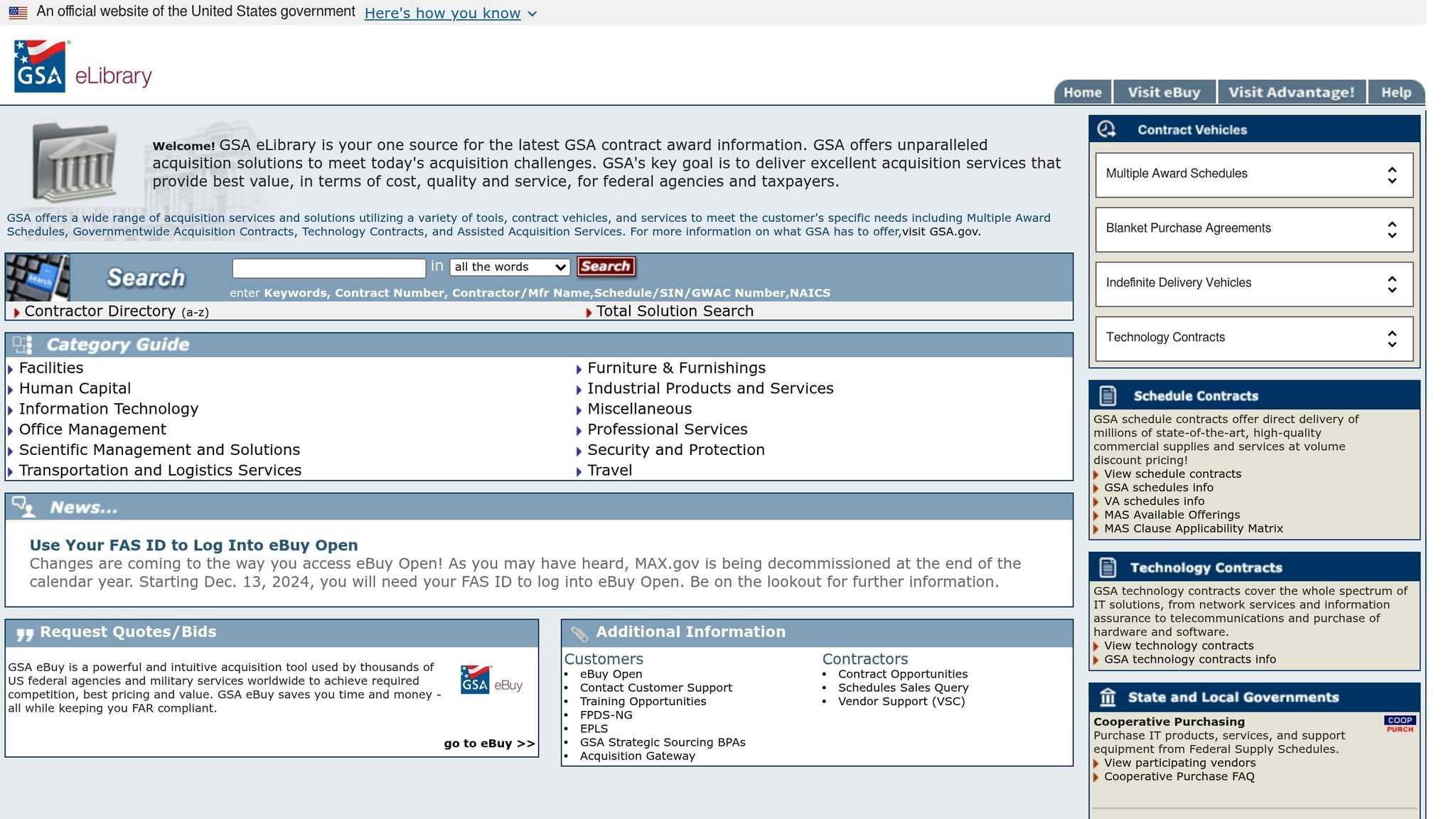
Getting approval for your modification is a big milestone, but there’s still work to be done. To keep your catalog up-to-date across GSA systems, you’ll need to take a few essential steps. If you’re using the FAS Catalog Platform (FCP), much of the heavy lifting is automated. As Stephanie Hagan, Training and Communications Manager at Winvale, explains:
"The FCP system automatically generates and publishes a formatted pricelist to GSA Advantage!, GSA eLibrary, and GSA eBuy based on the data entered into the Services Plus or Product File when you submit a modification."
However, if your modification impacts your Terms & Conditions (T&C) – like adding or removing a SIN – you’ll need to upload an updated T&C file separately after approval. The Vendor Support Center provides this guidance:
"If a modification impacts the Terms & Conditions (T&C) file, such as an Add or Delete SIN, use FCP to upload an updated T&C file after the mod is approved."
Don’t forget to update any administrative information immediately. For example, if your Contract Administrator or Sales Representative changes, you’ll need to update this information in three places: the Vendor Support Center (VSC), GSA eLibrary, and GSA eBuy. Keeping your VSC profile current ensures GSA can connect with the right contacts for your account. By staying proactive, you’ll set yourself up for smoother future modifications.
Best Practices for Future Modifications
Planning ahead can make a huge difference when it comes to submitting future modifications. Here are a few tips to keep things running smoothly:
- Submit your modifications early, especially before peak periods, to avoid delays.
- Keep your SAM.gov registration up-to-date with annual renewals or semi-annual verifications to prevent unnecessary interruptions.
- Regularly review your T&C file in FCP. Delivery timelines, warranties, and service methods might not update automatically with catalog changes, so it’s essential to verify they reflect your current offerings.
When GSA issues a mass modification (usually tied to solicitation updates), you’ll need to sign it within 90 days. These are government-initiated updates, separate from the contractor-initiated eMods you’re used to. Missing this 90-day deadline could lead to compliance issues.
Also, double-check that your authorized negotiators in the eMod system are up-to-date. If you worked with a consultant or third-party agent during the pre-award phase but no longer want them representing your company, request their removal. Only individuals with signing authority can handle modification requests. These steps will help you complete the modification process efficiently.
Working with GSA Schedule Specialists
Navigating the eMod system isn’t always straightforward, even for experienced contractors. For example, digital certificates must be active, and the negotiator’s name on the certificate must match exactly, or you could run into access issues. Some modification types can’t be combined – for instance, submitting an Economic Price Adjustment alongside a product addition in the same request isn’t allowed.
Specialists like GSA Focus can simplify this process. They prioritize requests strategically, ensuring the most critical updates are handled first. By staying up-to-date with the MAS Modification Guide and Large Category attachments, which change frequently, they use the right templates to minimize rejections from Contracting Officers. For contractors participating in Transactional Data Reporting (TDR), these specialists also determine when pricing documents are needed and manage Commercial Sales Practices (CSP) disclosures to ensure compliance. This kind of expert support can cut down on back-and-forth with GSA, keeping your modifications on track and reducing delays.
Conclusion
Review of the Modification Process
Making changes to your GSA Schedule doesn’t have to be complicated. Here’s a quick recap: start by identifying the type of modification you need – whether it’s adding new products or services, adjusting pricing, or removing outdated items. From there, gather all the necessary documents, submit your request through the eMod portal, and address any questions from your Contracting Officer. Once approved, don’t forget to update your catalog on GSA Advantage! and eLibrary. By understanding the specific modification type and preparing accurate documentation upfront, you can ensure a smooth process while staying compliant.
Final Tips for Success
Accuracy is critical when handling GSA modifications. Your pricing must align with the agreed-upon discount terms. If there’s a commercial price drop, you’re required to file a Price Reduction modification within 15 days to avoid contract violations. Repeated compliance issues can even lead to contract termination. With the GSA Schedules program driving around $33 billion in sales each year, staying compliant isn’t just a formality – it’s your ticket to this lucrative market.
Also, keep your SAM.gov registration up to date with yearly renewals. If your contract is nearing expiration, remember that the OPEN process begins 250 days in advance. Completing all routine modifications beforehand will make renewal much easier. For ongoing compliance, your assigned Industrial Operations Analyst is a valuable resource throughout your contract’s term.
For small businesses, managing multiple modifications or handling intricate pricing changes can be overwhelming. Partnering with experts like GSA Focus can simplify things. They can guide you through the process, freeing up your time to grow your federal sales while ensuring you meet the $25,000 minimum annual sales requirement.
FAQs
How long do GSA product modifications usually take?
When contractors receive a modification notice from GSA, they generally have 90 days to respond. This timeline is crucial for mandatory mass modifications that GSA issues to maintain compliance. During this period, contractors must review the modification, sign it, and submit it via the GSA portal to meet the deadline.
Which modification types can’t be combined in one eMod?
The GSA doesn’t provide a specific list of modification types that can’t be grouped into one eMod. However, it’s common practice to handle different categories – like administrative updates, product or service updates, pricing adjustments, and regulatory changes – as separate requests. For instance, administrative modifications and product updates are usually submitted individually. Additionally, mass modifications issued by the GSA must be signed within 90 days.
What is the most common reason for a GSA modification to be rejected?
The most common reason GSA modifications get rejected is simple: missing the deadline to sign or submit the required documents. For mass modifications, this deadline is usually 90 days from when you receive them. To avoid unnecessary delays or outright rejection, make sure all forms are filled out correctly and submitted on time.
Related Blog Posts
- How to Remove Products from GSA Schedule
- How to Submit Administrative Modifications in eMod
- Checklist for Substantive GSA Contract Modifications
- GSA Name Change Process: Ultimate Guide
