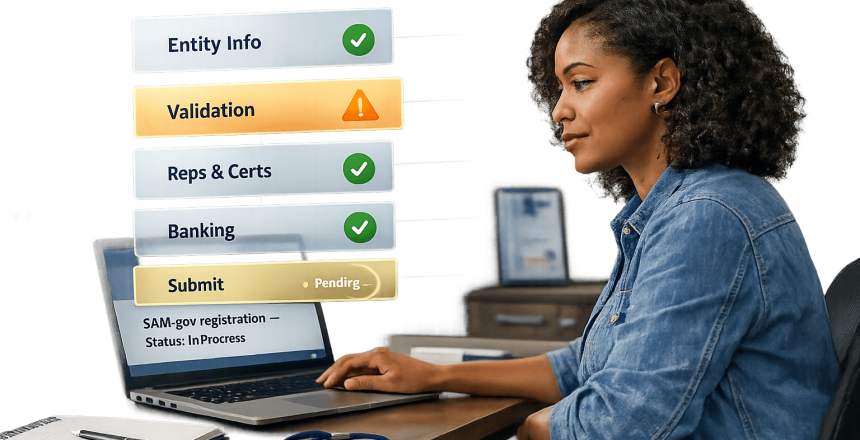
If your business wants to compete for federal contracts, verifying your SAM.gov registration is mandatory. Without it, you’re ineligible for government awards or payments. However, errors like mismatched addresses or incorrect banking details can delay or derail the process, with 40% of first-time registrations facing delays and 20% of businesses missing contract opportunities due to these issues.
Key Steps to Verify Your Registration:
- Prepare Essential Documents: Gather IRS EIN letters, tax returns, and banking details. Ensure your business name and address match federal records exactly.
- Log Into SAM.gov: Use your Login.gov credentials to access your Entity Workspace.
- Verify Unique Entity ID (UEI): Ensure your business details align with government databases.
- Validate Core Data: Double-check your TIN, legal name, and banking information.
- Confirm CAGE Code: For U.S. entities, ensure the automatically assigned CAGE code is validated.
- Finalize Registration: Submit your profile and monitor updates for final activation.
Common Pitfalls:
- Formatting errors (e.g., "Street" vs. "St.")
- Outdated IRS or USPS records
- Missing or blurry documentation
- Data latency for new businesses
Tip: Start early and double-check everything to avoid delays. If issues arise, submit a manual review request with clear documentation.
Reminder: Renew your SAM.gov registration annually to maintain eligibility. Missing renewal deadlines halts federal payments and disqualifies you from new contracts. Plan ahead – renew at least 60 days before expiration.
Registering in SAM, Part 1 Entity Validation & UEI Assignment (2025 Update)
What You Need Before Starting
Getting everything ready beforehand can save you time and help you avoid frustrating delays or system timeouts when registering on SAM.gov.
SAM.gov carefully checks all the information you provide against federal databases like the IRS, USPS, and state business registries. Even small inconsistencies, such as writing "Street" instead of "St.", can cause your application to be rejected.
Gather Required Documentation
The first thing you’ll need is your Login.gov credentials. SAM.gov requires you to log in through Login.gov using a business email and multi-factor authentication to manage your entity profile.
Next, make sure you have your IRS EIN assignment letter (Form CP 575) or your most recent federal tax return. Your legal business name must match these documents exactly, including punctuation and designators like "LLC" or "Inc.".
Here’s a breakdown of the documents and details you’ll need:
| Category | Required Documentation & Information |
|---|---|
| Legal Identity | Exact Legal Business Name (as per IRS), EIN/TIN, Articles of Incorporation, State of Incorporation |
| Location | Physical Address (no PO Boxes), Congressional District, Mailing Address |
| Financials | Electronic Funds Transfer (EFT) details (Routing & Account #), Average annual receipts (last 3 years) |
| Operations | Primary NAICS Code, Employee count (12-month average), Business type classifications |
| Points of Contact | Names, emails, and phone numbers for Entity Administrator, Electronic Business POC, and Government Business POC |
Your physical business location is essential for validation. If you’ve recently moved, update your address with the IRS before starting the SAM.gov process. This ensures that your details align with federal records and avoids mismatches.
Once you’ve gathered everything, double-check that your business details – like your address and legal name – match your official documents exactly.
Confirm Accuracy of Business Information
To avoid validation errors, confirm your business address using the USPS Address Validation Tool. Even small formatting differences, like writing "Avenue" instead of "Ave.", can cause problems.
Also, compare your legal business name character-for-character with your EIN assignment notice. If you’re using a Social Security Number (SSN) as your TIN, make sure the name and number match your Social Security card exactly. If there’s a mismatch, contact the IRS at 1-800-829-4933 or the Social Security Administration at 1-800-772-1213 for assistance.
"Without proper entity validation, your SAM.gov registration cannot be activated, effectively blocking your access to government contracting opportunities." – David McMasters, Federal Processing Registry
Finally, have your banking details ready. Use routing and account numbers from a voided check or a recent bank statement to ensure there are no issues receiving payments.
How to Verify Your SAM.gov Registration
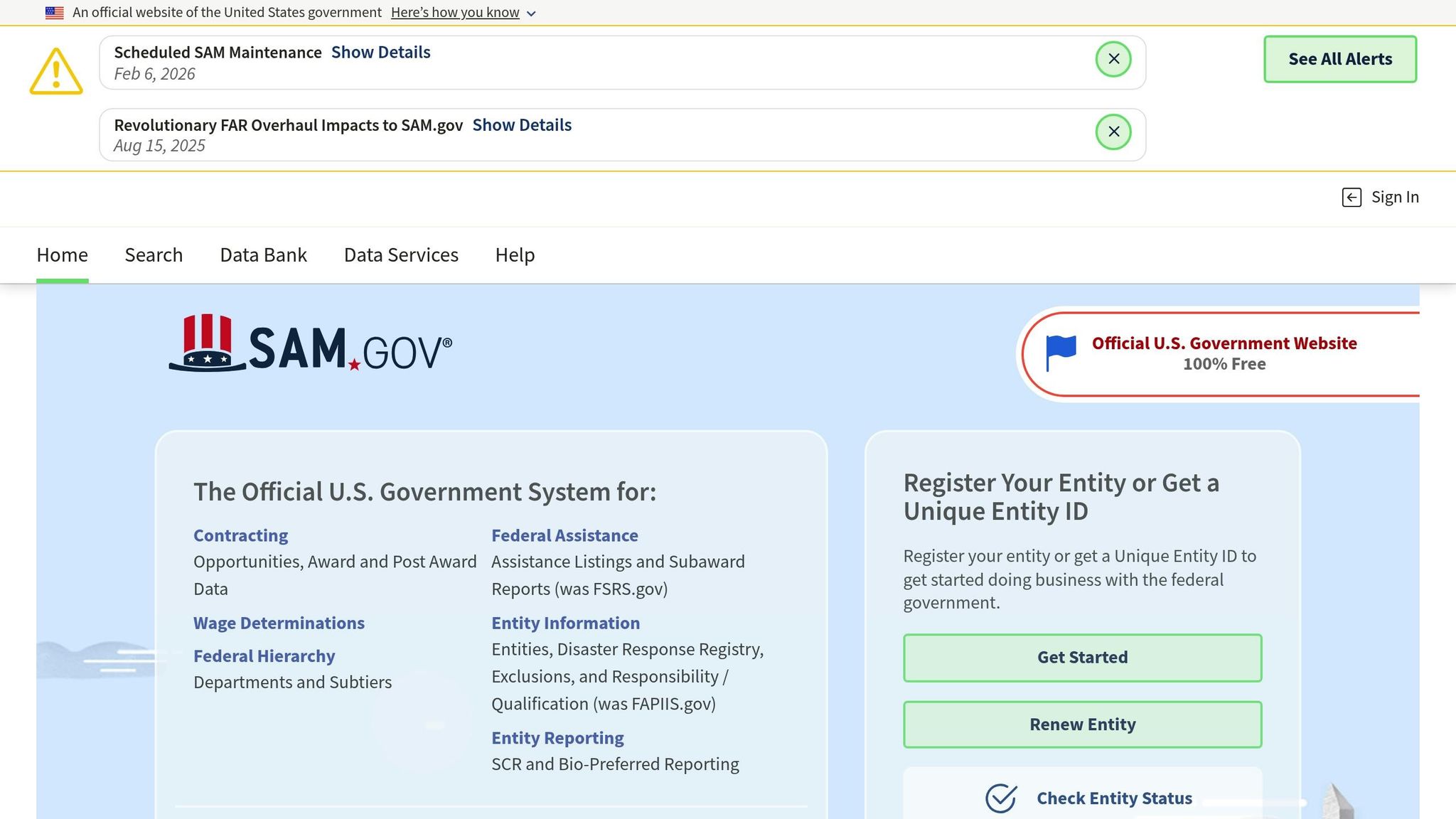
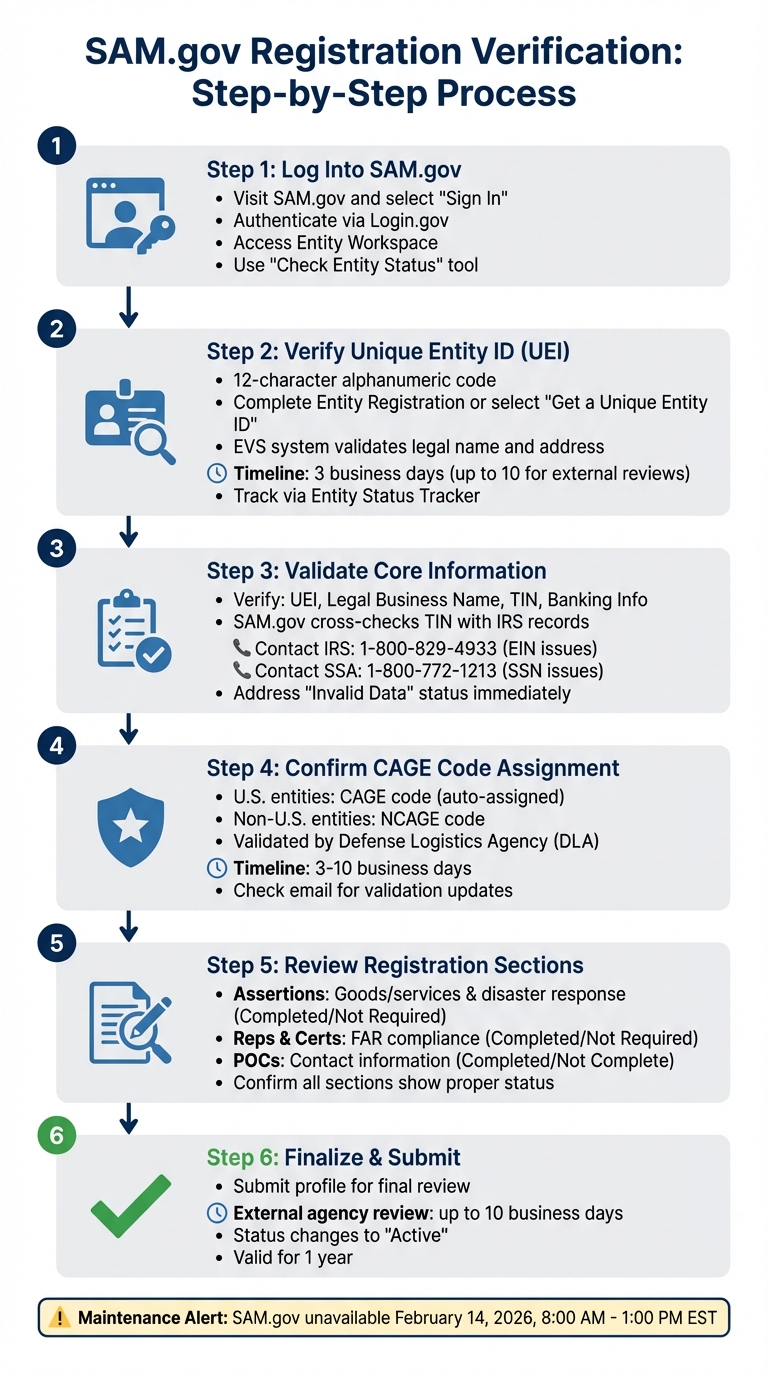
SAM.gov Registration Verification Process: 6-Step Guide
SAM.gov checks your information against several federal databases, so accuracy is key at every step to avoid delays.
Step 1: Log Into SAM.gov
Start by visiting the official SAM.gov website and selecting the "Sign In" option. You’ll be redirected to Login.gov, where you can either log in with your credentials or create a new account if needed. After authentication, you’ll return to SAM.gov and gain access to your Entity Workspace.
Once inside, use the "Check Entity Status" tool to confirm if your registration is already active. This helps prevent duplicating efforts. If your registration is not active, proceed to verify your entity’s unique identifier.
Step 2: Verify or Request Your Unique Entity Identifier (UEI)
The Unique Entity ID (UEI) is a 12-character alphanumeric code that SAM.gov assigns to identify your organization. If you’ve registered before, your UEI will appear in the Entity Workspace. For new registrants, you can either complete a full Entity Registration (necessary for bidding on federal contracts) or select the "Get a Unique Entity ID" option if you only need the ID for sub-awards or reporting.
SAM.gov’s EVS system will verify your legal business name and address. If the validation fails, you may need to provide original documents to confirm your entity’s details. While this process usually takes about three business days, external reviews can extend it to up to 10 business days. You can track progress through the Entity Status Tracker, and SAM.gov will send automatic updates on validation.
Once your UEI is verified, move on to reviewing your core business details.
Step 3: Validate Core Information
The Core Data section is crucial and includes your UEI, legal business name, Taxpayer Identification Number (TIN), and banking information. SAM.gov cross-checks your TIN and Taxpayer Name with IRS records, and mismatches are a common reason for delays.
If you use a Social Security Number as your TIN, ensure the name and number match exactly as they appear on your Social Security card. For EIN issues, contact the IRS at 1-800-829-4933. For Social Security mismatches, call the Social Security Administration at 1-800-772-1213. If you see an "Invalid Data" status in your Entity Workspace, address it promptly to avoid further delays.
Step 4: Confirm CAGE Code Assignment
For U.S.-based entities, the Commercial and Government Entity (CAGE) code is assigned automatically during registration and validated by the Defense Logistics Agency (DLA). If validation fails, SAM.gov will email you with details.
For entities outside the U.S., an NCAGE code (NATO CAGE code) is issued instead. While the process is similar, the code format differs. If the validation takes longer than expected, check your email for updates. This step typically takes 3 to 10 business days.
Step 5: Review and Finalize Entity Status
Once all validations are successfully completed, your registration will move to "Active" status and remain valid for one year. Before submission, confirm that all sections – Assertions, Reps & Certs, and Points of Contact – show a "Completed" or "Not Required" status.
| Registration Section | What It Covers | Status to Look For |
|---|---|---|
| Assertions | Goods/services provided and disaster response registry details | Completed or Not Required |
| Reps & Certs | Federal representations and certifications (FAR compliance) | Completed or Not Required |
| POCs | Mandatory and optional points of contact | Completed or Not Complete |
After submission, your registration undergoes a final review by external agencies, which can take up to 10 business days.
Heads-Up: SAM.gov has scheduled maintenance on Saturday, February 14, 2026, from 8:00 AM to 1:00 PM EST. During this time, registrations cannot be processed. Plan accordingly!
Common Problems and How to Fix Them
Validation failures happen when the data you provide doesn’t exactly match the records from sources like the IRS, USPS, or your state’s Secretary of State. The Entity Validation Service (EVS) relies on an automated system to cross-check your information. If there’s even a small mismatch – like a typo or formatting difference – your submission gets rejected automatically.
Fixing Validation Failures
Addressing these errors quickly is key to keeping your registration active and securing federal contracting opportunities.
The Punctuation Trap is a frequent stumbling block. Small details, such as using an ampersand (&) instead of writing out "and", or leaving out "LLC" in your business name, can lead to rejection. As the Federal Contracting Center explains:
"The system does not recognize that ‘&’ and ‘and’ are the same thing."
Another common issue arises from data latency – a delay in updating official records for new businesses. Even if your company is fully registered, it might take time for databases like the IRS or state registries to reflect your information. Standard validation takes about 7 calendar days for most submissions, but more complex cases can stretch to 30–40 business days. If delays occur, you can click "Create Incident" on SAM.gov to request a manual review through the Federal Service Desk (FSD).
When submitting a manual review request, ensure you attach clear PDF scans of critical documents like state-stamped Articles of Incorporation, recent utility bills, or bank statements showing your business name and address.
"Any tickets submitted without documentation will be closed and you will be required to create a new incident with documentation."
Remember, once an FSD agent requests additional information, you have 5 business days to respond. If you miss this deadline, your ticket will be closed automatically.
Here’s a quick guide to common validation issues and how to resolve them.
Validation Issues and Solutions
| Validation Type | Common Issue | Resolution |
|---|---|---|
| IRS / TIN | Name/EIN mismatch or syntax error (e.g., "&" vs "and") | Match your EIN assignment letter exactly; contact the IRS at 1-800-829-4933 if records need updating |
| Address | P.O. Box usage or USPS formatting error | Provide a physical address; verify formatting using the USPS database |
| Entity Uniqueness | Duplicate entity flag due to suite number | Submit an "Entity Validation" ticket with a utility bill or lease proving your suite location |
| Documentation | Blurry or incomplete scans | Upload clear, complete PDF scans of state-stamped documents or recent utility bills |
| New Business | Record not found due to data latency | Submit an incident ticket with Articles of Incorporation to update the EVS database manually |
Important Note: Resolving an incident doesn’t automatically reactivate your registration. After receiving a "Resolved" status, you need to log back into SAM.gov, restart your registration, and select the updated record.
Keeping Your SAM.gov Registration Active
Your SAM.gov registration needs to be renewed every 365 days – it won’t renew automatically. If your registration expires, payments stop, and your business becomes invisible to contracting officers. As Government Services Exchange explains:
"No active SAM = no disbursement. You can complete a full contract perfectly, but until your SAM is reactivated, the government can’t legally pay you."
Annual Renewal Requirements
To avoid disruptions, start your renewal process 60 to 90 days before your registration expires. Set reminders to manually check your status in the "Entity Management Workspace". Renewing follows the same steps as your initial registration: log in, locate your entity using your Unique Entity ID (UEI), and update key details like banking (ACH) information, points of contact, NAICS codes, and business size standards. After submitting, it may take up to 10 business days for federal validation and CAGE Code confirmation.
Be meticulous – ensure your Taxpayer Identification Number (TIN) matches IRS records exactly. Errors in banking or business structure can delay processing by 2 to 6 weeks. If you’re unsure or stuck, reach out to your local APEX Accelerator (formerly PTAC) for free guidance.
Monitoring Policy Changes
Once renewed, stay ahead by keeping an eye on policy updates. Federal contracting systems are consolidating quickly. For example, FPDS.gov’s search feature will be retired on February 24, 2026, and eSRS.gov will shut down on February 20, 2026, with their functions moving to SAM.gov.
Check SAM.gov’s "Announcements" section regularly for updates. You can also subscribe to newsletters from the Small Business Administration (SBA) and General Services Administration (GSA) for the latest regulatory news. To stay compliant, consider auditing your profile quarterly to ensure it aligns with current federal standards.
Conclusion
Keeping your SAM.gov registration up to date is essential for securing federal contracts and ensuring timely payments. With over $650 billion in government contracts awarded annually to registered entities, maintaining accuracy in your profile is non-negotiable. Did you know that about 40% of first-time registrations run into validation issues, and nearly 20% of businesses miss out on contracts due to registration errors? That’s a significant missed opportunity.
Managing these details can be time-consuming and complex. On average, businesses spend 10 to 15 hours juggling registration tasks, including handling documentation and resolving validation errors. That’s where GSA Focus comes in. They offer a full-service solution to simplify the process, taking care of document preparation, compliance checks, and ongoing monitoring. With their help, your time investment can drop to just 1–2 hours, all while benefiting from a 98% success rate.
To stay ahead, treat your SAM.gov profile as a dynamic document. Review it quarterly, update any changes within 30 days, and start your annual renewal process at least 60 days before expiration. Automate alerts, double-check your data against IRS records, and keep an eye on SAM.gov updates. Regular maintenance and proactive management are the keys to staying competitive. Think of your registration as your ticket to federal contracting – keep it accurate, active, and ready for audits.
FAQs
How can I tell if my SAM.gov registration is really active?
To check if your SAM.gov registration is active, log in to SAM.gov and use the Entity Status Tracker. This tool will indicate whether your entity’s registration is current and active. Make sure all your registration details are accurate and up to date to prevent any problems with federal contracting opportunities.
What should I do if my UEI or entity validation fails?
If your UEI or entity validation doesn’t go through, you’ll need to submit an incident report via SAM.gov. Make sure to include all required documents to confirm the accuracy of your information. Keep in mind that the review process might take longer than usual because of high demand, so plan for possible delays. Double-check that your documentation is thorough to prevent additional complications.
How soon should I renew my SAM.gov registration to avoid payment stops?
To keep your payments flowing and stay eligible, make sure to renew your SAM.gov registration at least 60 days before it expires. This early renewal helps you maintain seamless access to federal contracting opportunities and prevents any delays in the renewal process.
Related Blog Posts
- Why Government Entity Codes Matter for GSA Contracts
- CAGE Code Lookup Checklist for Small Businesses
- Maintaining SAM Registration for Federal Contracts
- Ultimate Guide to SAM.gov for International Businesses