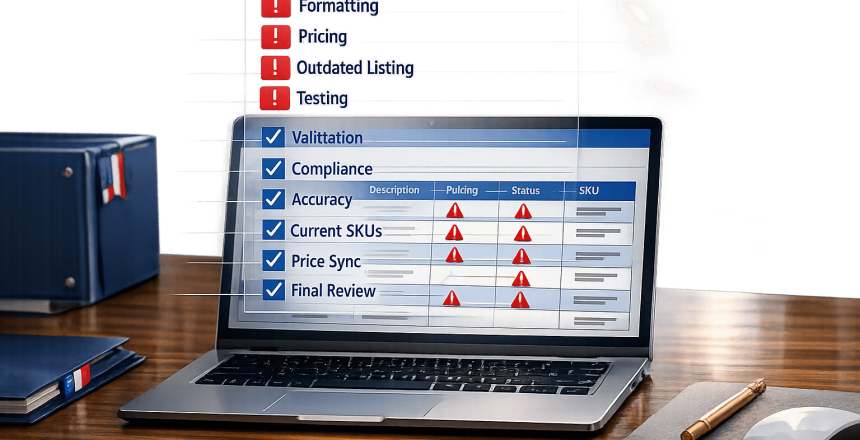
Managing your GSA catalog can be tricky, but avoiding common errors is key to staying compliant and keeping federal sales opportunities alive. Mistakes like mismatched pricing, outdated product details, and formatting issues can lead to catalog rejections, product removals, or even contract cancellations. Here’s a quick breakdown of the most frequent pitfalls and how to avoid them:
- Formatting Errors: Incorrect symbols, missing mandatory fields, or outdated templates in SIP or EDI submissions often cause rejections.
- Data Mismatches: Pricing or product details that don’t align with your awarded contract terms can trigger compliance issues.
- Outdated Listings: Discontinued items or incorrect warranty details can lead to canceled transactions and TAA violations.
- Insufficient Testing: Uploading untested updates can result in mass rejections, delaying market access.
Pro Tip: Use updated GSA templates, validate your data thoroughly, and perform regular catalog reviews to minimize errors. If the process feels overwhelming, professional services like GSA Focus can provide expert support to ensure compliance and avoid costly mistakes.
4 Common GSA Catalog Update Mistakes and How to Avoid Them
The 3 GSA Modification Changes You Must Know For 2024
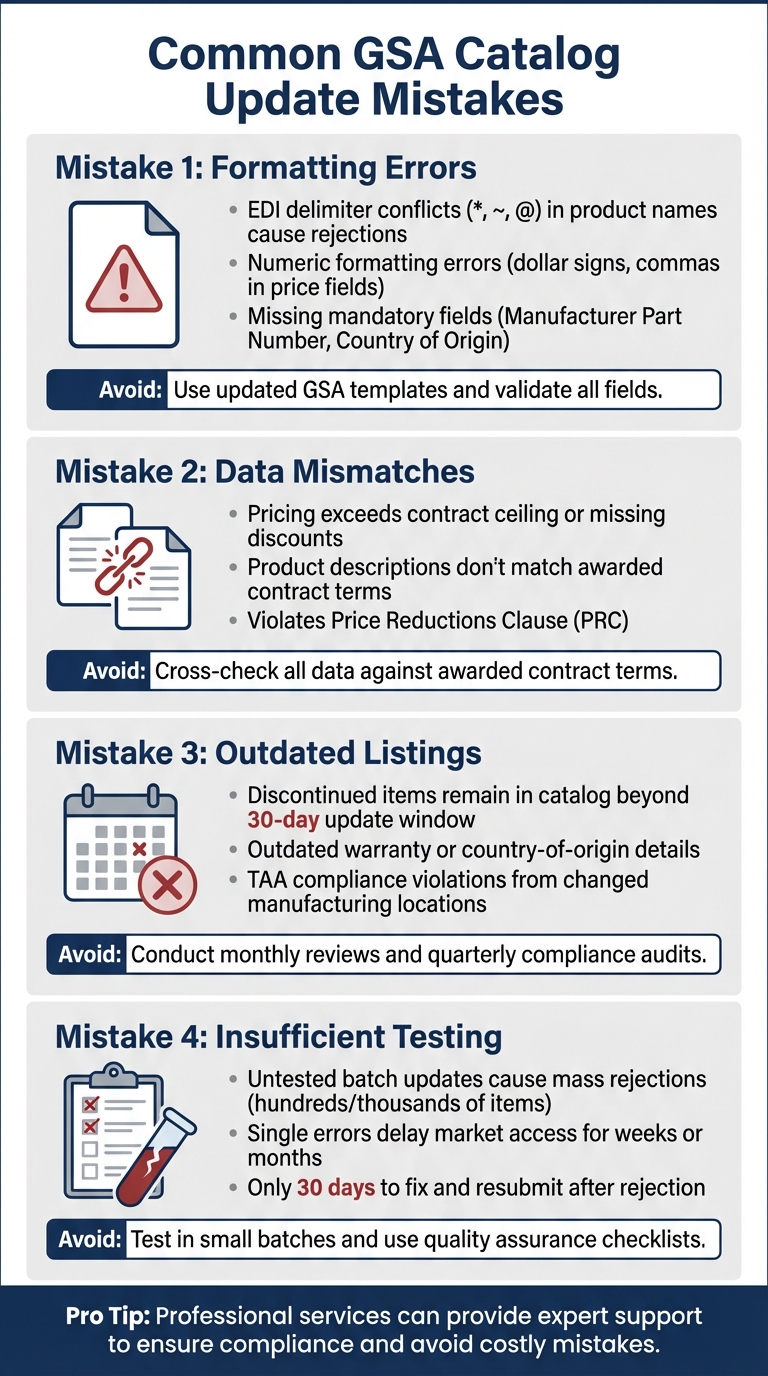
Common GSA Catalog Update Mistakes
Avoiding errors in GSA catalog updates is key to staying compliant and maintaining federal sales opportunities. Most mistakes fall into a few common categories: formatting issues, missing or incorrect data, mismatches with your awarded contract, and inadequate testing. These missteps can disrupt catalog updates and put your federal contracting success at risk.
Formatting Errors in SIP or EDI Submissions
Formatting issues are one of the most common reasons for catalog submission failures, especially when using SIP or EDI systems.
EDI delimiter conflicts can cause submissions to fail outright. The EDI 832 transaction set relies on specific characters – like asterisks (*), tildes (~), and at signs (@) – to structure files. If these symbols appear in product names or descriptions, the system might reject the entire submission. For instance, product names such as "Cable ~ 6ft" or "Connector * Heavy Duty" will trigger errors because the system can’t process them correctly.
Numeric formatting errors are another frequent problem. Price fields should only include numbers – no dollar signs, commas, or percentage symbols. Discounts must be entered as decimals between 0 and 1, rounded to four decimal places. For example, instead of "5%", you should input "0.0500." Failing to follow these rules will halt your submission.
Missing mandatory EDI fields at the line-item level is another common pitfall. Required fields like Manufacturer Part Number (MG), Manufacturer Name (ZZ), Country of Origin (CH), and Special Item Number (PI) must be included for every product. Skipping any of these fields will result in the rejection of those line items.
Missing or Invalid Contract-Level Data
Errors at the contract level can derail an entire submission. For example, failing to include FOB terms or lead time information in EDI submissions often leads to rejection. The FAS Catalog Platform (FCP) also has strict validation rules. Product names must have at least three words and stay under 40 characters, while descriptions need to be at least 10 words but no more than 1,000 characters. Submissions that don’t meet these criteria won’t pass initial validation. Additionally, filenames for terms and conditions must include your contract number in the format "GS-07F-1234A_filename.pdf" – spaces or other deviations will cause the system to reject them.
Data Mismatches with Awarded Contract
Discrepancies between your catalog and your awarded contract are a surefire way to encounter compliance issues.
Pricing mismatches are particularly problematic. RoboMod, an automated system, flags prices that exceed your contract ceiling or fail to reflect required discounts. If discrepancies are found, items may be removed from GSA Advantage! without notice. Worse, failing to disclose lower commercial prices can violate the Price Reductions Clause (PRC), leading to mandatory refunds, retroactive price changes, or even contract termination.
Product description mismatches can also cause trouble. If your catalog lists updated specifications or features that weren’t part of your awarded contract, those items may fall outside the agreed scope. This can discourage federal buyers from considering your products or lead to procurement officers rejecting your proposals as non-compliant.
Delays or Failure to Remove Discontinued Items
Keeping your catalog up to date is crucial, especially when products are discontinued or modified.
GSA requires contractors to update their catalogs within 30 days of any contract modification or product line change. Leaving discontinued items in your catalog can lead to canceled transactions when buyers attempt to order unavailable products. Worse, outdated warranty or country-of-origin details could result in TAA compliance violations, especially if manufacturing locations have changed.
Regular monthly reviews and quarterly audits focused on pricing and TAA compliance can help contractors avoid these issues. Without these checks, contractors risk catalog suspensions or audit findings that could have been avoided.
Inadequate Validation and Testing
Uploading untested batch updates is a recipe for disaster. A single mistake – like using an incorrect delimiter or leaving out a mandatory field – can cause hundreds or even thousands of line items to fail at once. If your submission is rejected, you typically have only 30 calendar days to fix and resubmit. This can delay your market access for weeks or even months, making thorough validation and testing a critical step before submission.
How to Prevent GSA Catalog Update Mistakes
Avoiding mistakes in GSA catalog updates requires a structured approach that combines the right tools, careful testing, and regular maintenance. GSA provides a range of resources to help contractors sidestep common errors and maintain compliance.
Use Updated Templates and Validation Tools
Start by downloading the latest templates from the GSA’s "Modifications and Mass Modification Guidance" webpage before beginning any updates. Using an outdated template is one of the most frequent reasons for rejection. The Federal Catalog Platform (FCP) has replaced SIP and EDI-832, offering updated Product and Services Plus Files that include built-in validation features.
The FCP File Checker Program performs three levels of validation: Basic, Business Rule, and Authoritative Catalog Repository. These checks ensure your files are formatted correctly, maintain data integrity, and align with your contract terms. Additionally, the Compliance & Pricing (C&P) Report provides automated feedback on market research and pricing strategies for your Product Files, helping you address any pricing issues before submission.
Pay close attention to the "Read Me" section of the FCP template for specific formatting and field requirements. For instance, manufacturer part numbers must not exceed 40 characters, and percentages should be entered as decimals (e.g., 0.25 for 25%) and rounded to no more than four decimal places.
Once your templates are validated, ensure the accuracy of your data through thorough batch testing.
Implement Batch Testing and Quality Assurance
Before submitting your updates, test your data in smaller batches. Uploading thousands of line items at once increases the risk of rejection due to a single error, such as a prohibited character or a missing field. By working in smaller chunks, you can quickly identify and correct issues without risking the integrity of your entire catalog.
Develop a quality assurance checklist to catch common errors. For example, confirm that numeric fields don’t include extra symbols and that all required fields are completed. This step helps you address potential problems that automated tools might miss.
Routine reviews further enhance the reliability of your catalog.
Regularly Review and Update Catalogs
Consistently reviewing your catalog ensures it stays accurate and compliant. New FCP users are required to complete their baseline process within 60 days and accept mass modifications within 90 days to avoid contract cancellation. When assigning Unique Catalog IDs for the Services Plus File, use leading zeros (e.g., 001, 002) to keep your offerings logically ordered for buyers. These small details improve navigation and reduce confusion for potential customers.
Professional Support for GSA Catalog Management
How GSA Focus Can Help

Getting professional assistance for GSA catalog management can save you from headaches and delays, especially if you’re unfamiliar with the process. Handling updates in-house often leads to bottlenecks, but GSA Focus offers a hands-off solution that takes care of the technical side for you. Their services include performing pre-audits to catch pricing issues before submission and ensuring your SAM.gov registration aligns with the right Special Item Numbers (SINs).
GSA Focus also simplifies the transition from the outdated Schedules Input Program (SIP) to the new FAS Catalog Platform (FCP). They ensure compliance with GSA’s strict rules, like the "3/10 Rule" (requiring at least 3 words in product names and 10 in descriptions) and the Trade Agreements Act (TAA). Plus, they provide support during negotiations with Contracting Officers, helping you address tricky situations – like explaining net losses in financial statements – before they derail your contract award. Their expertise bridges the gap between GSA’s complex demands and what your business needs to succeed.
Benefits of Professional Management
Partnering with professionals doesn’t just save time – it delivers real financial value and operational clarity. By reducing submission delays and avoiding costly mistakes, professional catalog management becomes an investment that pays off. As GSA Specialist Joshua Ladick puts it:
A qualified GSA consultant is a cost-saving investment. They know what language reviewers expect, how to format documents, and how to avoid rejection triggers.
Small businesses that use professional GSA support have reported an average return on investment (ROI) of 87x. That’s a massive payoff compared to the missed opportunities and wasted time that often come with DIY catalog management. It’s clear that avoiding repetitive errors can make a huge difference.
GSA Focus also offers ongoing support, like quarterly pricing audits to ensure compliance with the Price Reductions Clause (PRC) and Most Favored Customer (MFC) policies. They manage critical deadlines, such as the 60-day baseline process for new FCP users, helping businesses avoid the risk of contract cancellations. With a 98% success rate and a money-back guarantee, their services not only reduce your workload but also provide peace of mind and financial security in navigating the GSA process.
Conclusion
Keeping your GSA catalog accurate and compliant is a non-negotiable part of federal contracting. Mistakes like formatting issues, missing information, pricing inconsistencies, or outdated listings can lead to costly delays and missed opportunities. With the shift to the FAS Catalog Platform (FCP), the process has become even more technical, demanding close attention to compliance regulations like the Price Reductions Clause (PRC) and Trade Agreements Act (TAA). A strong grasp of these rules is key to avoiding errors and ensuring smooth catalog updates.
The good news? Most catalog errors can be avoided with thorough preparation and detailed quality checks. That said, the complexity of these updates often makes it challenging for small businesses to handle them independently. For many, seeking professional assistance is the smarter move.
Expert support can simplify compliance and minimize the risk of submission delays. Companies like GSA Focus offer full-service catalog management, including pre-audits, compliance monitoring, and help with transitions, ensuring your submissions align with GSA’s strict requirements from the start. This proactive strategy not only saves time but also safeguards your catalog’s integrity and your ability to secure federal contracts.
The key to success lies in preparation, precision, and consistent updates. By prioritizing these elements, you’ll protect your GSA Schedule Contract and keep your federal contracting opportunities within reach.
FAQs
What happens if my GSA Advantage! prices don’t match my awarded contract?
If the prices listed on your GSA Advantage! profile don’t match those in your awarded contract, you could face serious consequences like compliance violations, audits, or even losing your contract altogether. To steer clear of these risks, double-check that all pricing updates are accurate and fully align with the terms of your approved contract.
How do I quickly check my file for FCP/SIP/EDI formatting errors before uploading?
Before uploading, it’s a good idea to double-check for any FCP, SIP, or EDI formatting errors. Start by reviewing helpful GSA catalog resources, such as the ‘Errors & Validations FAQ’ and ‘Validations & Business Rules for Error Reports’. These guides can help you understand common mistakes and how to avoid them.
For FCP, make sure all required fields are filled out correctly and that the formatting meets the necessary standards. If you’re working with SIP, use the provided import templates and take advantage of the ‘F1’ key for quick, field-specific guidance.
Regularly consulting these resources can save you time and effort by helping you catch and correct issues before submission.
What’s the fastest way to remove discontinued items and avoid TAA issues?
To efficiently handle discontinued items and sidestep TAA-related issues, start by reviewing your GSA Schedule contract thoroughly. Identify any products that are outdated or non-compliant. Once identified, submit a deletion request through the eMod system. Be sure to include all required documents, such as an updated price list and a justification letter explaining the changes.
Staying proactive is key – regularly check your catalog for compliance and address any requests from your Contracting Officer without delay. This approach helps maintain accuracy and avoids potential TAA complications.
Related Blog Posts
- Common GSA Compliance Mistakes And Fixes
- Common Mistakes When Applying for GSA Product Approval
- Top GSA Price List Errors and How to Avoid Them
- GSA Product Catalog Updates: Best Practices