
Winning a GSA contract is only the first step. To stand out in the federal marketplace, you need tools designed for creating compliant materials, tracking agency trends, and engaging with procurement officials. This guide highlights 11 tools that simplify your federal marketing efforts, from design platforms to CRM systems.
Key Takeaways:
- GSA Focus: Tailored support for securing contracts and creating compliant documents.
- Canva & Adobe Express: Easy-to-use platforms for professional, GSA-ready designs.
- HubSpot & Mailchimp: Manage email campaigns and track engagement efficiently.
- Microsoft 365 & Google Workspace: Collaboration tools with government-level security.
- Bitly & QR Code Generators: Simplify link sharing and track campaign performance.
- Loom: Use video to explain complex GSA details.
Quick Overview:
| Tool | Best For | Starting Cost |
|---|---|---|
| GSA Focus | Contract acquisition & compliance | Custom pricing |
| Canva | Design & branding | $0/year |
| Adobe Express | High-quality visuals | $0/month |
| HubSpot | Email & marketing automation | $0/month |
| Mailchimp | Email campaigns | $0/month |
| Microsoft 365 | Collaboration & compliance | $6/user/month |
| Google Workspace | Real-time teamwork | $7/user/month |
| Bitly | Branded links & analytics | $10/month |
| QR Code Generator | Custom QR codes | $0/month |
| Loom | Video communication | $0/month |
These tools help streamline your federal marketing while ensuring compliance with GSA standards. Let’s dive into how each one works.
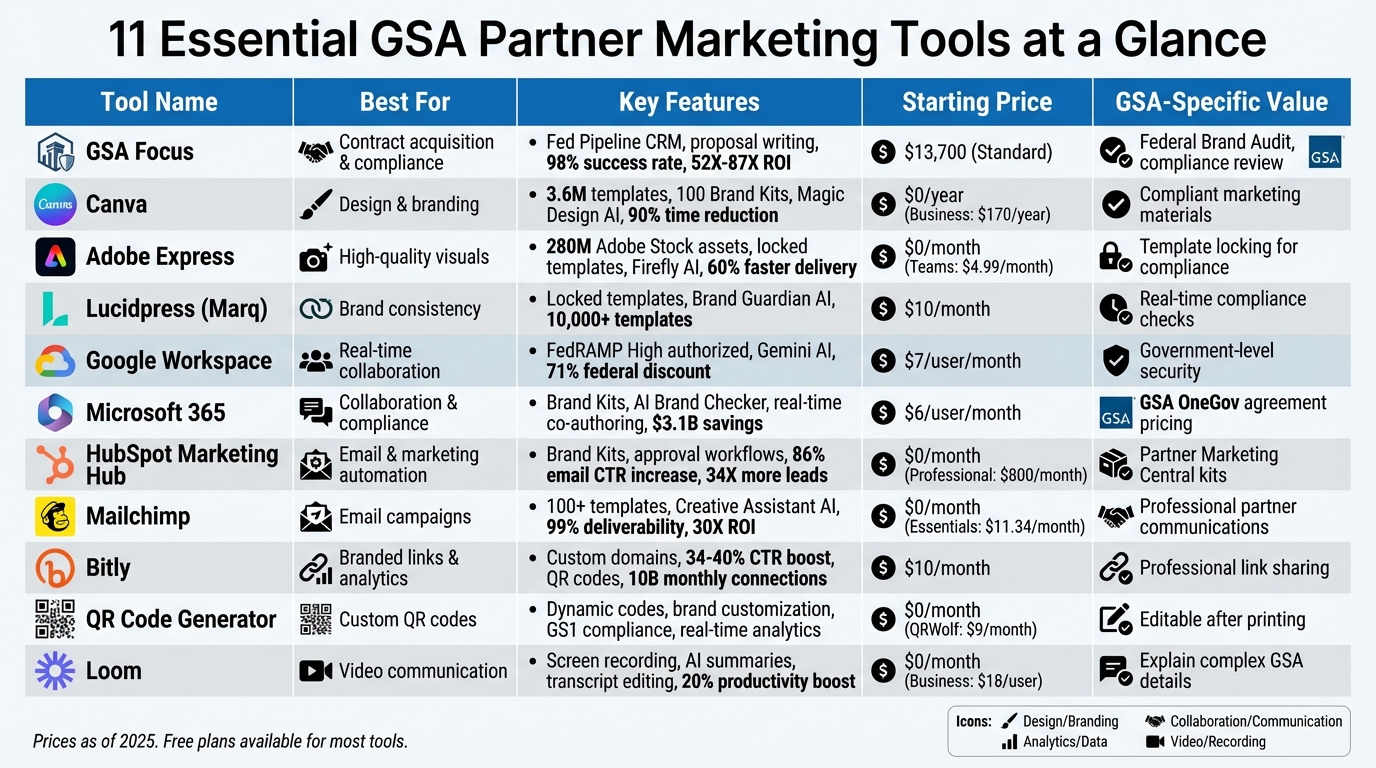
GSA Partner Marketing Tools Comparison Chart – Features, Pricing & Capabilities
1. GSA Focus
GSA-specific marketing support
GSA Focus simplifies the process of securing government contracts through its GSA Accelerator Program. This program includes several tools and services designed to streamline federal contract acquisition. One highlight is the Fed Pipeline, a Federal CRM that gathers opportunities from SAM, GSA, and DIBBS, organizing them into a custom daily Watchlist. Clients also benefit from three months of proposal writing (around two proposals per month), targeted email outreach to Contracting Officers, and twice-monthly coaching sessions to refine their approach. This structured system helps businesses zero in on bids with the highest potential.
"GSA Focus was crucial in helping us get our GSA contract quickly with no headaches, setting us on the path to some big wins." – Deena T., Pacific Point
Design and branding capabilities
With its Federal Brand Audit, GSA Focus reviews your website and Capability Statement to ensure they meet federal compliance standards and resonate with procurement officials. This service helps present your business in the professional, detail-oriented manner that buyers in the federal market expect.
Pricing and accessibility
GSA Focus offers three pricing tiers, with discounts for upfront payments. The Standard plan ($13,700 when paid in full) includes the core marketing tools, Fed Pipeline access, and three months of proposal writing. The Plus plan ($24,700 when paid in full) expands on this by offering 12 months of proposal writing, enhanced email outreach to Contracting Officers, and support for teaming requests.
The results? GSA Focus boasts a 98% success rate for GSA contract approvals. Clients experience an average ROI ranging from 52X to 87X and typically add $927,000 in recurring annual revenue after securing a contract. These offerings are designed to make your federal marketing efforts more efficient and impactful.
Next, we’ll explore how Canva can elevate your partner-specific marketing materials.
2. Canva
Design and Branding Capabilities
Canva offers access to an impressive library of 3.6 million premium templates, making it easy to create polished and compliant GSA marketing materials without the need for professional design help. With its Brand Kits feature, you can store up to 100 combinations of logos, fonts, and colors – ensuring every capability statement or pitch deck reflects your corporate identity and adheres to government branding standards. The platform also includes AI-driven tools like Magic Design and Magic Media (powered by Leonardo.Ai), which can generate images, videos, and presentations based on simple text prompts. Additionally, the integrated Flourish tool helps transform contract performance data into dynamic charts and maps. Need to resize your designs? The Magic Resize feature instantly adjusts layouts for formats like LinkedIn posts, PDFs, and more.
Collaboration and Co-Editing Features
Collaboration is seamless with Canva. The platform allows teams to work together in real-time on proposals, ensuring edits and feedback are incorporated efficiently. With tools for streamlined approval workflows, you can also save designs as Team Templates. This is especially useful for recurring documents like capability statements or federal pitch decks, ensuring they stay consistent and meet compliance standards.
"Canva has been really helpful for creative ideation and being able to bring ideas to life, without needing to rely on external freelancers. The amount of time and money is saved is impactful both as an individual creator as well as for my team." – Richard Stevenson, Creative Director, HOORAE
Pricing and Accessibility
The Canva Business plan is priced at $170 per user annually and comes packed with features like 500GB of storage, support for 100 Brand Kits, and ad performance insights. Users have reported up to a 90% reduction in production time and 50% savings in design costs, making it a cost-effective choice. Plus, Canva is accessible from any web browser or mobile device and doesn’t require advanced design skills, making it an ideal solution for small businesses.
Next, we’ll take a closer look at how Adobe Express simplifies GSA marketing design tasks even further.
3. Adobe Express
Design and Branding Capabilities
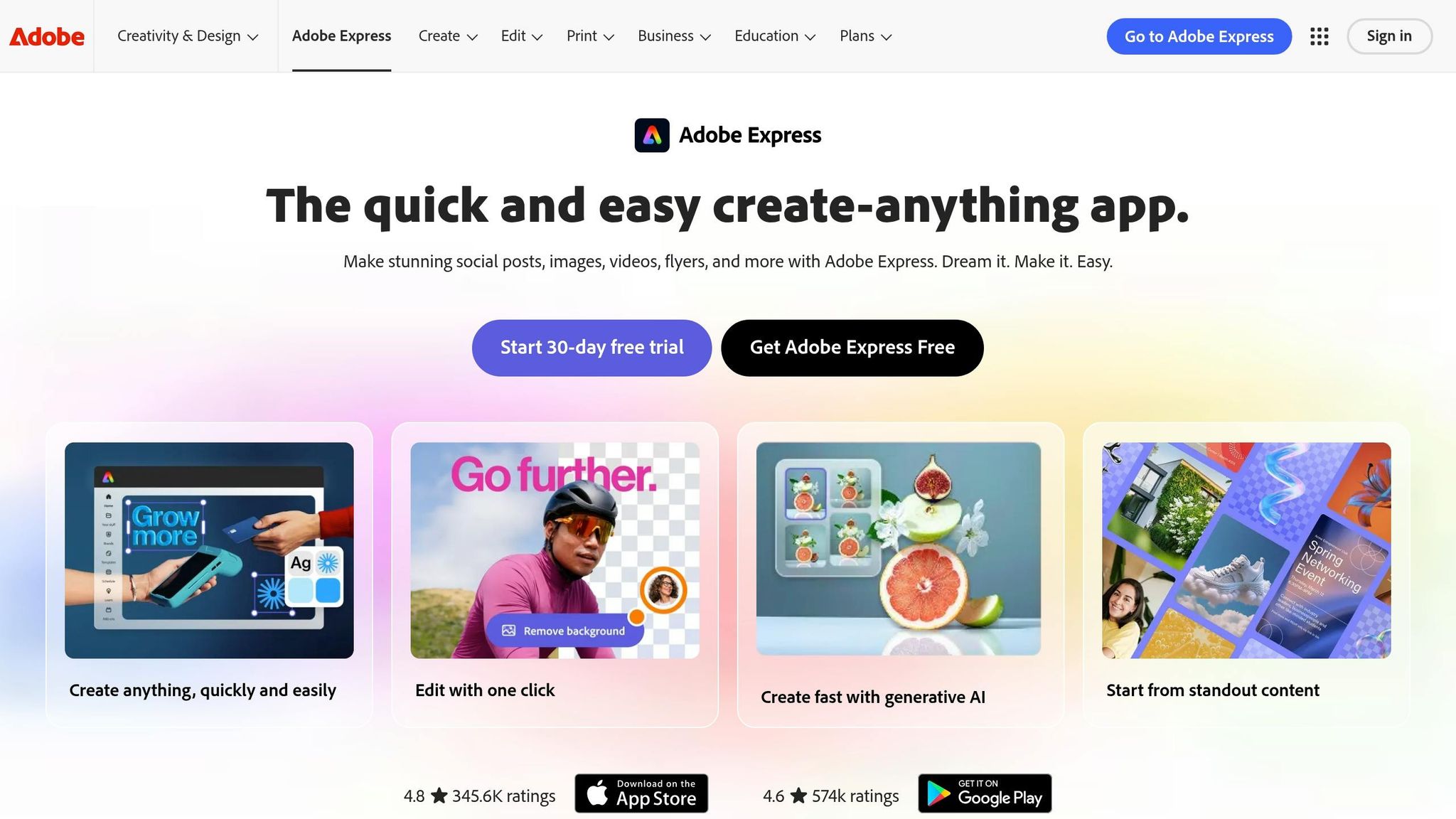
For contractors navigating federal compliance, Adobe Express offers a range of design tools tailored to meet GSA standards. With access to over 280 million Adobe Stock assets and 30,000+ premium fonts, it ensures your visual content stays polished and professional. The Brand Kits feature simplifies branding by allowing you to upload logos, colors, and fonts directly from your files, creating a ready-to-use, brand-compliant kit in just one click.
One standout feature is the ability to lock templates. Your team can transform Photoshop, Illustrator, and InDesign files into templates that safeguard key brand elements. This means when your sales team customizes a GSA capability statement, critical details – like logos and mandatory disclaimers – remain untouched. Adobe Firefly, the platform’s AI tool, adds even more functionality. It generates images, creates text effects, and uses "Generative Fill" to add or remove objects – all while ensuring compliance with intellectual property standards, thanks to its training on licensed Adobe Stock and public domain content.
Collaboration and Co-Editing Features
Adobe Express makes teamwork seamless. Teams can co-edit projects in real time, speeding up feedback and revisions. Its integration with Adobe Workfront and built-in review tools further streamlines the approval process, reducing delays. A great example of its impact is Red Hat’s 2024 initiative, where 400 marketers were trained to use Adobe Express for Enterprise. The result? A 60% faster time to market and a tenfold increase in time savings, all while ensuring on-brand visuals by applying pre-approved fonts and logos to templates.
"Express is the bridge between creatives and noncreatives – it’s intuitive enough that noncreatives can easily pick it up and use it. Whatever your background, the learning curve is very quick." – Tom Barette, Design Director, Ernst and Young
Pricing and Accessibility
Adobe Express offers flexible pricing to fit different needs. The Free Plan provides access to over 100,000 templates, 25 generative AI credits per month, and 2GB of cloud storage. For teams, the entry-level Teams Plan starts at $4.99 per person per month for the first year (renewing at $7.99/month) and requires at least two seats. This plan includes all premium templates, 250 generative AI credits, 1TB of storage, and 24/7 technical support. Companies like ABB Group have seen remarkable results, tripling video production speed and achieving a 21% engagement rate – six times the industry average.
Next, dive into how Lucidpress (now Marq) can take your federal marketing materials to the next level with its focus on brand consistency.
4. Lucidpress (Marq)
Design and Branding Capabilities
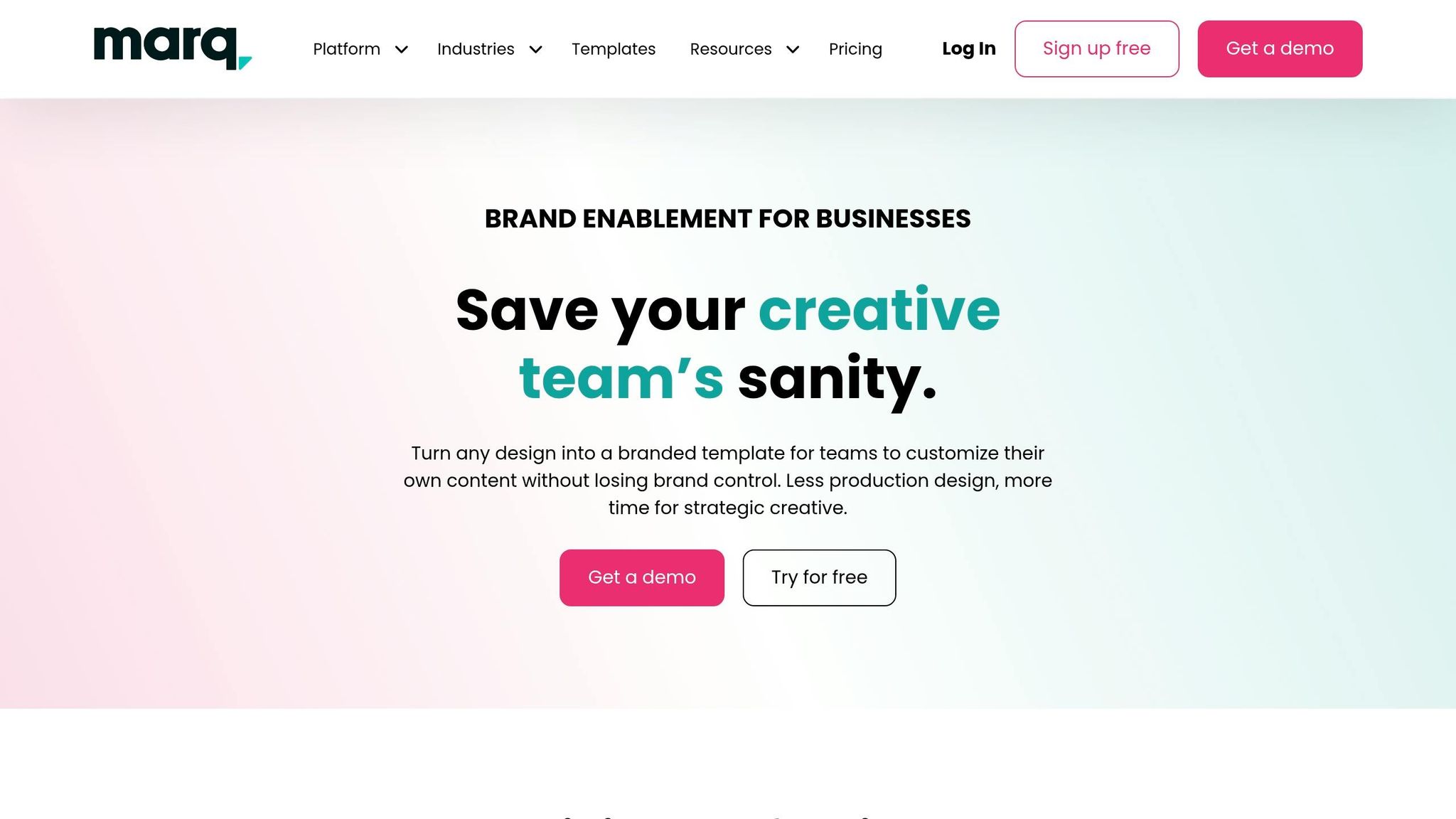
In federal contracting, creating materials that are both compliant and on-brand is absolutely essential. Marq (formerly Lucidpress) tackles this challenge by offering tools to ensure brand consistency while still allowing flexibility for team-specific customization. With Marq, you can convert any design into a locked template. This means critical elements – like your logo, required compliance text, and official fonts – are protected, while team members can easily adjust other content without risking brand integrity.
The platform’s Brand Guardian AI takes it a step further, providing real-time compliance checks to ensure materials meet guidelines. You can even import Adobe InDesign files and turn them into web-based templates, making professional designs widely accessible across your organization. With over 10,000 templates and Smart Fields that auto-fill data from sources like CSV files or Google Sheets, Marq simplifies the process of creating materials tailored for General Services Administration (GSA) requirements.
Collaboration and Co-Editing Features
Marq’s cloud-based editor is built for teamwork. It enables real-time collaboration, allowing sales and compliance teams to work together effortlessly. The platform also includes an approval workflow feature, so stakeholders can review and approve projects quickly – a critical function when you’re racing to meet tight GSA proposal deadlines.
"Marq made our design team of four feel like an army of 40" – Kelly Hiller, Executive Director of Creative Services, Purdue University
Pricing and Accessibility
If you’re curious about trying the platform, Marq offers a Free plan for individual users. For more advanced features, pricing starts at $10 per month for the Pro plan and $12 per user per month for Team plans. It’s trusted by over 6 million professionals and more than 800 brands worldwide.
"We’re able to quickly customize assets by market and audience, leading to more powerful marketing" – Morgan Turner, Growth Marketing Manager, Orchard Real Estate
Next up, discover how Google Workspace can streamline GSA marketing with tools you already know and trust.
5. Google Workspace
Collaboration and Co-Editing Features
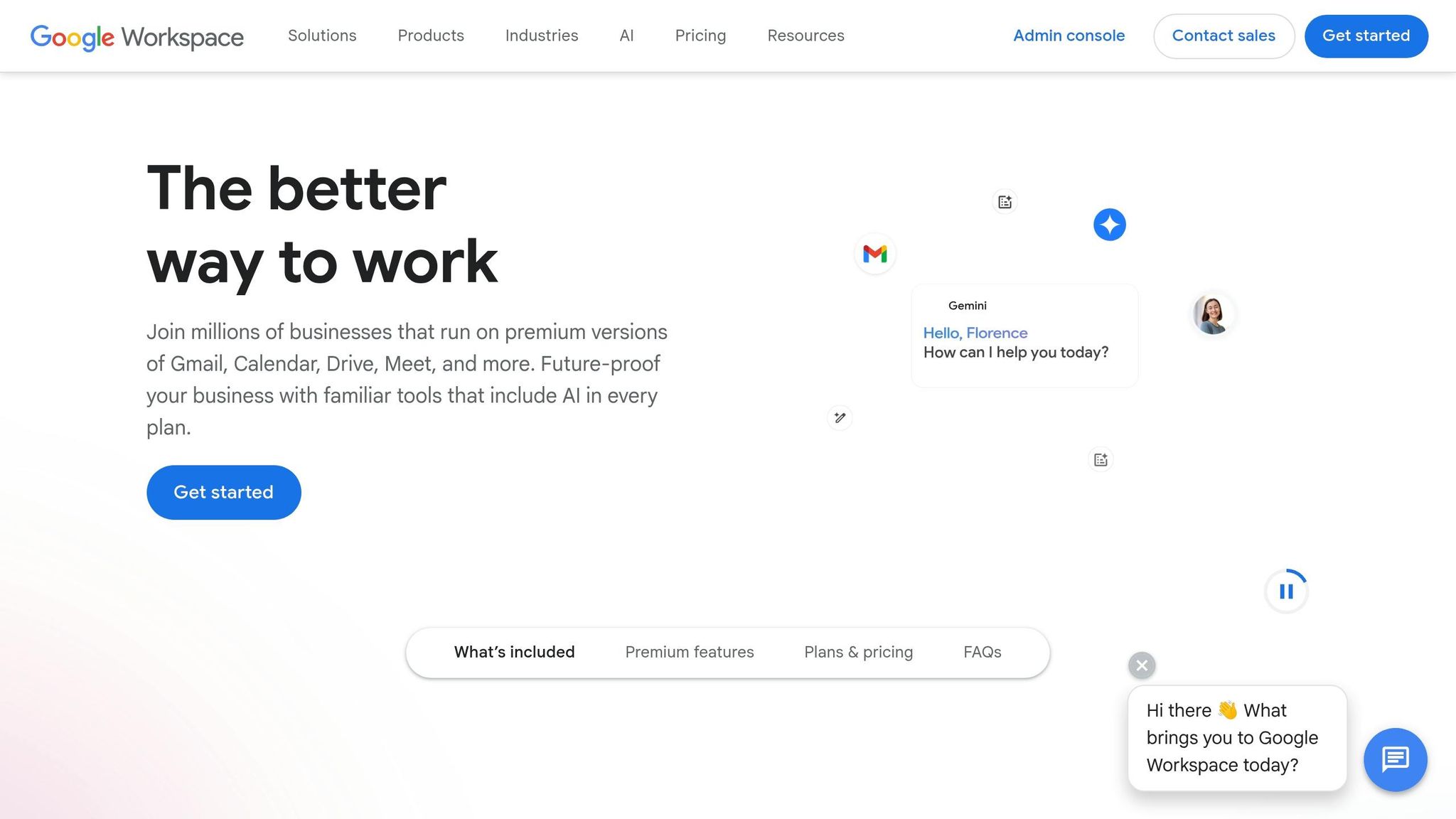
Google Workspace empowers small businesses to craft GSA-compliant marketing materials through real-time collaboration. With tools like Google Docs and Slides, multiple team members can work on proposals and compliance documents at the same time, eliminating the hassle of version control. This streamlined teamwork is backed by robust security measures, crucial for meeting federal compliance standards, and significantly accelerates the delivery of marketing assets.
"Getting marketing materials out the door used to take weeks. With Docs, we can create, approve, and deliver assets in as little as 24 hours." – Leandro Perez, Senior Director of Product Marketing, Salesforce
The platform’s Gemini for Government suite introduces AI-driven tools to generate professional content for SEO, blogs, and social media. Additionally, users can create visual concepts for ads or mood boards with simple text prompts. Google Workspace also supports legacy Microsoft Office files, allowing teams to collaborate without needing to convert file formats.
GSA-Specific Marketing Support
Google Workspace is designed to meet the strict security requirements of GSA projects. It holds FedRAMP High authorization, ensuring that marketing collaborations adhere to government data security standards. Tools like Spaces and Google Meet enhance communication between internal teams and external government partners, while "smart canvas" features streamline project planning. These tools not only simplify compliance but also enhance overall productivity.
Pricing and Accessibility
Federal agencies benefit from a 71% discount under MAS IT pricing when accessing Google Workspace. For small businesses aiming to collaborate with GSA, the Business Starter plan starts at $7.00 per user per month (with an annual commitment). This plan includes custom business email and 30 GB of storage. For more advanced needs, the Business Standard plan costs $14.00 per user per month and offers 2 TB of storage, meeting recording capabilities, and eSignature tools – key features for managing GSA proposals. All plans come with a 14-day free trial and now include Gemini AI tools for content creation and data analysis.
Next, discover how Microsoft 365 can further enhance your GSA marketing efforts.
Hidden GSA Tools Every Small Business GovCon Should Be Using in 2026
6. Microsoft 365
Microsoft 365 continues to play a central role in enhancing collaborative and compliant marketing efforts, especially when it comes to GSA-related work.
Design and Branding Capabilities
With Microsoft 365 Copilot, organizations can ensure their marketing materials stay on-brand. The Official Brand Kits feature securely stores approved logos, color schemes, typography, and templates, helping teams create marketing documents – like capability statements and pitch decks – that align with branding rules. The AI-Powered Brand Checker takes this a step further by flagging issues like unapproved logos or incorrect fonts, offering quick fixes to maintain compliance.
"A strong brand makes a company instantly recognizable through its logo, colors, tone, and messaging, and the application of consistent branding builds trust with customers, partners, and investors." – Microsoft Support
PowerPoint’s Slide Master locks global design elements such as logos and footers, ensuring these elements remain consistent across presentations. Meanwhile, Microsoft Designer can generate branded visuals – like infographics, banners, and posters – based on simple text prompts. In Word, the "Designer" function helps polish proposals, identifying formatting issues and suggesting professional fonts and layouts.
Collaboration and Co-Editing Features
Beyond branding, Microsoft 365 excels in fostering collaboration. Real-time co-authoring allows multiple team members to work on the same Word, Excel, or PowerPoint document simultaneously, eliminating the hassle of merging separate contributions – an invaluable feature for meeting tight GSA proposal deadlines.
"Real-time Co-authoring… is incredibly beneficial for small businesses and teams who want to work together while meeting short deadlines." – bryallen, Microsoft
Microsoft Teams further enhances teamwork by enabling dedicated bid channels for specific GSA opportunities. Teams can organize win strategies, style guides, and proposal drafts in one secure space. Features like @mentions streamline task assignments and notify reviewers, while presence indicators show who is actively working on a document, reducing the risk of version conflicts during reviews.
GSA-Specific Marketing Support
Microsoft 365 is designed to meet the rigorous documentation standards of GSA proposals. For instance, Word’s "Reviewing" mode supports "Color Team" reviews commonly used in government contracting, letting managers easily track and manage suggested edits. Teams’ Wiki feature provides a centralized repository for style guides and acronym lists, ensuring uniformity across all materials.
For presentations, PowerPoint Live within Teams meetings allows presenters to share slides while viewing notes and audience reactions simultaneously – perfect for high-stakes partner presentations. The platform also includes practical tools like watermarking for confidential documents and "Export to PDF" functionality to create uneditable, professional-looking files.
Pricing and Accessibility
The GSA OneGov agreement, announced in September 2025, offers notable savings on Microsoft 365, Copilot, and Azure Cloud Services – estimated at $3.1 billion in the first year alone. As part of this agreement, Microsoft G5 government customers can access Microsoft 365 Copilot at no cost for up to 12 months.
"GSA is proud to partner with technology companies, like Microsoft, to advance AI adoption across the federal government… providing government workers with transformative AI tools that streamline operations, cut costs, and enhance results." – Stephen Ehikian, GSA Deputy Administrator
Small businesses also benefit from accessible pricing through SMB, Personal, and Family subscriptions, avoiding the need for enterprise-level commitments. Government-specific plans, such as G3 and G5, include advanced security features like threat protection and real-time intelligence reporting – key for staying compliant in GSA-related projects. Plus, Microsoft 365’s collaborative tools work seamlessly across web, desktop, and mobile apps, allowing contributors to stay connected from virtually any device.
7. HubSpot Marketing Hub

HubSpot Marketing Hub combines advanced design, collaboration, and automation tools to simplify GSA Schedule marketing. By integrating these features into one platform, it eliminates the hassle of switching between tools.
Design and Branding Capabilities
With HubSpot’s Brand Kits, you can store your approved logos, color codes, and fonts in one place. This ensures consistent branding across all emails, landing pages, and forms, even when working with multiple partner communications. If you manage multiple brands, the Brands add-on supports up to 100 unique identities, complete with tracking codes and subscription preferences.
"Brands in HubSpot mean we can keep marketing teams and assets distinct and make our everyday work much more straightforward. We have branding and integrations enabled with Brands which gives us great clarity, as each brand utilizes different logos and colors."
– Elise Gabriele, Director, Digital Marketing Operations
HubSpot also leverages AI to learn and replicate your brand’s tone, applying it to blogs, emails, and social posts. For GSA partners, Partner Marketing Central provides pre-made campaign kits, such as white-label ebooks, slide decks, and guides, which you can easily customize with your branding.
This focus on design seamlessly transitions into tools for team collaboration.
Collaboration and Co-Editing Features
The Collaboration Sidebar allows team members to leave comments directly on emails, landing pages, or forms. You can tag reviewers and assign tasks right within the asset, making it easy to track GSA-specific updates.
HubSpot’s Marketing Calendar offers a centralized view of campaigns. Teams can filter by asset type or campaign name to maintain a consistent schedule. For added security, team-based partitioning ensures that only authorized personnel can access or edit sensitive marketing assets.
"Marketing Hub Enterprise enables seamless cross-functional collaboration from one easy-to-use platform, allowing us to launch global campaigns quickly, run sophisticated workflows, and continually optimize performance."
– Leela Srinivasan, Chief Marketing Officer
For an extra layer of control, the approval workflows feature (available in the Enterprise tier) ensures that all materials receive formal sign-off before going live. This is especially useful for maintaining compliance and pricing accuracy in federal markets. HubSpot users report an 86% increase in email click-through rates after 12 months, while those using marketing automation generate 34x more inbound leads.
Pricing and Accessibility
HubSpot offers a range of pricing options to fit different needs:
- Free Tier: $0/month, no credit card required. Includes basic lead capture forms and email automation – perfect for small businesses just starting with GSA marketing.
- Starter Plan: Around $15–$20 per month per seat. Adds live chat functionality and removes HubSpot branding.
- Professional Plan: Approximately $800–$890 per month (for three seats). Includes advanced automation, social media management, and custom reporting.
- Enterprise Plan: Starts at $3,600 per month (for five seats). Unlocks features like team partitioning, approval workflows, and multi-touch revenue attribution.
Small businesses using HubSpot see impressive results, generating 3x more leads and closing 94% more deals within six months. Additionally, the platform’s AI tools save marketers an average of 2 hours per piece of content.
"The HubSpot Starter Platform has been instrumental in helping us establish ourselves as a reputable brand. It gives us a level of professionalism that we would not have had otherwise."
– LJ Finney, CEO & Co-Founder, IN-18
8. Mailchimp
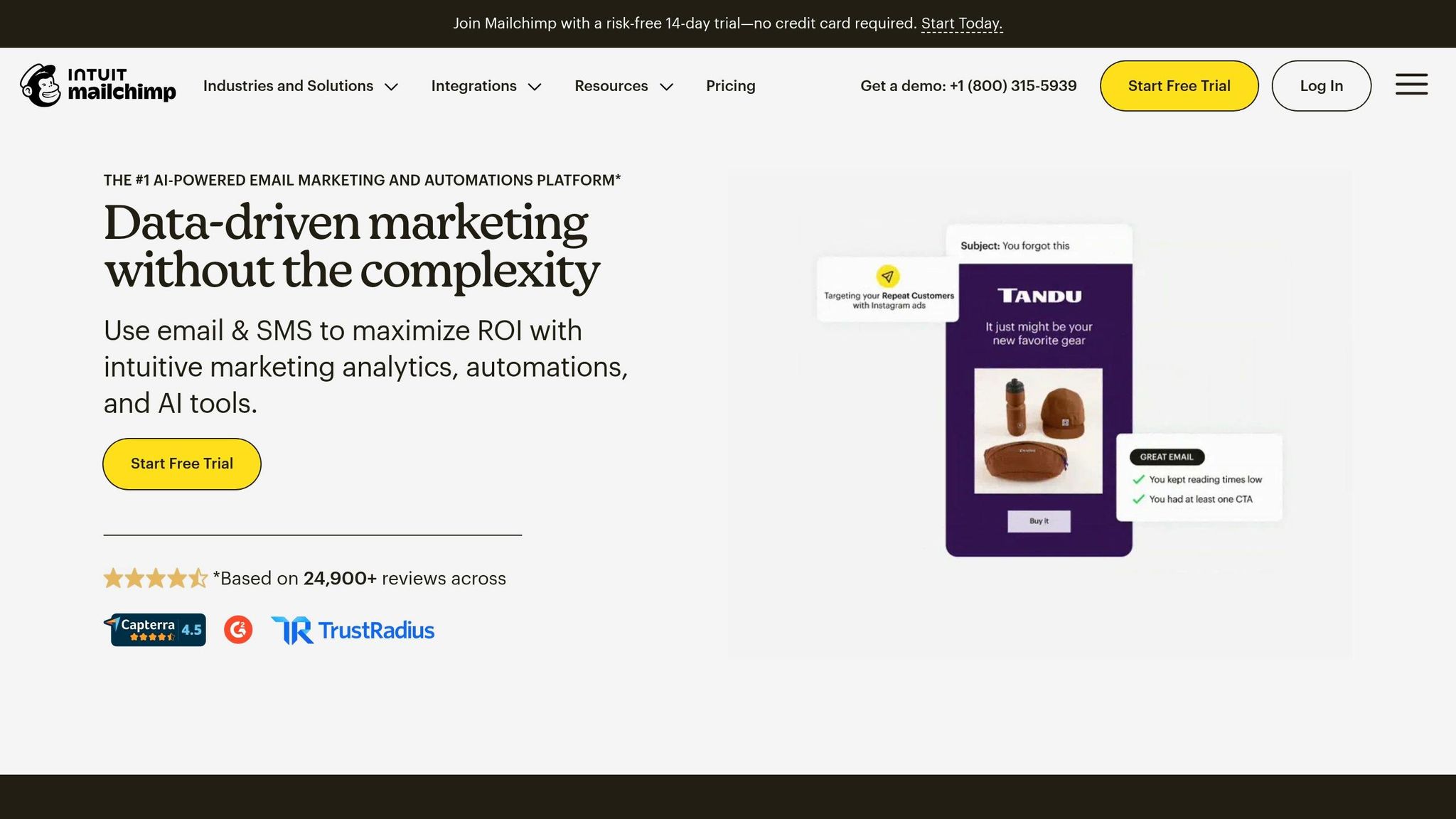
Mailchimp combines email marketing, design tools, and automation into one platform, serving over 11 million users worldwide. It’s especially useful for small businesses with GSA Schedule partnerships, allowing them to create professional marketing campaigns without needing design or coding skills. This makes it easier to manage email marketing – a critical part of maintaining federal compliance and ensuring smooth partner communication.
Design and Branding Capabilities
Mailchimp’s Content Studio serves as a central hub for all your marketing assets. It integrates seamlessly with tools like Canva and Photoshop, automatically applying your brand’s colors, logos, and fonts across campaigns.
"Thanks to the possibility of uploading content using the brand’s colors and characters, we are able to create emails that look consistent with our website. These little things can translate into a great saving of time" – Nick Sapia, Chief Digital Officer at Alps & Meters
The platform’s Creative Assistant uses AI to generate designs that stay true to your brand, while the built-in photo editor lets you resize images, add filters, and overlay text with ease. These features save small businesses an average of 6 hours per week on content creation. With more than 100 customizable email templates designed for various industries, creating professional partner communications becomes a breeze.
Collaboration and Co-Editing Features
Mailchimp’s Campaign Manager offers a unified view of all your marketing channels – email, social media, and ads – making it easier for teams to coordinate messaging and timing across platforms.
"With Mailchimp, we can identify winning email and ad messaging quickly since all data is in one place. It saves us time, it saves us resources, and it’s intuitive" – Carol Proschan, Owner of Simply Gum
For larger teams, the Premium plan includes role-based access controls and priority support, ensuring smooth collaboration on projects. You can also set up webhooks to automate notifications for campaign milestones or new leads, keeping everyone informed without extra effort.
Pricing and Accessibility
Mailchimp offers flexible pricing to match your business needs. The Free Plan includes up to 250 contacts and 500 email sends per month. For additional features like 24/7 support and A/B testing, the Essentials Plan starts at $11.34/month. The Standard Plan, priced at $17.45/month, provides access to generative AI tools and advanced automations, while the Premium Plan, at $305.29/month, includes phone support and custom-coded templates.
Businesses managing 10,000+ contacts can benefit from a 15% discount for the first 12 months, and both the Standard and Essentials plans come with a 14-day free trial. With an average email deliverability rate exceeding 99%, businesses using the Standard Plan have reported up to a 30x return on investment.
Check out our upcoming comparison to see how Mailchimp measures up against other platforms.
9. Bitly
Bitly offers a smart way to share GSA Schedule content by transforming long, clunky URLs into concise, professional links. This not only makes sharing easier but also builds trust with federal procurement officers. With around 10 billion monthly connections, Bitly is a reliable tool for government contractors looking to streamline their digital communications.
Design and Branding Capabilities
One standout feature is the ability to use custom-branded domains. Instead of the generic "bit.ly", you can replace it with something like "YourCompanyGSA.com/schedule." This simple change can boost click-through rates by 34% to 40%. Plus, you can customize the back-half of the link to align with your messaging. For instance, "YourBrand.com/GSA-OASIS-Plus" clearly indicates the link’s purpose while reinforcing your brand identity – key to building credibility with government buyers.
"When customers feel confident in your branded links and know they’re from you, they’re more inclined to click." – Bitly
Bitly also offers a QR code generator that allows you to incorporate your logo and brand colors. This is particularly useful for trade show materials, capability statements, or event signage. All these branded links and QR codes can be managed from a single dashboard, ensuring your messaging stays consistent across every federal marketing channel.
Collaboration and Co-Editing Features
Bitly’s real-time analytics provide valuable insights into your campaign’s performance. You can see which links or QR codes are driving traffic, where those clicks are coming from (email, social media, or even a QR code at an event), and what devices or locations your audience is using. These insights let you make quick adjustments to your campaigns when needed.
For teams running multiple GSA campaigns, Bitly simplifies organization through standardized link naming conventions, such as including the campaign name, channel, and date. This makes reporting straightforward and keeps your dashboard clutter-free. Additionally, Bitly integrates with over 800 apps, including popular CRM and marketing platforms, so you can automate link workflows seamlessly.
Pricing and Accessibility
| Plan | Monthly Price | Links/Month | QR Codes/Month | Features |
|---|---|---|---|---|
| Free | $0 | 5 | 2 | Basic link shortening |
| Core | $10 | 100 | 5 | Bitly Assist AI, 30-day data history |
| Growth | $29 (or $35 monthly) | 500 | 10 | Branded links, custom domain, 120-day history |
| Premium | $199 (or $300 monthly) | 3,000 | 200 | City/device data, 1-year data history |
The Free plan is a good starting point for testing the platform. For $10/month (billed annually), the Core plan includes Bitly Assist AI, which helps with link creation and analysis. Small businesses aiming to enhance their GSA marketing often go for the Growth plan, which supports branded links and custom domains. To ensure security, all plans come with two-factor authentication.
10. QR Code Generator
QR code generators give GSA partners the flexibility to keep their marketing materials up-to-date while maintaining a consistent brand image. These tools allow for custom designs and tracking, making it possible to create QR codes that align with your branding and adjust destination content without needing to reprint materials – a major advantage when GSA contract details or pricing updates come into play.
Design and Branding Capabilities
Modern QR code generators go far beyond simple black-and-white designs. They let you add your company logo, use custom brand colors or gradients, and even select unique shapes like circles or hearts. Some platforms, such as QRCodeChimp, include call-to-action stickers designed to improve scan rates. Additionally, a 30% error correction rate ensures that your QR codes remain functional, even if the printed material gets slightly damaged.
GSA-Specific Marketing Support
Dynamic QR codes are a game-changer for GSA marketing. They allow you to update URLs even after the codes are printed, which is perfect for revising price lists or capability statements. As QR Code USA puts it:
"Dynamic QR Codes are fully editable even after they’re generated, letting you update URLs, fix mistakes, or adapt your campaigns without needing to reprint anything".
For product-based GSA schedules, QRWolf offers GS1 Digital Link compliance for $9 per month, enabling you to encode GTIN, batch, and serial numbers to meet federal requirements.
Collaboration and Co-Editing Features
These tools also enhance collaboration within teams. Many enterprise plans include shared workspaces with role-based permissions, so junior team members can create codes while senior staff oversee final approvals and deletions. Locking key design elements ensures consistent branding, while allowing updates to details like contact information.
Real-time analytics offer valuable insights into QR code performance, such as where scans occur, the devices used, and the time of engagement. For instance, Sarah Chen from TechFlow Inc. used campaign tracking after printing 5,000 brochures for three trade shows. By identifying which event brought in the most qualified leads, her team trimmed their event budget by 40% in the next quarter.
Pricing and Accessibility
Here’s a breakdown of pricing options for popular platforms:
| Tool | Free Plan | Entry Level | Business/Enterprise |
|---|---|---|---|
| QRCodeChimp | 10 dynamic QRs | Flexible upgrades | Enterprise management |
| QRWolf | 5 QRs, 100 scans/month | $9/month (50 dynamic QRs) | $29/month (Business) / $99/month (Enterprise) |
| QRCodeKIT | 2 dynamic QRs, 100 scans/month | $20/month (Starter) | $150+/month (Enterprise) |
| QR Code USA | N/A | $1/month (1 code) | $10/month (Unlimited) |
Most platforms offer free plans for testing, with professional plans starting as low as $1 to $20 per month – making them affordable for small businesses. For best results, always download QR codes in SVG or EPS vector formats to ensure they scale perfectly for large banners or signage.
11. Loom
Loom introduces video communication into your GSA marketing workflow, making it easier to explain complex contract details. With Loom, you can record your screen while a small "face bubble" appears in the corner. Chris Radtke, Sr. Director of Content Marketing at Braze, describes its impact: "Loom, with the little face bubble in the corner, is so powerful… Having a real face in the corner adds personality and brings the storytelling to life." This feature is especially helpful for guiding government buyers through your GSA Advantage! catalog or clarifying Special Item Numbers (SINs).
Collaboration and Co-Editing Features
Loom simplifies team collaboration with time-stamped comments, allowing precise feedback on specific moments in a video. No more vague notes like "fix the pricing section" – team members can directly address issues where they occur. Its AI notetaker generates summaries and action steps, ensuring everyone stays on track with procurement deadlines. Amanda Lentz, Sr. Project Manager, highlights the efficiency gains: "What used to consume hours now only takes minutes, allowing us to dedicate more time to the work we are passionate about."
You can also edit transcripts to refine sections, and Loom automatically adjusts the video. Filler words are removed with a single click, leaving your capability statements polished and professional for federal audiences. For teams spread across different time zones, Loom’s asynchronous approach has proven to increase productivity by 20%, making it easier to keep GSA marketing materials up-to-date.
GSA-Specific Marketing Support
Loom integrates seamlessly with tools like Jira and Confluence, making it possible to embed video briefs directly into creative requests or documentation. Its AI video-to-text feature can instantly turn a campaign walkthrough into a formal marketing brief, saving time on manual tasks. Need to update explainer videos? Loom allows you to record new versions quickly, avoiding the need for full team meetings. These capabilities align perfectly with GSA marketing strategies, embedding video communication into compliant and efficient workflows.
Pricing and Accessibility
| Plan | Price (Monthly) | Key Features for GSA Marketing |
|---|---|---|
| Starter | $0 | 25 videos/person, 5-min limit, 720p quality |
| Business | $18 per user | Unlimited videos, 4K recording, custom branding (remove Loom logo, add your colors) |
| Business + AI | $24 per user | Auto-summaries, filler word removal, transcript editing |
| Enterprise | Custom pricing | SSO, SCIM, Salesforce integration |
The free Starter plan is ideal for internal communication, but for creating external materials aimed at government buyers, the Business tier offers more flexibility. It allows you to remove Loom branding and incorporate your company logo for a professional touch. Opting for an annual subscription reduces costs by 17% compared to monthly billing. With a 4.3/5 rating on G2 from 54 reviews, users appreciate Loom’s intuitive design and quick processing times.
Tool Comparison Table
Picking the right tools depends on factors like your budget, team size, and your priorities – whether that’s focusing on design flexibility or ensuring compliance. Some platforms handle everything from contract paperwork to marketing, while others specialize in tasks like link tracking or video creation.
The table below offers a side-by-side look at 11 tools, highlighting their design and marketing features, collaboration capabilities, GSA-specific support, and monthly costs. This summary helps you quickly identify which tools align with your needs for capability statements, buyer engagement, or team coordination.
By integrating these tools, you can streamline GSA contract management while maintaining clarity in your marketing efforts.
| Tool | Design/Marketing Features | Collaboration Options | GSA-Specific Support | Monthly Cost |
|---|---|---|---|---|
| GSA Focus | Full-service compliance & document preparation | Dedicated advisory support; handles 95% of contract admin | Revenue growth support; 98% success rate | Service-based (custom) |
| Canva | 610,000+ templates; drag-and-drop editor; Brand Kit | Real-time co-editing; comments; version history | Templates adaptable for GSA partner materials | $0–$120/team |
| Adobe Express | Adobe Stock integration; professional fonts; animations | Cloud sync; shared libraries; approval workflows | High-resolution assets suitable for federal proposals | $0–$9.99/user |
| Lucidpress (Marq) | Template locking; automated brand compliance | Role-based permissions; structured approval chains | Ensures consistent branding for GSA-related materials | $39–$99/user |
| Google Workspace | Docs, Sheets, Slides; AI writing assistance | Simultaneous editing; threaded comments; @mentions | FedRAMP-authorized, secure cloud storage for contract documents | $6–$18/user |
| Microsoft 365 | Word, Excel, PowerPoint; OneDrive storage | SharePoint integration; Teams chat; co-authoring | Government-compliant cloud options (GCC High available) | $6–$22/user |
| HubSpot Marketing Hub | Email builder; landing page creator; social scheduling | Shared inbox; task assignments; campaign dashboards | Detailed engagement tracking relevant to federal contracting | $0–$800/month |
| Mailchimp | Email templates; audience segmentation; A/B testing | Multi-user accounts; approval workflows | Robust reporting on email performance for capability statements | $0–$350/month |
| Bitly | Branded links; QR codes; click analytics | Multi-channel campaign tracking | Shortens URLs for GSA resources and tracks engagement | $29/user |
| QR Code Generator | Dynamic QR codes; design customization; analytics | Team workspaces; bulk creation | Integrates digital tracking into offline marketing materials | $0–$12.50/month |
| Loom | Screen and webcam recording; transcript editing | Time-stamped comments; project tool integrations | Great for video walkthroughs simplifying federal contracting processes | $0–$24/user |
GSA Focus stands out as a comprehensive solution for contract acquisition and compliance, making it a great choice for newcomers to federal contracting. Pairing it with tools like Canva for design or Google Workspace for collaboration can set a solid foundation for both contract management and marketing.
For teams with an existing GSA Schedule, combining specialized tools like Bitly for link tracking, Loom for video content, and HubSpot Marketing Hub for email campaigns creates a robust marketing stack without redundancy.
Don’t overlook free resources like GSA eLibrary and CALC – they can enhance your workflow at no cost. Regularly tracking competitors through GSA eLibrary and SSQ+ can also help you monitor pricing trends and contract updates. This research ensures you’re using paid tools to fill critical gaps rather than duplicating what free tools already offer.
Conclusion
The right tools can completely change how you handle GSA partner marketing. Platforms with reusable templates and built-in approval workflows not only streamline your processes but also ensure compliance every step of the way. Here’s a compelling stat: 43% of proposals sent through these platforms are won within just 24 hours of being opened. That kind of efficiency is exactly what’s needed for precise and compliant execution in the federal contracting space.
Take a close look at your workflows. If maintaining brand consistency is a struggle, focus on tools that enforce compliance with integrated safeguards. Collaboration tools are also key – some teams have reported launching campaigns up to 90% faster.
"Stensul helped our extended marketing teams become far more self-sufficient in email creation by shifting execution to our Demand Gen and Lifecycle teams while maintaining strong guardrails for brand, accessibility, and mobile quality." – Jacqueline Freedman, CEO & Founder of Monarch Advisory Partners
Lastly, don’t overlook visibility. Use NAICS keyword generators and regularly audit your Federal Visibility Score to ensure your business is front and center when contract officers are searching.
FAQs
Which 3 tools should I start with for GSA marketing?
To kickstart your marketing efforts with your GSA Schedule, begin by utilizing GSA Advantage and GSA eBuy. These platforms allow you to showcase your products and services while managing Requests for Quotes (RFQs) efficiently.
Next, pay close attention to your GSA Advantage profile. A well-optimized profile can make a significant difference in attracting potential buyers. Ensure your product descriptions are clear, detailed, and include relevant keywords to improve search visibility.
To further enhance your reach, incorporate digital marketing strategies. Tactics like SEO can help your offerings rank higher in search engines, while social media platforms provide an avenue to engage directly with your target audience. These tools work hand in hand to amplify your visibility and drive traffic to your listings.
By focusing on these steps, you’ll lay a solid groundwork for achieving marketing success with your GSA Schedule.
How do I keep capability statements GSA-compliant across teams?
To meet GSA compliance, it’s essential to craft capability statements that are both professional and aligned with federal standards. Using tools like capability statement generators can help streamline this process by ensuring consistency in structure and language.
Start with a standardized template that includes key sections, such as your core competencies, past performance, differentiators, and contact information. Regularly update this template to reflect any changes in your offerings or federal requirements.
Additionally, ensure your team is well-versed in federal procurement language. Providing training on terminology and expectations can make a big difference in the quality of your submissions.
Lastly, shared digital resources – like approved content snippets, branded images, and logos – can help maintain uniformity across all materials. This approach not only ensures compliance but also strengthens your professional presentation.
What’s the best way to track which agencies engage with my marketing?
Using a CRM or pipeline management tool can make all the difference when it comes to staying on top of your contacts, interactions, and the stages of your pursuits. Platforms like GovCon Pipeline & CRM or Capture Cloud simplify this process by automating the tracking of agency engagement and follow-up tasks. These tools ensure you stay organized and focused, helping you manage opportunities efficiently without missing crucial details.
Related Blog Posts
- How to Track Federal Sales with GSA Tools
- 5 Tools for GSA Competitor Research
- 5 GSA Marketing Mistakes to Avoid
- How Analytics Improve GSA Marketing Results
