

The GSA eMod system is essential for modifying MAS contracts, whether you’re updating prices, adding products, or making administrative changes. But here’s the catch: errors in compliance can lead to delays, rejections, or even penalties. This guide simplifies the process by breaking it into clear steps:
- Pre-Access Setup: Secure a FAS ID, enable multi-factor authentication, and verify contract details.
- Technical Requirements: Use supported browsers, check pop-up settings, and ensure forms are properly filled.
- Document Preparation: Align all forms (e.g., SF 30, CSP-1) with GSA’s requirements and keep records audit-ready.
- Modification Types: Each modification – Administrative, Pricing, Additions – requires specific documentation and steps.
- After Submission: Monitor your modification status, respond to GSA requests, and confirm updates in GSA systems post-approval.
Accurate submissions and ongoing compliance are non-negotiable to maintain your GSA contract. If this feels overwhelming, consider professional help to streamline the process and avoid costly mistakes.
Ready to take the next step? Let’s dive into the details.
MAS Modification Guidance Training Webinar
Pre-Access Requirements
Before diving into the eMod submission process, there are a few technical steps you need to tackle. These steps ensure you’re set up correctly and help you avoid unnecessary delays later on. Here’s what you need to know to get started.
Set Up FAS ID and Multi-Factor Authentication
Every eMod user must have their own FAS ID account – shared accounts are not allowed. If you’re part of a team managing contract modifications, each team member needs to register individually, using their dedicated work email.
To create your FAS ID, register with your work email, which serves as your primary identifier in the GSA system. After registration, you’ll need to enable multi-factor authentication (MFA) – a required security measure for all FAS ID users.
MFA options include SMS text messages, email codes, or authenticator apps. Once you’ve set up MFA, test it by logging into a GSA application, such as the eOffer/eMod Help Center. During this process, double-check that your DUNS/UEI and contract number match your records. If there’s a mismatch, you won’t be able to move forward with your modifications.
Once your credentials are verified, you’re ready to move on to the next steps in the process.
Verify Contract and User Role Information
Before starting a modification, take a moment to confirm your contract details against your official award documents and GSA’s current records.
Make sure your contract is active – expired, suspended, or closed-out contracts are not eligible for modifications. Also, verify that your user list is up to date. If former employees or unauthorized users are still listed, it could cause issues. Only current, authorized personnel with the correct roles should appear in the system.
With your contract details and user roles squared away, it’s time to ensure your technical setup is ready.
Review System and Browser Requirements
The eMod platform works best with specific browsers and security settings. Using an unsupported browser or overly restrictive security configurations can lead to errors. Check the eOffer/eMod Help Center for the latest list of supported browsers – GSA typically supports recent versions of major browsers.
Pop-up blockers are another common issue. Make sure pop-ups are enabled for eoffer.gsa.gov and other related GSA domains. If your IT team manages your security settings, you may need their help to adjust firewall rules or other configurations that could interfere with uploads.
Your browser’s security settings also play a role. The eMod system requires current TLS protocols, and overly strict settings can trigger errors or timeouts. If you run into problems, start by clearing your browser cache, checking your pop-up settings, and confirming your MFA status. For additional help, the eOffer/eMod Help Center provides troubleshooting guides and FAQs that address common technical challenges.
Lastly, ensure you have the right tools to handle GSA forms. Most forms are in PDF format with fillable fields, so you’ll need an up-to-date PDF reader. Test opening a sample form beforehand to avoid surprises. GSA’s "Before You Begin – eMod Checklist" is a handy resource for catching potential issues early.
Core Technical Compliance Checklist
Once you’ve met the pre-access requirements, it’s time to ensure your submission aligns with GSA’s technical standards. This step is crucial for a smooth modification process.
Choose the Correct Modification Type
First, identify the type of modification that matches your intended change. GSA offers eight eMod modification categories: Administrative, Pricing, Technical, Terms & Conditions, Additions, Deletions, Legal, and Cancellations. Each category has its own specific documentation and review criteria.
For instance, updating your company address falls under Administrative modifications, while adding new products or services is classified as Additions. Adjusting your pricing structure? That’s a Pricing modification. Keep different changes separate – if you need to update your address and add new products, you’ll need to submit two separate eMod requests.
Prepare Required GSA Forms and Templates
Download the latest MAS solicitation and templates directly from GSA. Commonly needed forms include:
- SF 30: Amendment of Solicitation/Modification of Contract
- CSP-1: Commercial Sales Practices disclosure (when applicable)
- Price Proposal Templates: Specific to your SINs
For certain SINs, like COMSATCOM, follow the relevant program-specific checklists. Keep in mind that MAS consolidation and frequent solicitation updates mean older forms may no longer be valid. Always double-check that your SINs, pricing templates, and terms comply with the latest guidance.
Check Document Consistency and Completeness
GSA reviewers will examine your submission for consistency and accuracy. Supporting documents must align with one another. For example:
- The Price Proposal Template should match product descriptions.
- CSP disclosures must accurately reflect your discounting practices and Most Favored Customer relationships.
Submissions must meet MAS solicitation requirements. According to the GSA Multiple Award Schedule Contractor Compliance Checklist (March 2022), all modifications and updates must be submitted through eOffer/eMod – email or paper submissions are not accepted. Additionally, some actions, like submitting contract data to GSA Advantage!, are time-sensitive. For example, updates must be completed within 30 days after exercising an option.
Keep detailed records of all modifications, pricing, and correspondence. These documents must back up every disclosure in your eMod and stay audit-ready. The GSA Office of Inspector General frequently audits submissions to ensure consistency between eMod filings, CSP disclosures, and actual pricing practices.
Confirm Compliance Statements and Certifications
Double-check that all certifications and representations are accurate. This includes:
- Trade Agreements Act (TAA) compliance
- Section 889 telecom prohibitions
- Small business size status and socio-economic designations
- Any environmental or safety certifications
Pay close attention to TAA compliance. Verify that the country of origin for all products aligns with your documentation. If you’ve added new products or changed suppliers, ensure all items still meet TAA requirements. Similarly, Section 889 of the FAR (52.204-25) is a critical focus area. If your offerings include telecommunications or video surveillance equipment, make sure your attestations are up to date.
Your CSP disclosure (if required) must reflect your current business practices. If your discounting policies or customer relationships have changed, update your CSP accordingly. To stay on top of deadlines and recurring reporting requirements, consider maintaining an internal GSA compliance checklist and calendar.
Navigating GSA’s paperwork and compliance rules can feel overwhelming. As GSA Focus aptly puts it:
Dealing with compliance… Hiring lawyers, googling 1,000 things a day, etc..
If you’re unsure about your compliance statements or need help, seeking specialized assistance might save you from costly delays.
Modification Type-Specific Checklists
Building on the central compliance steps, the following checklists outline the specific documentation and requirements for each type of modification.
Administrative Modifications
Administrative modifications involve updates to your company information that don’t impact your contract’s scope or pricing. Common changes include updates to your business name, address, points of contact, or authorized negotiators.
Before submitting an administrative eMod, make sure your SAM.gov registration is up to date. GSA will cross-check your eMod submission against your SAM data, and any discrepancies could lead to questions or rejections. For name changes resulting from mergers or acquisitions, update SAM first, then include supporting documents like legal name change certificates or articles of incorporation with your eMod.
When updating points of contact or authorized negotiators, provide their full names, titles, email addresses, and phone numbers. If replacing a contract administrator, ensure the new contact has access to your eFAS account and understands their responsibilities under your GSA Schedule.
For address changes, include proof of your new location, such as a lease agreement, utility bill, or other official documentation. This is especially critical if the move crosses state lines, as it may affect your socio-economic status or small business size standards.
Always keep copies of all supporting documents in your contract file for future audits.
Adding Products or Labor Categories
Adding new products or services to your GSA Schedule requires more extensive documentation compared to administrative updates. You’ll need to show that your new offerings meet GSA’s technical standards, comply with trade agreements, and align with your awarded Special Item Numbers (SINs).
Start by confirming that your new offerings fall under your existing SINs. If needed, secure additional SINs by reviewing the latest MAS solicitation, as SIN definitions can change over time.
Ensure all new products meet TAA requirements by including updated supplier certifications and country-of-origin statements. Keep manufacturing documentation on hand for GSA’s review.
Use the most current GSA pricing templates for your SINs, as older versions may not be accepted. Provide detailed product descriptions, manufacturer part numbers, and technical specifications. For labor categories, include position descriptions, minimum qualifications, and hourly rates that align with your awarded contract type. Remember, only Fixed Price, Time & Materials, or Labor Hour contracts are allowed under GSA Schedules – cost-reimbursement contracts are not permitted.
Certain SINs have unique requirements. For example, if you’re adding the COMSATCOM SIN, you’ll need to submit a complete COMSATCOM modification checklist, including technical capability statements, past performance documentation, and specific certifications.
If your new products or services require Commercial Supplier Agreements (CSAs), End User Licensing Agreements (EULAs), or Terms of Service (ToS), make sure these align with GSA’s terms and conditions. Prohibited clauses, like automatic renewals without notice or unilateral price increases, must be removed.
For contractors holding any of the 181 SINs eligible for Transactional Data Reporting (TDR) who haven’t transitioned yet, you must submit a "Participate in TDR" modification by September 30, 2025. Once approved, all SINs under your contract will be subject to TDR reporting requirements. Submit this modification well in advance to allow time for GSA to review.
Pricing and Economic Price Adjustment Modifications
Pricing modifications require precise documentation and strict compliance with established discount relationships.
Start by identifying the Economic Price Adjustment (EPA) mechanism tied to your contract. Depending on your agreement, this could include fixed escalation rates, commercial price list changes, or market index adjustments. Any pricing changes must align with the EPA structure already in place. Switching mechanisms will require a separate modification.
Submit current price lists and market data to justify your proposed rates. GSA expects your new prices to be fair and reasonable compared to what you offer other customers.
Make sure your Most Favored Customer (MFC) and discount relationships remain intact after the pricing change. If your contract requires offering GSA the same or better pricing than your best commercial customer, verify that your new rates meet this obligation. If your commercial discounts have changed, you may also need to update your Commercial Sales Practices (CSP) disclosure alongside the pricing modification.
For price reductions, submit the new rates with effective dates and update your GSA Advantage!® listings promptly. Your listed prices cannot exceed your awarded GSA rates.
If requesting a price increase, be prepared for additional scrutiny. Provide a detailed cost breakdown, supplier price increase notices, or other supporting evidence.
Ensure consistency across all pricing documents. Your price proposal template, CSP disclosure, and any supporting invoices or catalogs should align perfectly. Discrepancies can lead to compliance audits.
Keep detailed records of all pricing changes, including the rationale behind them. GSA’s Office of Inspector General frequently audits contractor pricing to ensure compliance with MAS pricing policies.
Submission, Tracking, and Post-Approval Steps
Once your modification package is ready, the final phase demands precision. Submitting an eMod creates an electronic proposal record that goes directly to your GSA Contracting Office, along with all the necessary attachments. The quality of your submission plays a big role in how quickly it gets approved.
Verify Submission Before Sending
Before hitting "submit", take a moment to double-check everything using GSA’s pre-submission checklist. Make sure you’ve selected the correct contract number, chosen the right modification type, and filled out all required fields. Pay attention to how your attachments are labeled – clear, descriptive filenames make a difference. For example, instead of using something generic like "Document1.pdf", opt for names like "2025-12-08_Price_List_SIN_54151S.pdf" or "TAA_Certification_NewProduct_Dec2025.pdf."
Keep all your submission files in a dedicated, well-organized folder. Sorting them by modification number and date not only keeps things tidy but also makes audits and compliance reviews easier down the line.
Watch out for common mistakes that could delay the process, such as incorrect contract numbers, incomplete forms, unsigned documents, or unsupported file formats. To avoid these pitfalls, consider creating an internal pre-submission checklist that mirrors GSA’s requirements while adding your own company-specific quality checks.
Once your submission is sent, shift your focus to monitoring its progress and staying responsive.
Monitor Status and Respond to GSA Requests
After submitting, regular monitoring is key to keeping the process on track. Log into the eMod portal frequently to check for status updates and messages from your Contracting Officer. Assign someone – usually your GSA contract administrator or compliance lead – to oversee the eMod’s progress and handle any follow-up actions.
Treat each eMod like a mini-project within your broader contract management system. Use a central calendar to tie eMods to important internal events, such as catalog updates, new product launches, or wage determination changes.
Maintain a detailed log of each eMod’s milestones and responses, and review it every quarter to identify any discrepancies. Keeping progress checkpoints visible to your team – like "submitted", "CO requested clarifications", "pending internal data", and "approved" – helps everyone stay aligned and minimizes delays.
Validate Post-Approval Updates
Once your modification is approved, confirm that GSA’s systems accurately reflect the changes. Check your GSA Advantage! catalog to ensure updated products, pricing, and terms are displayed correctly. Verify that details like part numbers, descriptions, and photos align with the approved modification. Additionally, confirm that GSA eLibrary shows the updated contract information, including SINs, contact details, and socio-economic designations.
GSA’s compliance guidelines often specify deadlines for certain actions. For instance, contractors must submit electronic contract data for GSA Advantage! publication within 30 days after an option exercise. Some tasks tied to specific clauses may require action as early as 165 days before the contract’s end date.
Update your internal systems and public-facing materials to match the approved GSA terms. This may include revising internal price lists, quoting tools, marketing materials, and your company website. Any inconsistency between your advertised terms and the approved contract could trigger a compliance audit.
For audit readiness, ensure each modification has a complete file. This should include the eMod confirmation, award modification document, all attachments, price support documentation, and any communications with GSA. Save a local copy of your full submission package in your contract repository. Conduct periodic internal reviews – quarterly checks work well – to ensure all approved modifications are fully implemented across systems and external platforms.
The table below highlights key actions from submission through audit preparation:
| Step Phase | Key Actions | Primary Tools / Artifacts |
|---|---|---|
| Before Submission | Complete required fields, attach labeled documents | eMod portal, eMod checklist |
| Immediately After Submission | Confirm eMod number, log submission details, set follow-up reminders | eMod confirmation page, compliance calendar |
| Ongoing Status Monitoring | Check status, respond to information requests, update internal log | eMod portal, email, tracking spreadsheet |
| Upon Approval | Review award modification, verify accuracy of new terms and pricing | Award modification document, contract file |
| Post-Approval Implementation | Update GSA Advantage!, eLibrary, internal tools, marketing materials | GSA Advantage! upload tools, eLibrary, ERP/CRM |
| Audit & Recordkeeping | Archive full modification package, document implementation steps, schedule reviews | Digital contract repository, compliance checklist |
Additionally, GSA provides modification checklists tailored to specific SINs, such as the COMSATCOM Mod Checklist, which can serve as helpful templates for creating internal checklists. Maintaining consistent, organized documentation for every modification is essential for successful IOA reviews and GSA Office of Inspector General audits.
How GSA Focus Can Help
Tackling the technical and administrative hurdles of the eMod process can be daunting, especially for small businesses without dedicated GSA contract administrators. Managing eMod submissions and ensuring long-term compliance with the Multiple Award Schedule (MAS) program requires a level of expertise that can quickly overwhelm even the most resourceful teams. That’s where GSA Focus steps in, offering specialized support to streamline the process – from preparing initial documents to managing ongoing compliance.
eMod Preparation and Submission Support
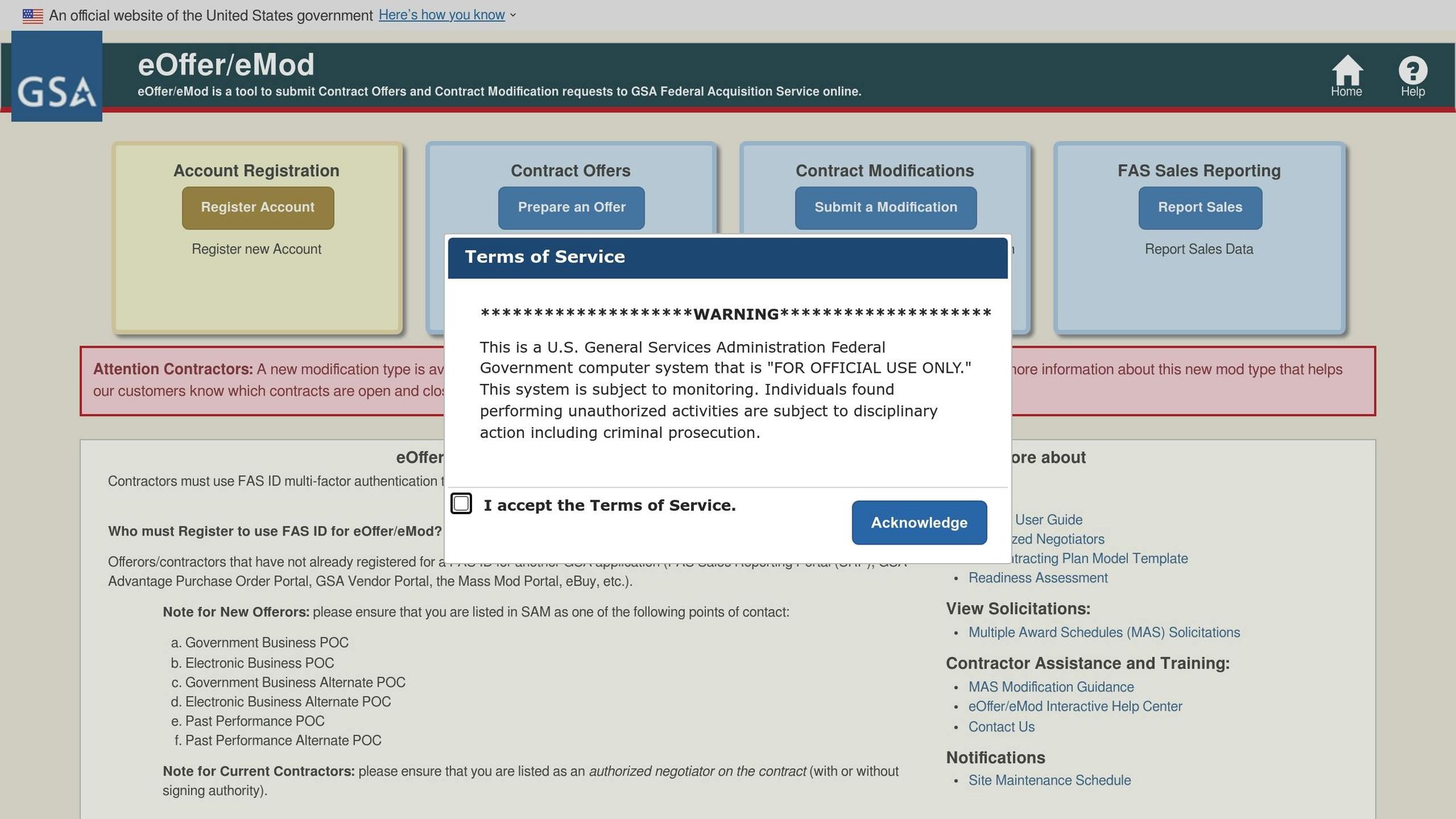
GSA Focus takes the lead on eMod preparation, handling everything from gathering documents and validating pricing to completing forms and submitting them through the GSA portal. This allows your team to stay focused on your core business while ensuring your modification meets all necessary technical requirements.
With over 18 years of experience supporting more than 600 clients and achieving a 98% success rate, GSA Focus has an intimate understanding of GSA’s modification checklists and MAS guidelines. They’ve mastered the art of sidestepping common pitfalls that can lead to delays or rejections. As they highlight on their website:
"When you try to do-it-yourself with GSA, you’ll run into errors that will force you to restart. This happens often. Some compliance issue, or a simple misunderstanding can lead you to waste months of opportunities. With our 18+ years of experience (44+ combined years of experience!), we know how to ‘jump over and around’ hurdles."
Before submitting an eMod, GSA Focus conducts a meticulous compliance review using GSA’s “Before You Begin – eMod Checklist.” They ensure your FAS ID, contract number, and authorized negotiator credentials are in order. They also verify that all required fields are filled out, attachments are properly labeled, and forms align with the type of modification you’re pursuing – whether it’s for administrative updates, adding products or services, or adjusting pricing.
Their support doesn’t stop at submission. GSA Focus responds promptly to GSA inquiries and keeps detailed records of all interactions, laying the groundwork for seamless compliance management in the future.
Long-Term Compliance Support
Beyond individual eMod submissions, GSA Focus offers ongoing MAS contract management to help businesses stay compliant with all MAS requirements. GSA’s MAS Contractor Compliance Checklist outlines numerous time-sensitive obligations, such as uploading catalog data to GSA Advantage!, maintaining active SAM registration, and submitting eMods for pricing or terms updates. GSA Focus provides the expertise and structure to handle these recurring tasks with ease.
They help contractors stay ahead of deadlines for modifications, whether related to product changes, scope updates, pricing adjustments, or mandatory mass modifications. This includes interpreting new GSA policies – like Section 889 or cybersecurity updates – and ensuring mass modification actions are signed on time. By planning proactively, GSA Focus helps businesses avoid last-minute compliance scrambles.
Their long-term support includes maintaining compliance calendars and checklists to manage recurring tasks like sales reporting, Industrial Funding Fee (IFF) payments, catalog updates, annual SAM renewals, and eMods. For example, GSA’s MAS Compliance Checklist requires submitting electronic contract data to GSA Advantage! within 30 days of an option exercise. GSA Focus tracks these deadlines and alerts you well in advance, ensuring nothing slips through the cracks.
For small businesses without an in-house GSA contract administrator, GSA Focus effectively fills this role. They ensure your pricing, documentation, and contract scope remain aligned with MAS regulations, reducing the risk of negative findings during audits or Contractor Assessments.
Staying updated on policy changes and system updates, GSA Focus translates these into actionable steps for clients. Their organized, checklist-driven approach stands in stark contrast to the reactive, piecemeal compliance management often seen in internal teams.
By keeping thorough records for every eMod – including supporting documents, communications with Contracting Officers, and approvals – GSA Focus simplifies future modifications and enhances audit readiness.
As GSA Focus puts it:
"Enjoying advisory support and training at all stages of the process…eliminating all risk."
Their expertise allows them to work 4-6 times faster than DIY approaches, minimizing errors and compliance headaches. For small businesses new to the MAS program, this means quicker access to federal contracting opportunities, reduced administrative strain, and a compliance strategy that ensures long-term success.
Conclusion
Getting the technical details right is the backbone of a successful eMod submission. From choosing the correct modification type to ensuring that every form, certification, and pricing document aligns with your contract, precision is non-negotiable. Missing or incorrect details can lead to delays, rejections, or even the need to start over – costing you valuable time and opportunities.
To stay on track, focus on the essentials: verify your FAS ID, double-check your contract details, and prepare a complete modification package with accurate forms and consistent data. Validate all compliance statements and supporting materials before submitting. Contractors who treat these steps as a routine part of their operations – not just a one-off task – are better positioned to keep their contracts in good standing, react quickly to task order opportunities, and demonstrate reliability to GSA Contracting Officers.
However, compliance doesn’t end once your modification is approved. Maintaining audit readiness requires ongoing effort. Regular updates, timely sales reporting, Industrial Funding Fee payments, and prompt responses to mass modifications are critical to keeping your contract active. For small businesses without dedicated GSA contract administrators, these tasks can feel overwhelming, but they’re essential for staying compliant and avoiding setbacks.
If managing these responsibilities feels like too much, professional assistance can make all the difference. With over 18 years of experience and a 98% success rate, GSA Focus takes the weight off your shoulders. Their systematic, checklist-driven approach minimizes errors, speeds up the approval process, and helps contractors meet deadlines and respond effectively to Contracting Officer inquiries. By handling the administrative load, they enable small businesses to focus on growing their federal contracts.
Ultimately, compliance is about more than just submitting paperwork. It’s about building trust with GSA and setting your business up for long-term success. When you approach compliance as an integral part of your operations, you’re not just getting one modification approved – you’re laying the groundwork for sustained growth and unlocking the full potential of your GSA Schedule contract.
FAQs
What are the most common mistakes to avoid when submitting an eMod to the GSA?
Submitting an eMod to the General Services Administration (GSA) can feel overwhelming, especially when even minor mistakes might result in delays or outright rejections. To help you navigate the process more smoothly, here are some frequent pitfalls to watch out for – and how to avoid them:
- Incomplete or inaccurate documentation: Carefully review all required forms and supporting materials. Missing or incorrect details can derail your submission, so ensure everything is filled out completely and accurately.
- Ignoring formatting rules: The GSA has specific requirements for file formats, naming conventions, and other technical details. Double-check that your submission aligns with these guidelines to avoid unnecessary setbacks.
- Overlooking deadlines or policy updates: Keep a close eye on submission deadlines and stay informed about any changes to GSA policies that could affect your eMod.
A meticulous review of your submission and strict adherence to GSA guidelines can save you time and frustration. If you’re uncertain or need extra guidance, working with professionals experienced in GSA compliance can simplify the process and boost your chances of success.
What steps should small businesses take to stay compliant with GSA’s MAS program after their eMod is approved?
To keep your GSA MAS contract in good standing after your eMod gets the green light, it’s essential to stay on top of regular reviews and updates. Make sure your pricing, terms, and conditions are always accurate and in line with GSA requirements. Keep an eye on contract modifications and submit updates promptly whenever there are changes, like adding new products or adjusting prices.
It’s also crucial to stay up to date with GSA guidelines and policies. Regularly check for any regulatory updates and ensure your business practices align with current standards. If the process feels overwhelming, you might want to collaborate with professionals who specialize in GSA Schedule compliance. They can help streamline the process and minimize the chances of costly mistakes.
What documents are needed to add new products or services to a GSA Schedule contract?
To expand your GSA Schedule contract with new products or services, you’ll need to submit specific documentation that aligns with GSA’s requirements. This typically includes:
- Pricing details: Comprehensive pricing data, such as commercial price lists and any offered discounts.
- Technical descriptions: Clear specifications or descriptions of the products or services you plan to add.
- Compliance documents: Certifications or evidence confirming that your offerings meet federal standards.
- Proof of past performance: Records demonstrating the successful delivery of similar products or services in the past.
It’s essential to review the most up-to-date GSA guidelines or seek advice from an expert to ensure your submission is complete and accurate. A well-prepared application can help you avoid unnecessary delays and keep the process moving efficiently.
Related Blog Posts
- How to Submit Administrative Modifications in eMod
- Checklist for Substantive GSA Contract Modifications
- Mass Modifications: Step-by-Step Guide
- Checklist for GSA eMod Submissions
