

GSA labor categories are contractor-defined titles, functional descriptions, and minimum qualifications used on Multiple Award Schedule (MAS) contracts to price and staff task orders. GSA does not issue a single, government-wide list of required labor-category titles for professional services. You define your own. That distinction matters practically: if your contract says “Senior Systems Engineer” but an agency’s RFQ says “Lead Network Architect,” you need a documented crosswalk, not a new contract modification.
Before reading further, here are the three things to do right now:
- Pull your MAS contract and read every Labor Category Description (LCAT) currently on your price list.
- Run the GSA CALC pricing tool to find comparable not-to-exceed ceiling rates for your key SINs.
- Check your SCLS matrix in your eLibrary price list to confirm which categories are subject to Service Contract Labor Standards (SCLS) wage determinations.
Then, if any category is missing a minimum education requirement, a minimum years-of-experience threshold, or a substitution policy, treat that as an open compliance gap.
- Confirm SCLS mapping against your current price list and any active task orders.
- Verify that each person billed under a labor category has a resume on file that meets the stated minimums, per Labor Qualification Compliance guidance from the Vendor Support Center.
- Cross-reference your categories against the Department of Labor (DOL) wage determinations at dol.gov and the professional/exempt tests in 29 C.F.R. Part 541 to determine SCA exemption status.
- If any category title, description, or qualification is outdated or missing, prepare an eMod package before your next task-order response.
Table of Contents
- Where do you find the official GSA and DOL labor-category resources?
- How do you use the GSA ceiling-rate tool to find comparable rates?
- When do SCLS and DOL wage determinations apply to your MAS categories?
- How do you write compliant, defensible labor-category descriptions?
- How do you build fully burdened hourly rates for MAS pricing?
- Are GSA labor categories actually standardized?
- What compliance pitfalls trigger IOA reviews?
- Key Takeaways
- What contractors consistently get wrong about labor categories
- How Gsascheduleservices helps contractors get labor categories right
- Useful sources and official downloads
- FAQ
Where do you find the official GSA and DOL labor-category resources?
Every compliance decision starts with the right source. The table below maps each official resource to its primary use so you can go directly to what you need.
| Resource | Where to Find It | Primary Use |
|---|---|---|
| Search Labor Category Ceiling Rates (CALC) | buy.gsa.gov | Look up not-to-exceed ceiling rates and awarded hourly rates for comparable MAS labor categories |
| MAS Overview and SIN Listings | gsa.gov/mas | Identify which Special Item Numbers (SINs) cover your services and which labor categories belong under each SIN |
| Standardized Labor Categories Spreadsheet | gsa.gov (search “Standardized Labor Categories”) | Reference titles and definitions for OASIS+, HCaTS, and OASIS SB contracts; useful as a crosswalk baseline |
| MAS SCLS Matrix (eLibrary) | gsaadvantage.gov / your eLibrary price list | Shows which of your awarded categories are subject to SCLS wage determinations |
| MAS Modification Guide (April 2026) | gsa.gov (PDF download) | Step-by-step instructions for adding, changing, or deleting labor categories via eMod |
| DOL Wage Determinations Online (WDOL) | sam.gov / beta.sam.gov | Look up current SCA wage determinations by place of performance and service type |
| 29 C.F.R. Part 541 | ecfr.gov | Defines the executive, administrative, and professional exemptions from SCA coverage |
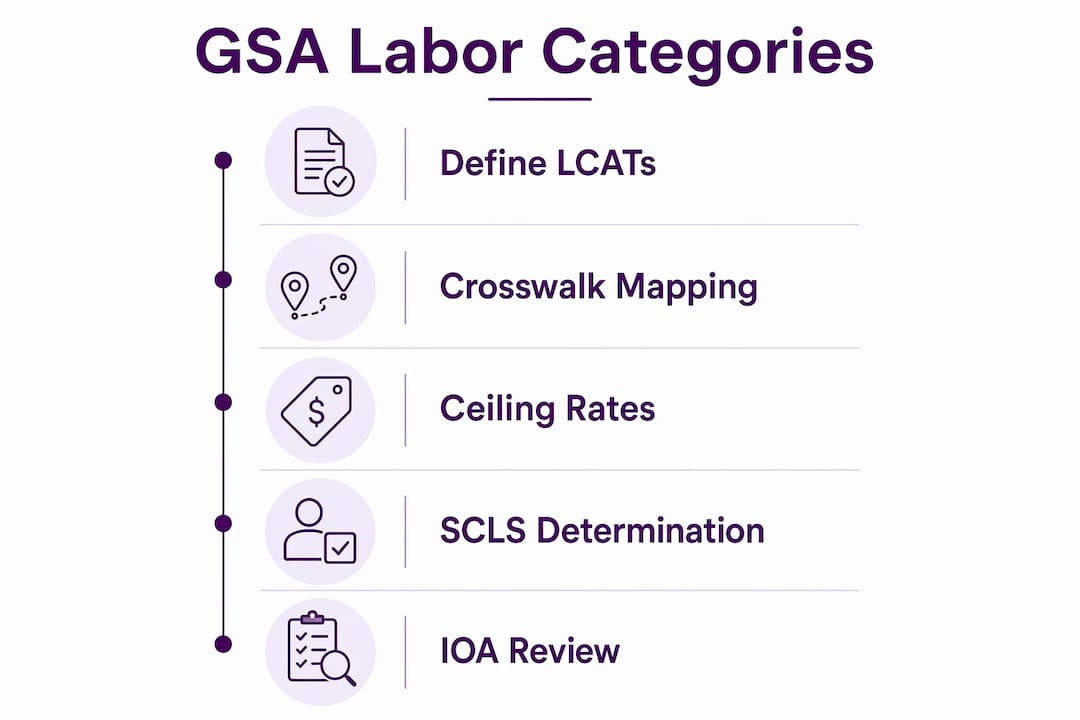
Your MAS contract document is the governing authority for your specific situation. When informal guidance conflicts with your contract terms, the contract wins. Use the resources above to interpret and comply with those terms, not to override them.
The GSA MAS professional services resources page is also worth bookmarking. It consolidates CALC tool links, OASIS+ labor-category documentation, and pricing intelligence in one place, which saves time when you are building an IGCE or responding to an RFQ.
How do you use the GSA ceiling-rate tool to find comparable rates?
The CALC tool (Contract-Awarded Labor Category tool) at buy.gsa.gov lets you search awarded hourly rates across GSA and VA services contracts. Contracting officers use it for price reasonableness determinations and IGCEs. Contractors use it to benchmark their own rates before submitting a price proposal or modification.
Here is how to run a useful search:
- Go to buy.gsa.gov and select the CALC or “Search Labor Category Ceiling Rates” tool.
- Enter a labor-category title that matches or closely resembles the category you are pricing. Try variations: “Network Engineer,” “IT Network Engineer,” “Senior Network Engineer.”
- Apply filters for education level (e.g., Bachelor’s degree) and minimum years of experience (e.g., 5 years). These filters narrow results to categories with comparable minimum qualifications.
- Select the relevant Schedule or SIN if the tool allows filtering by contract vehicle. This keeps results within your contract’s scope.
- Read the output columns. The tool returns not-to-exceed ceiling rates (the maximum hourly rate a contractor may charge) alongside awarded rates (what was actually negotiated). The ceiling rate is your upper bound; awarded rates show where the market actually sits.
- Export the CSV. Download the results and save the file with the search date, filters used, and the SIN or Schedule selected.
- Record your comparators. Note which specific labor-category titles you used as comparators and why they are comparable to your category. This documentation supports your price reasonableness narrative.
Worked example: You are pricing a “Senior Cloud Infrastructure Engineer” under SIN 54151S. You search “Cloud Infrastructure Engineer” with a Bachelor’s degree filter and 8 years minimum experience. The tool returns ceiling rates from comparable awarded contracts. You record the median awarded rate, the ceiling-rate range, and the search parameters. That output goes directly into your IGCE or price-negotiation memo.
Pro Tip: Save your CALC search results as a dated CSV every time you run a price analysis. GSA’s Industrial Operations Analysts (IOAs) may ask how you determined price reasonableness, and a dated export with documented filter settings is far stronger evidence than a screenshot or a verbal explanation.
When do SCLS and DOL wage determinations apply to your MAS categories?
The short answer: SCLS applies to non-professional services on MAS contracts, and contractors must identify which labor categories are subject to SCLS in their price lists and quotations. Professional services categories are often exempt, but only if the employees performing the work meet the tests in 29 C.F.R. Part 541 for executive, administrative, or professional status. The burden of proving that exemption sits entirely with the contractor.
Key regulatory principle: SCLS wage determinations must be incorporated into MAS contracts. Contractors must map SCLS-applicable categories in their MAS SCLS matrix, which is published in their authorized eLibrary price list. Agencies and IOAs look at that matrix to confirm compliance before and during task-order performance.
The MAS SCLS matrix in your eLibrary price list lists every labor category and fixed-price service that may be subject to SCLS. If a category is on that list, the applicable wage determination governs the minimum wages and fringe benefits you must pay workers performing that category on a task order.
Timing matters here. Wage determinations are updated annually, and the WD incorporated into your MAS contract at the time a task-order option is exercised governs the option-year rates. That means you cannot rely on the WD from the base period when pricing an option year. Pull the current WD at each option exercise.
Your SCLS compliance checklist:
- Confirm your SCLS matrix is current and published in your eLibrary price list.
- For each SCLS-applicable category, match the WD number to the place of performance on every active task order.
- Include the applicable WD number and SCLS-applicable categories in your RFQ responses and quotations.
- Review 29 C.F.R. Part 541 for any category you believe is professionally exempt, and keep resumes and job records that document the exemption.
- Update your SCLS matrix annually when GSA incorporates new wage determinations into your contract.
How do you write compliant, defensible labor-category descriptions?
GSA does not provide a standardized labor-category list for professional services MAS contracts. You write your own titles, functional descriptions, and minimum qualifications, either during the initial MAS offer or through a contract modification. That freedom is also a compliance obligation: every description must be specific enough to define who qualifies, and every person you bill against a category must demonstrably meet those minimums.

The MAS Modification Guide specifies that when adding a professional services or labor-category SIN, you must submit detailed position descriptions, minimum education and experience requirements, your policy for substituting experience for education, and the Services and Training Price Proposal Template (PPT).
Required fields for every labor-category description:
- Title: Clear, functional title that reflects the work performed (e.g., “Network Engineer II” or “Senior Program Manager”).
- Functional responsibilities: Two to four sentences describing the primary duties. Keep them broad enough to cover typical task-order work but precise enough to define the role.
- Minimum education: State the degree level and field (e.g., “Bachelor’s degree in Computer Science, Information Technology, or a related field”).
- Minimum years of experience: A specific number or range (e.g., “5 years of relevant experience in network infrastructure design and implementation”).
- Required certifications: List any mandatory certifications (e.g., PMP, CISSP, CompTIA Security+) or state “None required.”
- Substitution policy: State explicitly whether additional experience can substitute for education and at what ratio (e.g., “An additional 4 years of relevant experience may substitute for the Bachelor’s degree requirement”).
Two short examples:
Network Engineer: Designs, implements, and maintains enterprise network infrastructure including LAN/WAN, routing, and switching. Minimum education: Bachelor’s degree in Computer Science or related field. Minimum experience: 3 years. Certifications: CompTIA Network+ or equivalent preferred. Substitution: 4 additional years of relevant experience may substitute for the degree.
Senior Program Manager: Leads program planning, execution, and stakeholder management for federal agency programs with budgets exceeding $5M. Minimum education: Bachelor’s degree in Business, Management, or related field. Minimum experience: 10 years of program management experience, including 3 years in a federal contracting environment. Certifications: PMP required. Substitution: An additional 5 years of experience may substitute for the degree.
Crosswalk note: When an agency RFQ uses a different title than your contract LCAT, attach a one-page crosswalk that maps the RFQ’s functional duties to your LCAT’s description line by line. The MAS-CAR Guide is explicit: if LCAT names differ from the SOW, you must provide satisfactory crosswalk evidence or risk being found out of scope.
Submission and maintenance tips:
- Document every experience-for-education substitution in writing, tied to the specific employee and task order.
- Request an eMod to update a labor-category description whenever the market or your service offering shifts enough that current personnel no longer fit the old language.
- For IOA requests, prepare a package that includes the LCAT description, the relevant employee’s resume, timesheets showing hours billed under that category, and any project artifacts that confirm the work performed.
How do you build fully burdened hourly rates for MAS pricing?
Every rate on your MAS price list must be fully burdened. That means the hourly rate you propose includes direct labor, fringe benefits, overhead, general and administrative (G&A) expenses, profit, and the Industrial Funding Fee (IFF) of 0.75%. The IFF is not optional and is not negotiated away. It is built into the ceiling rate and remitted to GSA.
Rate build: step by step
| Component | Description | Example ($) |
|---|---|---|
| Direct labor hourly rate | Base salary divided by annual hours | — |
| Fringe benefits | Health, retirement, FICA, leave — expressed as a percentage of direct labor | 30% rate increase |
| Overhead | Indirect costs allocated to direct labor (facilities, supervision, etc.) | 20% of direct + fringe |
| G&A | Company-wide indirect costs allocated across all revenue | 10% of subtotal |
| Profit | Applied to total cost | 10% of cost subtotal |
| IFF (0.75%) | Applied to the price, not the cost | — |
These are illustrative figures to show the formula structure. Your actual rates come from your company’s audited indirect cost rates or established commercial pricing.
Pricing approach comparison:
| Approach | Best used when | Key advantage | Key risk |
|---|---|---|---|
| Commercial market pricing | You have established commercial rates with commercial customers | Fastest to document; mirrors real-world pricing | Requires proof of commercial sales at those rates |
| Cost-based fair-and-reasonable | New entrant or no comparable commercial sales | Transparent and auditable | Requires detailed cost buildup and supporting documentation |
| Established catalog pricing | Published price lists with consistent commercial discounts | Easy to verify; aligns with GSA’s price-reduction clause | Catalog must reflect actual market transactions |
Pro Tip: When populating the Services and Training Price Proposal Template (PPT) for an eMod, make your escalation formula explicit and consistent with your awarded SINs. GSA will reject incorrectly formatted PPT uploads, and a rejected submission resets your timeline. Build the formula into the template before you submit, not after a rejection.
Are GSA labor categories actually standardized?
The short answer is no, with one important nuance. For MAS professional services contracts, contractors create their own labor-category titles and minimum qualifications. GSA does not hand you a list and say “pick from these.” That is a common misimpression, and it has real consequences for contractors who assume their categories are automatically compliant because they used recognizable job titles.
The nuance: certain GSA contract vehicles do use standardized labor categories. OASIS+, HCaTS, and OASIS SB each publish Attachment J-1 labor-category lists aligned to the Office of Management and Budget’s 2018 Standard Occupational Classification (SOC) system, with Junior (up to 3 years of experience), Journeyman (3–10 years), Senior (over 10 years), and Subject Matter Expert tiers. But even on those vehicles, the task-order solicitation determines whether the standardized categories apply. Contractors are required to map their labor categories to those standardized tiers for sales reporting purposes, but the ordering agency may or may not require them at the task-order level.
Practical implication: Ordering agencies have authority at the task-order level to customize requirements. A labor-category description that is too narrow forces you into frequent modifications. One that is too vague gives IOAs grounds to question whether a billed employee actually fits. The goal is language that is defensible at audit and flexible enough to cover the range of work your customers actually need.
The MAS-CAR Guide is the document IOAs use when reviewing your contract. It explicitly states that GSA reviews SOWs to confirm work falls within awarded SINs and labor-category descriptions. If your LCAT names differ from the SOW, you need a crosswalk. That crosswalk should include side-by-side job duties mapping, minimum education and experience equivalence, and example resumes tying incumbent staff to the awarded LCAT.
Recommended contractor actions:
- Adopt a written, consistently applied qualification policy that defines how you evaluate whether a candidate meets minimum requirements, including your substitution methodology.
- Maintain a crosswalk document for every functional title used in RFQ responses that differs from your contract LCAT titles.
- Keep audit-ready records: resumes tied to specific invoice line items, timesheets showing hours billed under each category, and training logs for any certification requirements.
Pro Tip: Treat your labor-category master file as a living document. Include the LCAT description, crosswalk examples, sample resumes, and the last date you checked the applicable SCLS wage determination. When an IOA requests documentation, you want to hand over a complete package, not spend two weeks reconstructing records.
What compliance pitfalls trigger IOA reviews?
Most IOA findings trace back to a small set of recurring mistakes. Knowing them in advance is cheaper than fixing them after a review.
Red flags that attract IOA attention:
- Billing a person against a labor category when their resume does not meet the stated minimum qualifications, with no documented substitution approval.
- Undocumented experience-for-education substitutions, meaning the substitution happened but there is no written record of who approved it, under what policy, and for which task order.
- Using a functional title in an RFQ response that does not appear in your contract, with no crosswalk connecting it to an awarded LCAT.
- Failing to identify SCLS-applicable categories in quotations, which can expose the agency to wage-determination compliance risk and you to contract findings.
- Mismatched labor-category titles between your invoice and your task-order proposal, with no explanation on file.
- Outdated SCLS matrices that do not reflect current wage determinations or recently added labor categories.
Preventive actions:
- Maintain a centralized labor-category master file that includes every LCAT description, the current WD number for SCLS-applicable categories, and the last review date.
- Require a resume review and approval before assigning any employee to a billable labor category on a new task order.
- Match timesheets to invoice line items before submission. IOAs will ask for both, and discrepancies between the two are a primary audit trigger.
- Record your CALC search results and comparator choices every time you price a new category or respond to an RFQ. That documentation supports your price reasonableness narrative.
- Update your SCLS matrix annually and whenever you add a new labor category via eMod.
What IOAs commonly request: resumes tied to specific invoice line items, timesheets showing hours worked under each LCAT, SOW-to-SIN and SOW-to-LCAT crosswalks, and a written explanation of your company policy on substituting experience for education. Having those four items organized and current is the single most effective way to reduce IOA friction. For a broader look at GSA compliance documentation, the Gsascheduleservices compliance resource covers the recurring documentation gaps that contractors miss.
Key Takeaways
Compliant GSA labor categories require contractor-defined descriptions, documented crosswalks, fully burdened ceiling rates, and current SCLS mapping, all maintained in audit-ready records.
| Point | Details |
|---|---|
| Contractors define their own LCATs | GSA does not issue a standardized professional-services labor-category list; you write titles, descriptions, and qualifications. |
| CALC tool for ceiling rates | Use the buy.gsa.gov pricing tool to find not-to-exceed ceiling rates; export dated CSVs for your price-reasonableness file. |
| SCLS mapping is mandatory | Publish your SCLS matrix in your eLibrary price list and update it annually when GSA incorporates new wage determinations. |
| IFF of 0.75% is non-negotiable | Every MAS ceiling rate must include the 0.75% Industrial Funding Fee on top of direct labor, fringe, overhead, G&A, and profit. |
| Gsascheduleservices for complex situations | For eMod packaging, SCLS matrix mapping, or audit-prep documentation, Gsascheduleservices provides full-service consulting support. |
What contractors consistently get wrong about labor categories
There is a version of this topic that gets taught in GSA training sessions and repeated in procurement forums: “just use clear job titles and you’ll be fine.” That advice is incomplete in a way that creates real risk.
The problem is not unclear titles. Most contractors write reasonable titles. The problem is the gap between the title on the contract and the work actually being performed, and the absence of any documentation connecting the two. An IOA does not care that your title sounds right. They care whether the person you billed can be shown, with a resume and a timesheet, to meet the minimums you wrote into your contract.
The crosswalk requirement is where most contractors underinvest. A crosswalk is not a one-line note saying “our Senior Analyst maps to the agency’s Lead Analyst.” A defensible crosswalk maps duties line by line, shows education and experience equivalence, and ties specific personnel to the awarded LCAT with resume evidence. That level of documentation feels excessive until an IOA asks for it.
The other underappreciated issue is the substitution policy. Contractors often allow experience to substitute for education informally, meaning a hiring manager makes a judgment call and nobody writes it down. That informal practice becomes a compliance finding when an IOA asks for the written policy and there is none. A one-page internal policy document, applied consistently, eliminates that finding entirely.
The contractors who handle IOA reviews well are not the ones with the most sophisticated labor-category language. They are the ones who built a documentation habit early and maintained it. A standardized resume checklist, a dated CALC export folder, and an annual SCLS matrix review take less than a day per year to maintain. The alternative, reconstructing records under an IOA deadline, takes considerably longer.
How Gsascheduleservices helps contractors get labor categories right
Getting labor-category language, pricing, and SCLS mapping right from the start saves contractors from the most common and costly compliance findings. Gsascheduleservices works directly with MAS contractors on the specific tasks this article covers: drafting defensible labor-category descriptions, building the SCLS matrix, populating the Services and Training Price Proposal Template, packaging eMod submissions, and assembling audit-prep documentation that holds up under IOA review.
The practical difference is having a consultant who has seen what IOAs actually request, not just what the guidance documents say they might request. That means your labor-category master file, crosswalk documentation, and resume-matching process are built to the standard that survives review, not just the standard that looks compliant on paper.
If your contract has categories that have not been reviewed since your initial award, or if you are adding new SINs and need pricing templates that reflect fully burdened rates, the right next step is a compliance health check. Request a discovery call with Gsascheduleservices to identify the gaps before an IOA does.
Useful sources and official downloads
GSA tools and documents:
- Search Labor Category Ceiling Rates (CALC tool) — buy.gsa.gov; search awarded hourly rates and not-to-exceed ceiling rates for MAS labor categories.
- MAS Overview and SIN Listings — gsa.gov; identify SINs and schedule categories for your services.
- Standardized Labor Categories Spreadsheet (OASIS+, HCaTS) — Attachment J-1, OASIS+ Labor Categories and BLS Standard Occupational Classifications; download from gsa.gov.
- MAS Modification Guide (April 2026) — step-by-step eMod instructions, PPT requirements, and labor-category submission documentation.
- MAS Contractor Assessment Reference Guide (MAS-CAR Guide) — the document IOAs use during contractor reviews; covers crosswalk requirements and scope determinations.
- Labor Qualification Compliance — Vendor Support Center — guidance on what IOAs audit and what documentation contractors must maintain.
- SCLS Wage Determinations Applicable to MAS Contracts — explains SCLS applicability, annual WD updates, and the SCLS matrix requirement.
- Service Contract Labor Standards under MAS — explains the eLibrary SCLS matrix and how agencies use it.
- Services and Training Price Proposal Template (PPT) — download from the Vendor Support Center or GSA’s MAS resources page; required for professional services and labor-category eMods.
DOL and regulatory references:
- DOL Wage Determinations Online — search current SCA wage determinations by place of performance and service category at sam.gov.
- 29 C.F.R. Part 541 — the regulatory text defining executive, administrative, and professional exemptions from SCA coverage; the standard your personnel records must satisfy for exempt categories.
FAQ
What are GSA labor categories on a MAS contract?
GSA labor categories are contractor-defined titles, functional descriptions, and minimum qualifications used to price and staff task orders under a Multiple Award Schedule contract. GSA does not issue a standardized list for professional services; each contractor writes its own.
How do you find not-to-exceed ceiling rates for GSA labor categories?
Use the CALC tool at buy.gsa.gov to search awarded hourly rates and ceiling rates across comparable MAS contracts. Filter by education level, years of experience, and SIN to narrow results, then export a dated CSV for your price-reasonableness documentation.
When does the Service Contract Act apply to MAS labor categories?
SCLS (formerly the Service Contract Act) applies to non-professional services categories on MAS contracts. Professional services categories may be exempt if employees meet the tests in 29 C.F.R. Part 541, but the contractor must document that exemption with resumes and job records.
What happens if your labor-category title differs from the agency’s RFQ title?
You must provide a crosswalk that maps the RFQ’s functional duties to your awarded LCAT description. The MAS-CAR Guide requires satisfactory crosswalk evidence when LCAT names differ from the SOW; without it, the work may be found out of scope.
What is the Industrial Funding Fee and does it go into the ceiling rate?
The IFF is 0.75% and must be included in every fully burdened MAS ceiling rate. It is remitted to GSA and is not separately negotiated or removed from the proposed price.
Recommended
- GSA Contract Eligibility Criteria – Quick Guide
- GSA Contract Eligibility Criteria – Quick Guide
- 3 Important Points of TAA Compliance and GSA Policies
- Federal Supply Class Categories for GSA: 2026 Guide