

Choose the Product Service Code that matches the predominant product or service on the contract, not every line item involved. Confirm your pick against the official Product and Service Code Manual on Acquisition.gov, then verify it a second way using the FAI PSC Tool or the GSA public PSC API. Two sources, one code, documented reasoning. That’s the whole method.
TL;DR:
- Using the current PS Cmanual file is critical, and verifying the code against the includes, excludes, and status notes prevents misclassification.
- The predominant product rule requires selecting the PSC that represents the majority dollar value of the contract, not splitting across multiple codes.
- Consulting the three official tools—the manual spreadsheet, FAI PSC Tool, and GSA PSC API—and cross-checking codes helps avoid outdated or incorrect code assignments.
- Documenting the primary deliverable and dollar share with a clear justification significantly reduces challenges from auditors or contract reviewers later.
- Proper alignment of PSC with NAICS codes and maintaining detailed records of code choices and sources ensure compliance and smooth FPDS reporting.
Table of Contents
- Where to Find the Official PSC List
- The Predominant Product Rule and What FPDS Actually Tracks
- A Step-by-Step Process to Pick, Verify, and Document Your PSC
- Reading PSC Categories to Narrow Your Search Faster
- Official Tools and When to Use Each One
- How expert consulting services help you get PSC selection right
- Why the “Just Pick the Closest Code” Habit Keeps Costing Contractors
- Sources
- FAQ
Where to Find the Official PSC List
Skip the third-party blog posts and go straight to Acquisition.gov. That’s where the government publishes the real Product and Service Code Manual, available as PDF, DOCX, and XLSX downloads. The XLSX version matters most for contractors doing bulk lookups or cross-referencing dozens of line items against a schedule.
Version matters more than most contractors assume. Acquisition.gov currently lists the PSC Manual April 2025 release as its most current reference, and codes get added, retired, or redefined between editions. A code that worked fine on last year’s task order might carry different includes/excludes language today.
Before you rely on any code, run this quick check:
- Open the XLSX file and confirm the file name or header references the current manual date.
- Search for your candidate code number directly rather than scrolling by category.
- Read the full “includes” and “includes not” notes attached to that class, not just the short title.
- Note the code’s status field. Some codes are marked inactive or superseded.
Five minutes of file-checking beats a rejected invoice or a flagged FPDS record months later.
The Predominant Product Rule and What FPDS Actually Tracks
Federal procurement rules boil PSC selection down to one governing idea: pick the code for whatever makes up the bulk of the purchase. The manual states this directly, and it applies whether you’re coding a single line item or a bundled contract with a dozen deliverables.
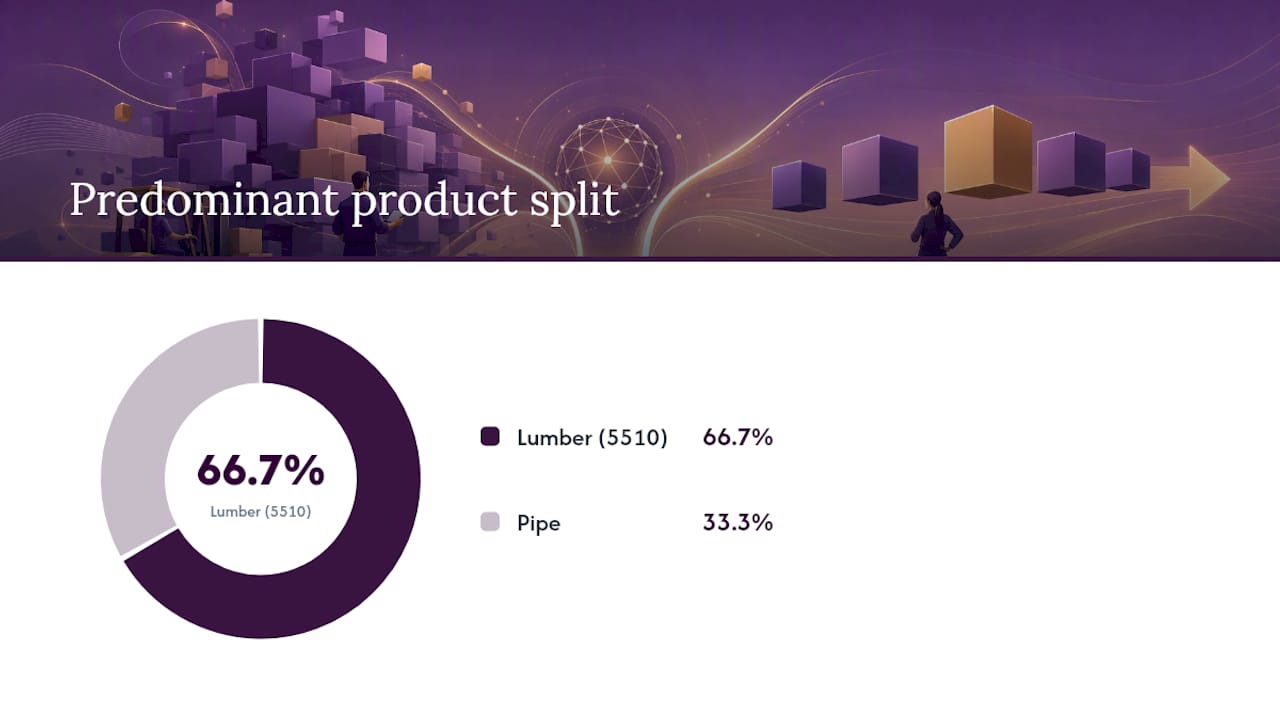
Here’s the classic example straight from the manual: a purchase order includes $1,000 of lumber and $500 of pipe. Lumber dominates the dollar value, so the whole order gets coded 5510, Lumber and Related Basic Wood Materials, not split across two codes. You code the contract once, based on what carries the weight.
Two FPDS data elements do the heavy lifting once you’ve made that call:
- Element 8A (Product or Service Code) captures the actual PSC you selected. This is the field contracting officers and reviewers check first.
- Element 8L (Recovered Materials/Environmental Attributes) flags whether the predominant item carries an environmental attribute, such as an energy-efficient model versus a standard one.
If most of the dollar value goes toward the energy-efficient variant of a product, 8A still reflects the predominant product category, but you set 8L to flag the environmental attribute separately.
Two mistakes show up constantly. First, contractors slap an R&D code on a routine deliverable because the contract mentions “development” somewhere in the scope. R&D codes are reserved for genuine research and development work, not standard products with a little customization. Second, people pick a code from the title alone and skip the includes/excludes notes, which is exactly where the manual tells you a code doesn’t actually fit your item.
Pro Tip: When dollar amounts are close, don’t guess. Write a one-sentence justification (which deliverable carries the primary technical requirement or the higher share of contract value) and keep it in your file. That sentence is worth more than any code selection app if an auditor ever asks why.
A Step-by-Step Process to Pick, Verify, and Document Your PSC
Run through this sequence every time you’re staring at a new solicitation or preparing an award for FPDS reporting.
- Identify the predominant good or service. If the contract has multiple components, estimate the dollar share of each, or determine which deliverable represents the primary technical requirement.
- Search candidate codes in the PSC Manual spreadsheet and the PSC Tool. Cross-reference by keyword and by category to catch codes you might not have considered.
- Read the class notes for every candidate. Check the includes/excludes language and confirm the code’s active dates align with your contract period.
- Map the code to FPDS element 8A, and set element 8L if an environmental attribute applies to the majority of spend.
- Record your rationale. Save a short written justification along with screenshots or exported files from the manual and lookup tool, and file them with your procurement documentation.
That fifth step gets skipped more than any other, and it’s the one that saves you when a contracting officer or an internal auditor questions a code months after award. Documenting the dollar-share calculation or the primary deliverable narrative in the file makes it far easier for a contracting officer to accept your selected PSC later during FPDS reporting review.
Pro Tip: Keep a simple internal log, even a one-line spreadsheet entry per contract, noting the code chosen, the date you checked it, and which manual version you referenced. Six months later, when someone asks “why this code,” you won’t be reconstructing your logic from memory.
Reading PSC Categories to Narrow Your Search Faster
PSCs split into three top-level groups, and knowing which one you’re in cuts your search time dramatically. Numeric codes (10 through 99) cover products, alphabetic codes from B through Z cover services, and the letter A is reserved for research and development activity.
A few representative codes worth knowing on sight:
- 5510 covers lumber and related basic wood materials, the exact code used in the manual’s predominant-product example above.
- 4110 covers refrigeration and air-conditioning equipment, a common code for facilities and building-support contracts.
- IT and telecommunications services fall under a cluster of alphabetic codes rather than one single entry, so search by function (network services, software support, telecom infrastructure) rather than guessing a single number.
- Category R covers support and professional services, one of the broadest and most frequently misapplied service groups because so many consulting-style contracts get lumped in without checking subcategory notes.
Parent and child code relationships matter too. A broad class often breaks into narrower subcodes, and the class notes will tell you whether your specific deliverable belongs under the parent code or one of its children. Skipping that check is how contracts end up coded one level too general.
Official Tools and When to Use Each One
Three official resources cover nearly every PSC lookup scenario, and they’re not interchangeable.
- The Acquisition.gov manual spreadsheet is your best option for offline review, bulk searches across many line items, and pulling the authoritative includes/excludes text word for word.
- The FAI PSC Tool works best for interactive browsing, especially when you’re not sure which top-level category your item falls under and want to explore the taxonomy visually.
- The GSA public PSC API returns structured code details (code, name, status, parent code, effective dates) and is the strongest option if you’re validating codes at scale or embedding lookups directly into internal bid or contract-management software.
Whichever tool you start with, don’t finish there. Cross-checking a code against a second source before finalizing it is one of the simplest ways to catch a stale or retired entry before it ends up on a signed contract.
How expert consulting services help you get PSC selection right
Picking the right code is one piece of a much larger compliance puzzle, and that’s where Gsascheduleservices comes in. We work with small and midsize businesses to map product and service codes accurately, align them with NAICS and SIN codes, and prepare the documentation that keeps FPDS reporting clean throughout the life of a GSA Schedule contract.
Specifically, we help with:
- Mapping predominant products or services to the correct PSC and cross-checking against the current manual
- Aligning NAICS, SIN, and PSC selections so your GSA schedule application holds up under review
- Building the documentation trail contracting officers expect to see if a code selection gets questioned
- Ongoing compliance support as codes, manuals, and reporting requirements shift year to year
If you’d rather have someone who does this daily handle the mapping and paperwork, start with a discovery assessment and we’ll walk through where your current codes stand.
Why the “Just Pick the Closest Code” Habit Keeps Costing Contractors
Most guidance on PSC selection treats it as a five-minute formality, something you knock out while filling in a solicitation response and never think about again. That’s backwards. The code you choose feeds directly into FPDS reporting, and a sloppy or mismatched code doesn’t just sit quietly in a database. It shows up when someone runs a spend analysis, questions why a services contract got coded as a product purchase, or flags an inconsistency during a schedule modification review.
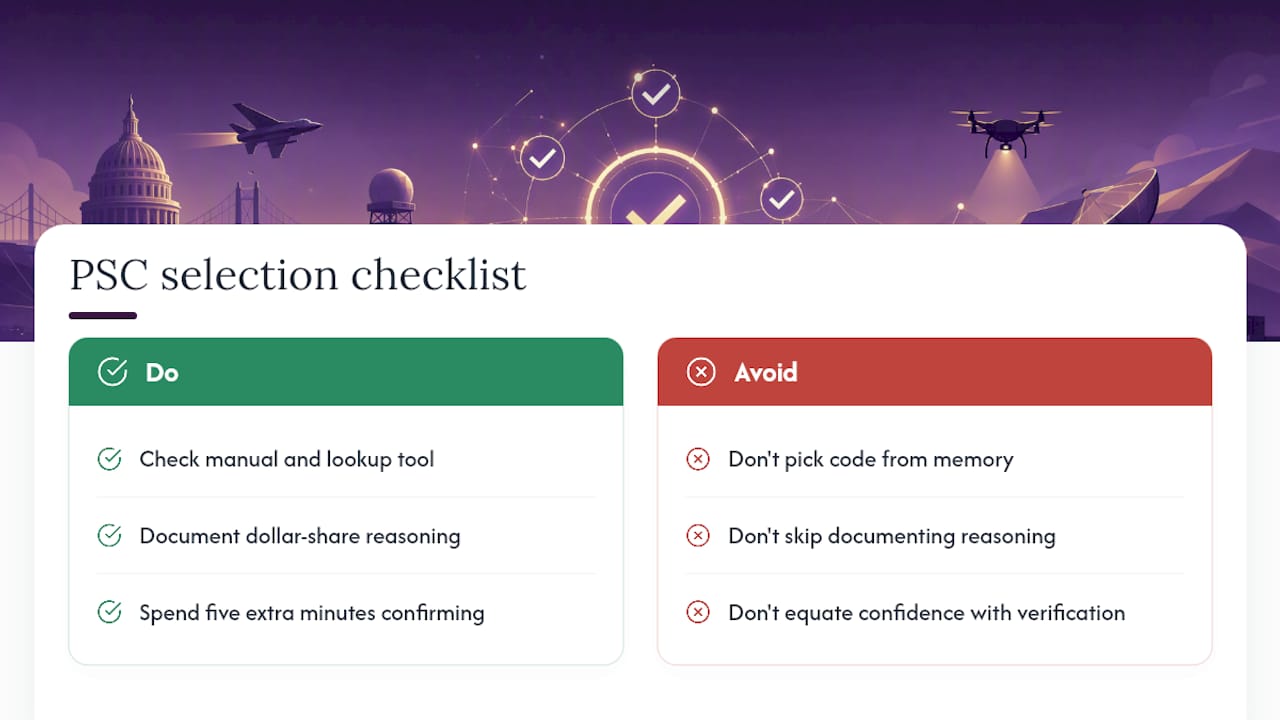
The predominant product rule sounds simple, and it is, but the discipline is in the documentation, not the lookup. Contractors who write down their dollar-share reasoning or their justification for the primary deliverable rarely get challenged later. Contractors who pick a code from memory and move on are the ones scrambling to explain themselves eighteen months down the line.
If there’s one habit worth building, it’s checking two sources before finalizing anything, the manual and a lookup tool, every single time, even when you’re confident. Confidence isn’t verification. The manual gets updated, codes get retired, and the five extra minutes it takes to confirm a code against the current release is cheap insurance against a much more expensive correction later.
— Josh
Sources
FAQ
Where Can I Find a List of PSC Codes?
The complete, current list lives on Acquisition.gov’s PSC Manual page, with downloadable PDF, DOCX, and XLSX versions, including the April 2025 release.
What Is a PSC Code?
A Product Service Code identifies the predominant product, service, or research and development activity being purchased under a federal contract, and it feeds directly into FPDS reporting data.
How Do I Pick the Right NAICS Code Alongside a PSC?
NAICS codes classify your business’s primary industry, while PSCs classify the specific product or service on a given contract. You typically need both correctly aligned for a GSA Schedule application, and they should reflect the same predominant work described in your PSC selection.
Recommended
- Government Contract Opportunities 2026: SME Guide
- Federal Supply Class Categories for GSA: 2026 Guide
- Understanding the Federal Procurement Data System
- Professional Federal Contractor Services in the United States